
Preview




Description
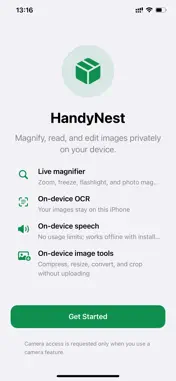
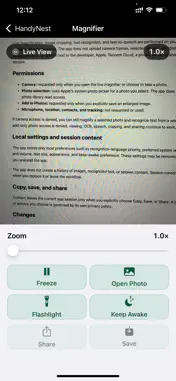
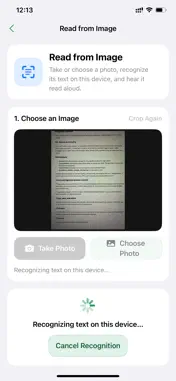
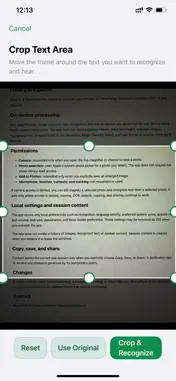
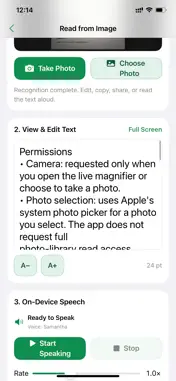
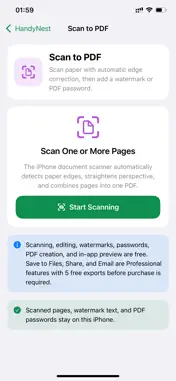
HandyNest brings four practical iPhone tools together in one privacy-first app: document scanning, magnification, image-to-speech, and image preparation. Scan documents • Capture paper with automatic edge detection and perspective correction. • Import multiple pages, then reorder, rotate, enhance, or remove them. • Adjust brightness and contrast, or choose a clarity preset. • Add centered or tiled text watermarks with page range, color, angle, and opacity controls. • Create a multi-page PDF, preview every page, and optionally protect it with an opening password. • Save to Files, share with another app, or attach the PDF to an email. Magnify small details • Magnify a live camera view or a selected photo. • Adjust zoom, freeze the view, use the flashlight, and keep the screen awake. • Pan, zoom, save, or share a frozen image. Read text from images • Take or choose a photo and crop the text area. • Recognize English, Simplified Chinese, Traditional Chinese, and Japanese directly on your iPhone. • Edit, copy, share, and read recognized text aloud with an installed system voice. Prepare images • Compress JPEG images to a target file size. • Resize by width, height, longest edge, or exact dimensions without stretching. • Convert PNG or HEIC images to JPEG and choose a background for transparent areas. • Crop freely or use common aspect ratios. • Save results to Photos or Files, or share them with another app. Scanning, page editing, PDF creation, watermarks, password protection, and in-app preview are free. Save to Files, Share, and Email are Professional PDF export features. You can try five exports free; a one-time purchase unlocks unlimited PDF exports. Core processing happens on your iPhone. HandyNest requires no account, contains no ads, third-party analytics, or tracking, and does not upload your images, documents, PDFs, recognized text, watermark text, or passwords.
What's New
Version 1.3.0 2026-11-24
Process up to 20 photos at once in Image Tools. Convert them to JPG, resize them, or use the Registration Photos preset to keep each file at 200 KB or less. Sav...Process up to 20 photos at once in Image Tools. Convert them to JPG, resize them, or use the Registration Photos preset to keep each file at 200 KB or less. Save your own presets and retry individual photos. On iPhone Duo, your queue, preview, and export selections stay in place as you open and close the device. Technical Analysis
Package Overview Basic metadata
Bundle ID
me.dscloud.pengyu.magnifyread Current Version 1.3.0
Minimum iOS 17.0
Package Size App Store Size
Package Metadata 0 / 0 version records
Detailed binary, privacy manifest, framework, and Info.plist results have not been indexed for this package yet. The verified App Store and archive metadata above remains available.
Developer Information
Known Version Records
0 version records with stored package metadata
Stored metadata does not guarantee a package is currently available to download.
| Details | Version / IDs | Version date | Action |
|---|