
Preview






Description
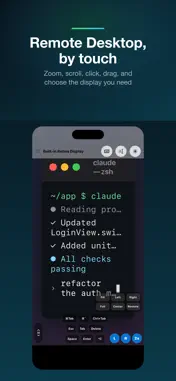
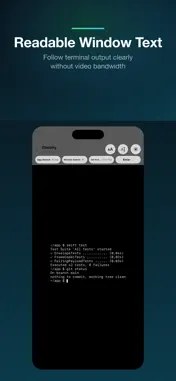
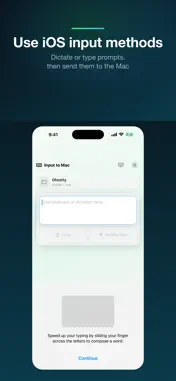
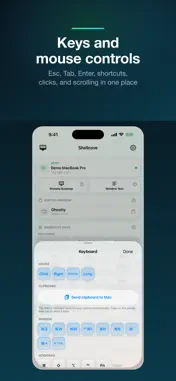
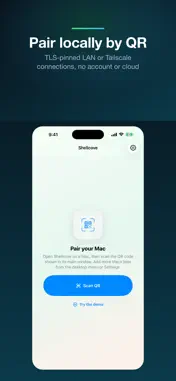
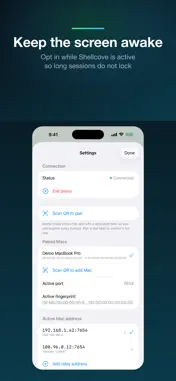
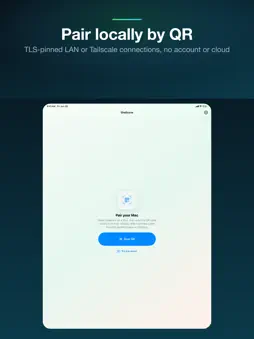
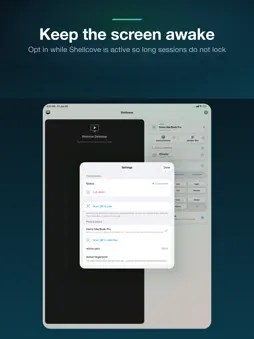
Shellcove is a secure Mac remote for AI coding, terminal work, demos, and long-running tasks. Control your Mac over LAN or the Internet—even without a public IP or port forwarding—with Remote Desktop, live Window Text, iOS input-method text entry, keyboard, mouse, and clipboard sync. No account, separate VPN app, cloud storage, ads, or analytics. Built for remote coding and agentic coding workflows: run AI agents, Claude Code, codex, aider, terminal sessions, and long Mac tasks, then use your iPhone or iPad to watch output, send prompts, press keys, and keep work moving from across the room. How it works - Open the Shellcove Mac app once. It shows a pairing QR. - In Shellcove on your iPhone or iPad, tap "Scan QR". The devices pin a self-signed TLS certificate and can connect directly or through an end-to-end encrypted relay — no account or login. Key features - Remote Desktop, by touch: stream the Mac desktop as video and drive it directly — tap or drag to move the cursor, pinch to zoom, two-finger scroll, long-press to drag. Use full screen, choose any display, and open Keyboard & mouse for clicks and every key. - Text input via iOS keyboard and input methods: tap the bottom input bar, use iOS Dictation or any third-party keyboard to compose text, then send it to the focused Mac window character by character. It works in any app, including modern terminals. - Keys: six always-visible keys (Esc, Tab, Delete, Space, Next tab ⌃Tab, Enter), plus a More Keys panel with 32 combos for editing, navigation, terminal control, and function keys. - Clipboard sync: the Mac's clipboard mirrors to your paired devices automatically; send your device's clipboard back to the Mac with one tap. - Window Text: open a live, monospaced view of the focused Mac window's text (e.g. a terminal buffer). Full screen keeps AI-agent output and long logs readable; wide lines scroll, no video needed. - Keep screen awake: optionally prevent iPhone auto-lock while Shellcove is active in the foreground, useful for long remote-control or monitoring sessions. - iPhone + iPad, any orientation: the layout adapts to every screen — a single column on phones, a two-column "big screen + controls" layout on iPad, and a landscape mode that rearranges to fit. - Automatic Internet connection: Shellcove prefers direct LAN/VPN paths, then uses embedded Tailcat WireGuard NAT traversal and encrypted relay fallback when the Mac has no public IP. No separate Tailscale installation or account is required. Privacy & networking - Remote-control content stays end-to-end encrypted between your iPhone/iPad and Mac. A relay, when needed, transports encrypted packets and may process connection metadata, but cannot read the screen, text, clipboard, or input. - TLS with certificate pinning. The Mac generates a self-signed certificate at first launch; your device pins its fingerprint at pairing. - No accounts, cloud storage, telemetry, advertising, or tracking. The open-source Tailcat transport is bundled only for encrypted connectivity. - Text is composed by the system keyboard or the input method you choose. Shellcove receives only the final text and does not request microphone or Speech Recognition permission. Best paired with - Remote coding with AI agents in your terminal: Remote Desktop + Window Text + text input + button remote. - Long-running terminal commands where you keep hitting Enter / y / n. - Demos and presentations where you want to drive the Mac from across the room. Requirements - A Mac running macOS 13 (Ventura) or newer with the free companion Shellcove Mac app installed (apps.zhizuzhefu.com/shellcove). - Both devices need Internet access. Same-Wi-Fi and VPN connections remain the fastest paths; no public IP or router port forwarding is required. - One-time Accessibility and Screen Recording permission on the Mac so it can synthesize input and mirror the screen.
What's New
Version 1.5.0 2026-09-23
What's new - Added secure Tailcat Internet connectivity. Reach a Mac without a public IP whenever both devices are online—no port forwarding, Tailscale account... Technical Analysis
Package Overview Basic metadata
Bundle ID
com.zhizuzhefu.app.shellcove.ios Current Version 1.5.0
Minimum iOS 16.0
Package Size App Store Size
Package Metadata 1 / 4 version records
Detailed binary, privacy manifest, framework, and Info.plist results have not been indexed for this package yet. The verified App Store and archive metadata above remains available.
Price History (USA store)
2 recorded price change points. These are historical observations, not a guarantee of the current price.
| Recorded at | Price | Currency |
|---|---|---|
| 3.99 | USD | |
| 0.0 | USD |
Developer Information
Known Version Records
1 version record with stored package metadata • 4 known version records
Stored metadata does not guarantee a package is currently available to download.
| Details | Version / IDs | Version date | Action |
|---|---|---|---|
| 17.32 MB | v1.5.0 App Store ID: 887467904Build: 1.5.0 | 2026-09-23 02:12:03 | Get Version |
| Not archived | App Store ID: 887375676 | Unknown | Request Version |
| Not archived | App Store ID: 886906261 | Unknown | Request Version |
| Not archived | App Store ID: 886229222 | Unknown | Request Version |