
Preview

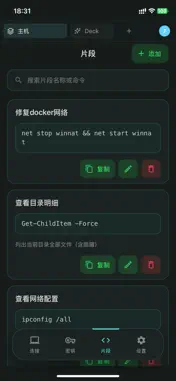


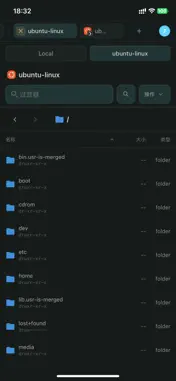


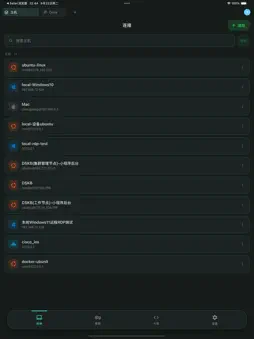

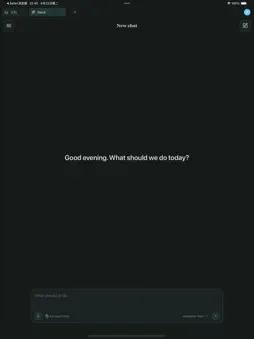

Description
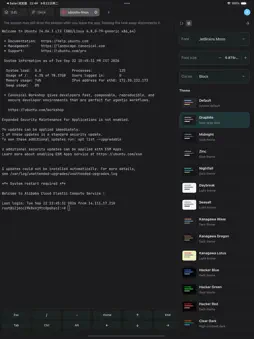
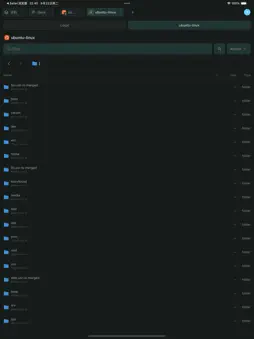
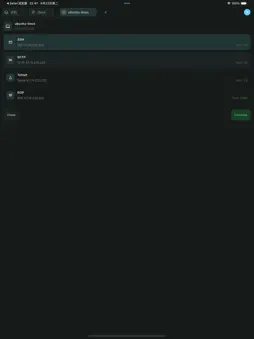
Connect over SSH, SFTP, Telnet and RDP from one client. Deck is the AI agent in the same window: it runs on real hosts after you approve, and stops on risky steps. Office comes last — Word, Excel or PDF you can open, not a chat log. SSH Key, password, keyboard-interactive, SSH-Agent, GSSAPI. Jump hosts, shared connections, idle disconnect. Type yourself, or let Deck run on one host or a group after you confirm. SFTP Two panes: local left, remote right. List, rename, permissions, new, delete, drag, copy across sessions, edit in place. Point at a folder and move configs or logs in bulk. Telnet Switches and older gear. Prompt, pager and disable-paging for Cisco, Huawei, H3C. Deck can batch Telnet; you still approve. NVT newlines when needed. RDP Windows desktop: scale, full screen, certificate trust, optional Azure AD, clipboard with files, shared folders. Colour depth, keyboard, console session per host. A remote desk, not only a jump box. AI agent Not another chat box. Actions land on the network; files land on disk. Reads what you have, writes real formats, runs only what you approve. Long docs or repos can split across read-only explore sub-agents. Skills and MCP teach playbooks; scheduled tasks hang repeating work on a clock. Production can be stricter than lab. Dangerous steps wait. State goal, inputs, output and constraints once. Example: read-only inspection on this switch group, errors in a table, mark bad ports before any write. No command language to learn. Terminal client Tabs, themes, in-session search, command suggestions. Tabs on one machine share underlying SSH. Idle timeout per host. Broadcast an ACL. Fill snippet variables before send. Recordings replay the incident timeline. OpenSSH keys. Snippets with {variables}; Ctrl+Shift+P. SSH, Telnet and local sessions record as asciicast. Broadcast keystrokes to patch many boxes. Import scans session names only — no foreign passwords. ProxyJump, PuTTY SSH, Xshell, Termius CSV. Re-attach keys in Termini; encrypted sync carries the roster. Office Say the job, get a file — after you are on the machine. Word keeps headings and tables; Excel uses real column names and frozen headers; PDF from scans or Markdown; PPT with title levels and charts. Search the web, read screenshots, send local-path attachments. Skills remember house style; MCP calls internal APIs after approval. One workspace Group hosts as the company is grouped. Import ~/.ssh/config, PuTTY, Xshell, Termius CSV — none bring passwords. Devices, keys, skills, MCP and snippets can sync encrypted. Who it is for People in SSH who still owe slides on Friday. Admin, ops, pre-sales, engineering, network. OpenSSH or Xshell? Import. Against chat-only: a file on disk. Against terminal-only: an agent in the same window. Finish a PPT, RDP to present, SFTP the pack back. Backup before production, preview a patch, see the attachment path — those three stop for you by default. Privacy: https://terminiapp.com/en/privacy Terms: https://terminiapp.com/en/terms Docs: https://terminiapp.com/en/docs
What's New
Version 0.1.22 2026-10-30
Bug fixes and improvements. Technical Analysis
Package Overview Basic metadata
Bundle ID
com.termini.www Current Version 0.1.22
Minimum iOS 15.0
Package Size App Store Size
Package Metadata 0 / 0 version records
Detailed binary, privacy manifest, framework, and Info.plist results have not been indexed for this package yet. The verified App Store and archive metadata above remains available.
Developer Information
Known Version Records
0 version records with stored package metadata
Stored metadata does not guarantee a package is currently available to download.
| Details | Version / IDs | Version date | Action |
|---|