
Preview

Description
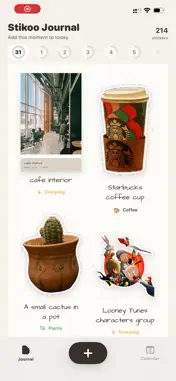
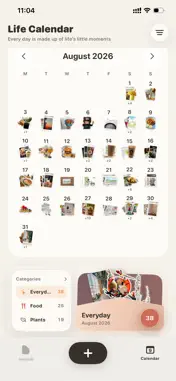
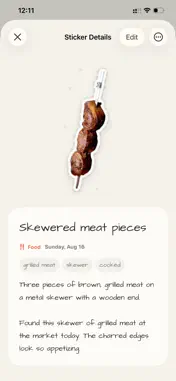
Little moments. A journal full of stickers. With Stikoo, keeping a journal starts with a photo. Snap a picture or pick one from your photo library, turn the subject into a sticker, and add it to today's page. Your go-to coffee, an outfit you love, a new find, or your pet being their usual self. A flower, a good book, a view worth stopping for. Save the little things that make each day yours. FEATURES • Take a photo or choose one from your library • Automatically cut out the subject and give it a sticker-style border • Get suggestions for a name, category, tags, and a short note • Make it your own before you save • Flip through your journal by date • See your month at a glance in the calendar • Keep things organized with categories for everyday life, food, outfits, shopping, pets, plants, travel, and study No account needed. Your saved entries are stored on your device, ready whenever you feel like looking back.
What's New
Version 1.0.92 2026-11-24
• Switch between stacked and single-sticker calendar views, search this month’s tags, and share your filtered calendar • Reuse a cutout sticker in a new entry w...• Switch between stacked and single-sticker calendar views, search this month’s tags, and share your filtered calendar • Reuse a cutout sticker in a new entry without changing the original • Try two new sticker borders, new text tape patterns, and custom colors • Find a new widget setup guide in Settings • More language support • Sharper calendar exports Technical Analysis
Package Overview Basic metadata
Bundle ID
space.overio.JournalSticker Current Version 1.0.92
Minimum iOS 18.0
Package Size App Store Size
Package Metadata 0 / 0 version records
Detailed binary, privacy manifest, framework, and Info.plist results have not been indexed for this package yet. The verified App Store and archive metadata above remains available.
Known Version Records
0 version records with stored package metadata
Stored metadata does not guarantee a package is currently available to download.
| Details | Version / IDs | Version date | Action |
|---|