
Preview



Description
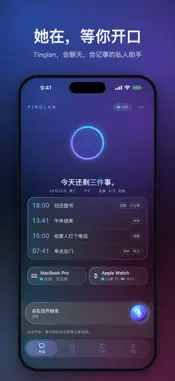
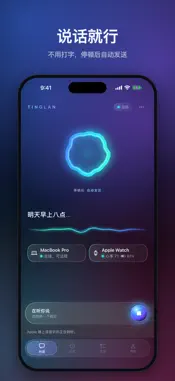
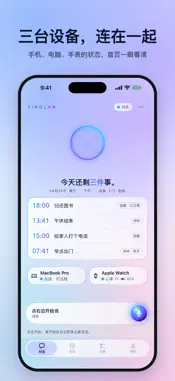
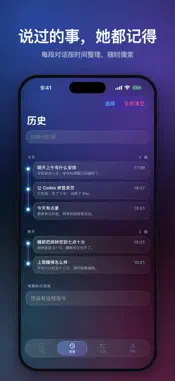
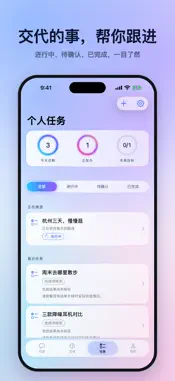
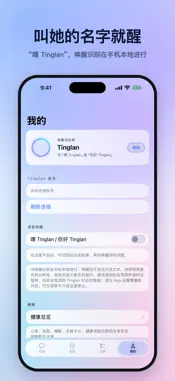
Tinglan is a personal assistant for conversation and everyday notes, available on iPhone and Apple Watch and designed to work with Tinglan on your Mac. TALK WITH YOUR VOICE Tap to speak, or call Tinglan after giving consent and enabling Voice Wake. Speech is transcribed on your device, and replies use Tinglan's own voice. Full AI conversations require you to choose a provider and enter your own API key in Settings; provider charges may apply. Limited local responses are available without a model API key. VIEW AND ASK ABOUT YOUR HEALTH RECORDS Open My, scroll to the Health section, and tap Health Overview to view available steps, heart rate, sleep, and activity records. With your iPhone unlocked, ask "How long did I sleep last night?", "How many steps today?", or "What was my latest heart rate?" Health questions are handled locally without a model API key. Starting a voice session requires a network connection and microphone and speech-recognition permissions. Reading health records also requires the relevant Health read permissions. An Apple Watch is not required to view records already available in your iPhone Health database; available records depend on your devices and permissions. On Apple Watch, Tinglan shows the latest system-recorded heart rate and its measurement time, and provides high or low heart-rate alerts based on received system records. The system controls sampling and background delivery, so updates and alerts may be delayed; Tinglan does not keep the sensor measuring continuously. Health readings are displayed on your own devices and are not sent to the chat model. Not for medical diagnosis, treatment, or emergency assistance. KEEP NOTES AND LOOK BACK Organize personal tasks, schedules, and reminders, and review conversation history and saved memories. Features request the system permissions they need, and actions requiring confirmation ask you to review them first. CONNECT YOUR OWN DEVICES Use Sign in with Apple to pair your iPhone and Mac and confirm device trust. Synced content between trusted devices is end-to-end encrypted. Remote desktop and Mac commands require a Mac that is online, running Tinglan, and has the necessary system permissions. Apple Watch uses services through its paired iPhone. CHOOSE YOUR PRIVACY SETTINGS On first launch, read the privacy policy and choose whether to consent. You can review it or withdraw consent in My > About. Voice, sync, and health reading do not start without consent. System permissions can be changed in Settings. Website and support: https://xiaodian24ai.com/products/tinglan/ Privacy policy: https://xiaodian24ai.com/products/tinglan/privacy/
What's New
Version 1.0.2 2026-10-29
Fixes crashes on iPhone and Apple Watch that could occur when the connection between them dropped. Technical Analysis
Package Overview Basic metadata
Bundle ID
com.jarvisos.ios Current Version 1.0.2
Minimum iOS 18.0
Package Size App Store Size
Package Metadata 0 / 0 version records
Detailed binary, privacy manifest, framework, and Info.plist results have not been indexed for this package yet. The verified App Store and archive metadata above remains available.
Developer Information
Known Version Records
0 version records with stored package metadata
Stored metadata does not guarantee a package is currently available to download.
| Details | Version / IDs | Version date | Action |
|---|