
Preview










Description
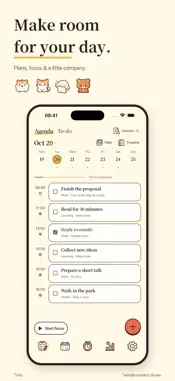
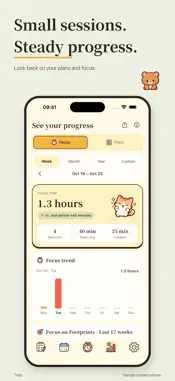
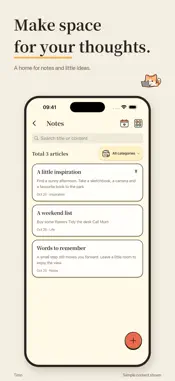
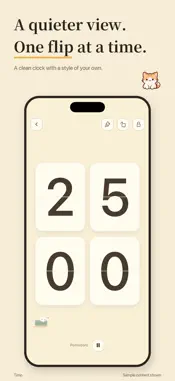
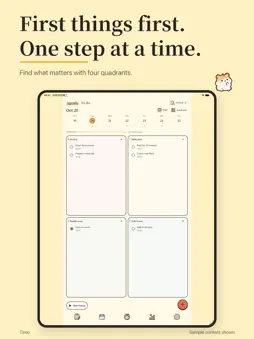
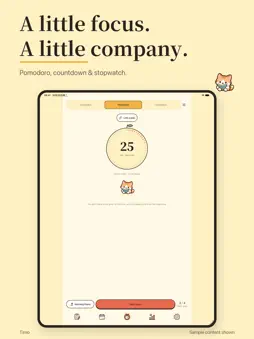
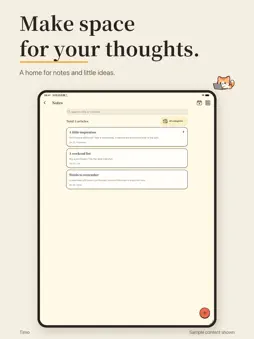
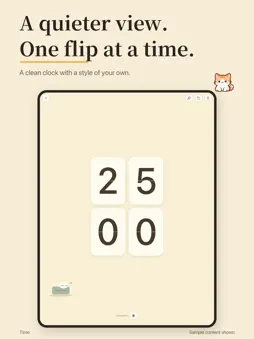
Bring your plans and focus time together with Timo. Plan your day Create plans and small steps with dates, reminders, repeats and priorities. Use four quadrants or a timeline, and explore month, week, three-day and day views. Reschedule overdue plans or mark a check-in as completed or failed. Make time to focus Choose a Pomodoro, countdown or count-up timer with a companion. Open the quiet flip clock and choose its appearance. Pausing shows your current break time and break count. Review sessions, calendars and statistics, add reflections or share your progress. Keep your ideas close Write rich-text memos with fonts, colors, highlights, photos and decorative dividers. Browse by date or category, create custom categories, choose memo paper and soften its background. Protect in-app memo access with a lock. Count down to birthdays, anniversaries and your next adventure. Free features and Timo Plus Basic planning, check-ins, timers, statistics viewing and memos are free. First use starts a continuous 72-hour app trial with no ads and access to current Plus benefits. No purchase is required and it never charges automatically. One music track, one ambient sound, silence, simple memo papers and a numeric PIN remain free. After the trial, ad-free use, all 8 instrumental tracks and 11 ambient sounds, decorative papers, gesture or biometric memo locks and statistics CSV export require an active subscription. Biometric options need compatible hardware. Monthly and yearly prices and periods are shown by Apple in the app and system confirmation. Choosing a subscription charges immediately and renews automatically, including when subscribing during the app trial. Cancel renewal in system subscription settings. Restore with the Apple account used for your purchase. Use it your way Choose from 14 interface languages. Holidays and lunar dates appear in supported regions. Home Screen widgets and Lock Screen Live Activities require iOS 17 or later and compatible hardware; updates and reminders depend on system settings and scheduling. Core local features work without an account. Export and restore file backups. Optional Apple or Google sign-in enables manual cloud backup; changes are not merged automatically across devices. The memo access lock does not encrypt the database or exported backups. Privacy: https://arvin-manager.github.io/timo/en/privacy.html Terms: https://arvin-manager.github.io/timo/en/terms.html Apple standard EULA: https://www.apple.com/legal/internet-services/itunes/dev/stdeula/ Support: [email protected] Plus: premium clock and widget styles, advanced statistics and PDF export, up to 50 personal plan templates, optional automatic cloud backup and five-version history. Two personal templates and manual cloud backup remain free. Create a manual backup first. Auto backup runs while Timo is open, on Wi-Fi and outside Low Power Mode, at most every 6 hours. It does not merge other devices. The last 5 complete versions are kept. Restoring replaces local data.
What's New
Version 1.0.2 2026-11-10
A gentler start for your plans, with smoother focus along the way. • New step-by-step guidance for your first plan: create, save, check in and start focusing. ...A gentler start for your plans, with smoother focus along the way. • New step-by-step guidance for your first plan: create, save, check in and start focusing. Skip it or replay it in Settings. • Fixed links and focus records after repeated “This and future” edits to recurring plans. • Fixed stale system media controls after manually ending focus with background sound enabled. Background playback remains your choice. • Improved guide positioning when scrolling the timeline or rotating your device. Technical Analysis
Package Overview Basic metadata
Bundle ID
com.timo.timo Current Version 1.0.2
Minimum iOS 15.0
Package Size App Store Size
Package Metadata 0 / 0 version records
Detailed binary, privacy manifest, framework, and Info.plist results have not been indexed for this package yet. The verified App Store and archive metadata above remains available.
Developer Information
Known Version Records
0 version records with stored package metadata
Stored metadata does not guarantee a package is currently available to download.
| Details | Version / IDs | Version date | Action |
|---|