
Preview




Description
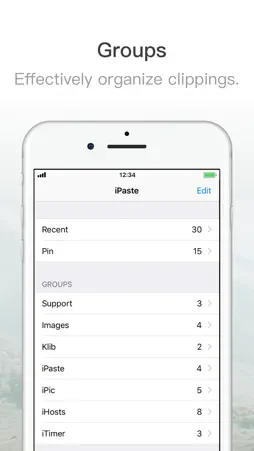
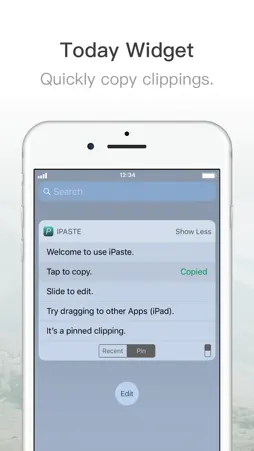
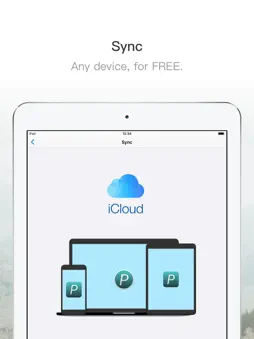
iPaste is a lightweight clipboard tool, which could save what you ever coiped and paste later. # Tips - Groups: Organize unlimited clippings. - Today Widget: Copy clippings with one tap. - Formats: Text, image and file. # Drag & Drop - Enable split view in your iPad. - Drag anything into iPaste to save it. - Drop anything into your App to insert. # Sync - Sync with your iPhone, iPad and Mac. * iPaste for Mac is available in the Mac App Store. - And, sync is FREE. iPaste is free but you can also upgrade to Pro account for premium features. You will enjoy how iPaste increases your productivity. Download and have a try! Welcome to join users' group: https://t.me/iToolinbox Or email me at any time: [email protected]
What's New
Version 1.1.2 2017-10-18
Now you can sync clipboard history in Today widget. E.g., copy anything in your Mac when iPaste for macOS running, and then turn to your iPhone and open Today ... Technical Analysis
Package Overview Package analysis available
Bundle ID
net.toolinbox.iPaste.iOS Current Version 1.1.2
Minimum iOS 10.0
Package Size Latest Recorded Package Size
Package Metadata 1 / 4 version records
CocoaLumberjack
org.cocoapods.CocoaLumberjack v3.0.0iOS 8.0+499.46 KB
GoogleToolboxForMac
org.cocoapods.GoogleToolboxForMac v2.1.3iOS 8.0+211.54 KB
GTMSessionFetcher
org.cocoapods.GTMSessionFetcher v1.1.12iOS 8.0+531.38 KB
nanopb
org.cocoapods.nanopb v0.3.8iOS 8.0+192.11 KB
Protobuf
org.cocoapods.Protobuf v3.4.0iOS 8.0+1.06 MB
Toolinbox
org.cocoapods.Toolinbox v0.1.0iOS 10.0+559.77 KB
Known Version Records
1 version record with stored package metadata • 4 known version records
Stored metadata does not guarantee a package is currently available to download.
| Details | Version / IDs | Version date | Action |
|---|---|---|---|
 14.68 MB | v1.1.2 App Store ID: 841812607Build: 112 | 2021-04-23 02:35:08 | Get Version |
| Not archived | App Store ID: 824052770 | Unknown | Request Version |
| Not archived | App Store ID: 823686614 | Unknown | Request Version |
| Not archived | App Store ID: 823494775 | Unknown | Request Version |