Preview





Description
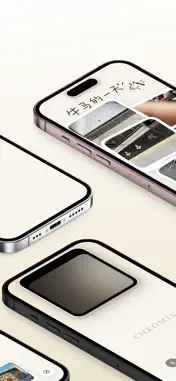
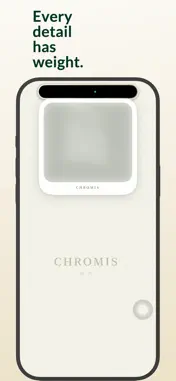
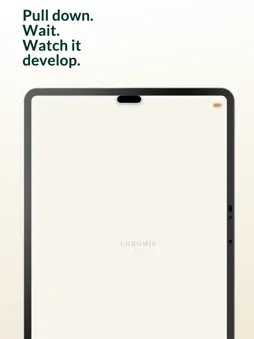
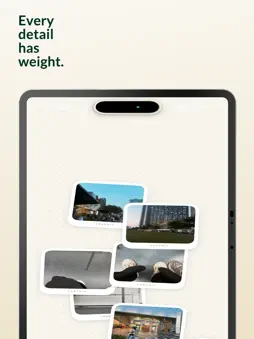
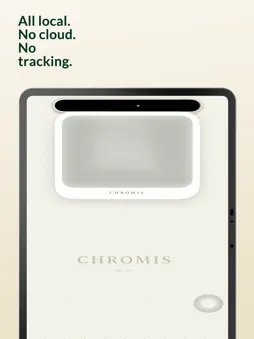
CHROMIS is a retro camera that turns Dynamic Island into a Polaroid. The viewfinder unfolds from beneath Dynamic Island. After the shutter sounds, the photo slowly slides out like a real Polaroid. The image emerges from a pale, light-sensitive state into a frame with film texture, then gently lands on the canvas. Taking a photo is more than pressing a button. Framing, shutter, development, and collecting become one complete photographic ritual in CHROMIS. Every press of the shutter turns a small moment of everyday life into a Polaroid-style instant photo you can return to later. These photos do not have to stay buried in a camera roll. They can scatter across an infinite canvas, grow into a personal photo wall, or become a visual journal arranged freely by mood, place, and memory. When one photo deserves its own moment, open the Polaroid stage and let it stay in front of you for a while. When one part of the canvas is worth revisiting, crop it into a small window and keep it quietly on your Home Screen. — Capture CHROMIS redesigns shooting around Dynamic Island, letting the camera unfold naturally from it. Built-in film looks cover warm tones, cool tones, low saturation, vivid color, and classic film simulation. Live Photo support also preserves the motion around the moment you press the shutter. — Organize The infinite canvas lets photos move beyond a timeline. Arrange them by mood, scene, and memory. Pins keep photos and background cards in the right place, while background cards help you build richer collages, journals, and visual collections. — Display The Polaroid stage is made for appreciating a single photo. Canvas export saves a finished layout as a high-quality image. Home Screen widgets can hold a corner of your canvas so memories stay close in a lighter way. — Efficiency CHROMIS supports iOS Shortcuts, so you can connect capture actions to automations, Lock Screen entry points, or widgets and start shooting faster. — Quick Start · Take a photo: Pull the camera down from Dynamic Island, release, then press the shutter. · Switch film: Swipe left or right in the viewfinder to choose a film look. · Move photos: Long-press a photo to pull out its pin, then drag it into place. · Pin photos: Long-press a photo or background card again to fix it with a pin. · Import background cards: Tap the “+” in the lower-right corner and choose an image from Photos. · Delete photos: Drag an unwanted photo toward the bottom center, wait for the trash can, then release. · Show a photo: Double-tap a photo on the canvas to open the Polaroid stage. · Export the canvas: Double-tap an empty area of the canvas to save the current view as an image. · Make a widget: Long-press the “+” in the lower-right corner, choose a canvas area, and export it as a Home Screen widget. · Use Shortcuts: Search for CHROMIS in the iOS Shortcuts app and add capture-related actions. — Privacy Commitment All photo processing happens locally on your device and is not uploaded to a server. CHROMIS only requests necessary permissions such as camera access and photo library writing to complete capture, saving, and export. May every press of the shutter become a chrome print worth keeping. Standard Agreement (EULA) https://www.apple.com/legal/internet-services/itunes/dev/stdeula
What's New
Version 1.3.9 2026-10-08
- Tuned for the iPhone 18 Pro Dynamic Island so the viewfinder fits the new shape - Smoother, more stable zoom when crossing into digital zoom - Polish and stab...- Tuned for the iPhone 18 Pro Dynamic Island so the viewfinder fits the new shape - Smoother, more stable zoom when crossing into digital zoom - Polish and stability improvements Technical Analysis
Package Overview Basic metadata
Bundle ID
com.bigdaddy.chromis Current Version 1.3.9
Minimum iOS 17.0
Package Size App Store Size
Package Metadata 1 / 18 version records
Detailed binary, privacy manifest, framework, and Info.plist results have not been indexed for this package yet. The verified App Store and archive metadata above remains available.
Known Version Records
1 version record with stored package metadata • 18 known version records
Stored metadata does not guarantee a package is currently available to download.
| Details | Version / IDs | Version date | Action |
|---|---|---|---|
| Not archived | v1.3.8 App Store ID: 889901669Build: 1.3.8 | 2026-08-19 10:42:00 | Request Version |
| Not archived | v1.3.7 App Store ID: 889174299Build: 1.3.7 | 2026-08-10 02:32:16 | Request Version |
| Not archived | App Store ID: 888856309 | Unknown | Request Version |
| Not archived | v1.3.5 App Store ID: 888692988Build: 1.3.5 | 2026-07-25 00:54:21 | Request Version |
| Not archived | v1.3.4 App Store ID: 888641365Build: 1.3.4 | 2026-07-22 02:08:36 | Request Version |
| Not archived | v1.3.3 App Store ID: 888096673Build: 1.3.3 | 2026-07-17 23:04:37 | Request Version |
| Not archived | v1.3.2 App Store ID: 887912000Build: 1.3.2 | 2026-07-09 20:21:34 | Request Version |
| 82.05 MB | v1.3.8 App Store ID: 887718619Build: 1.3.8 | 2026-08-19 10:42:00 | Get Version |
| Not archived | v1.3.0 App Store ID: 887618008Build: 1.3.0 | 2026-07-01 21:24:34 | Request Version |
| Not archived | v1.2.2 App Store ID: 887493953Build: 1.2.2 | 2026-06-28 19:56:24 | Request Version |
| Not archived | v1.2.1 App Store ID: 887230153Build: 1.2.1 | 2026-06-24 18:56:37 | Request Version |
| Not archived | v1.2.0 App Store ID: 887173928Build: 1.2.0 | 2026-06-20 04:01:27 | Request Version |
| Not archived | v1.1.1 App Store ID: 887045555Build: 1.1.1 | 2026-06-17 00:05:56 | Request Version |
| Not archived | v1.1.0 App Store ID: 886846688Build: 1.1.0 | 2026-06-13 20:12:03 | Request Version |
| Not archived | v1.0.3 App Store ID: 886752007Build: 1.0.3 | 2026-06-10 22:56:50 | Request Version |
| Not archived | v1.0.2 App Store ID: 886679497Build: 1.0.2 | 2026-06-08 20:36:16 | Request Version |
| Not archived | v1.0.1 App Store ID: 886601524Build: 1.0.1 | 2026-06-06 19:47:00 | Request Version |
| Not archived | v1.0.0 App Store ID: 886238270Build: 1.0.0 | 2026-06-03 22:53:29 | Request Version |