
Preview






Description
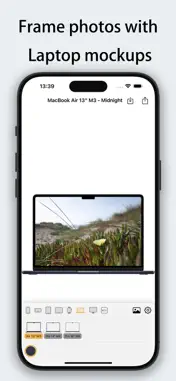
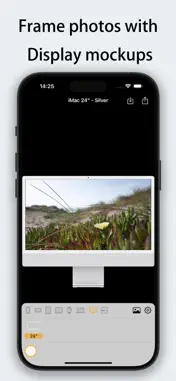
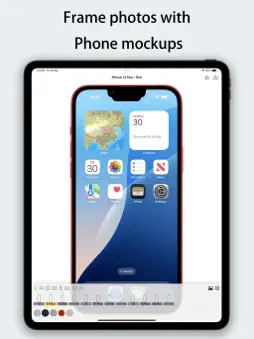
Framable - Add Stunning Device Frames in One Tap! Make your screenshots look professional instantly! Framable supports adding realistic device frames to screenshots/photos for iPhone, iPad, Mac, Apple Watch, and Apple TV. Process in 1 second and share with ease. Perfect Fit for the Latest Apple Devices • iPhone 14/15/16/17 series (including Pro/Pro Max/Air) • iPad Air/Pro/mini (Full M2/M4 support) • MacBook Air/Pro (13"~16", M3/M4 chips) • iMac 24", Apple TV 4K • Apple Watch S10/S11/Ultra 2/Ultra 3 (42mm/46mm) [New Update] Flexible Composition & Interactive Optimization • Diverse Fit Modes: Supports "Stretch", "Fit Width (Vertical Scroll)", and "Fit Height (Horizontal Scroll)" for any image ratio. • Intuitive Gesture Control: In fit modes, simply drag the image inside the frame to adjust the visible area and capture the perfect look. [Exclusive] Powerful Shortcuts Support • System Integration: No need to open the app! Use the Share Sheet in the Photos app to add frames instantly. • Batch Processing: Process dozens of screenshots at once via Shortcuts workflows for maximum efficiency. • Dedicated Intents: Individual shortcuts for iPhone, iPad, and Watch to meet your precise automation needs. Core Features • Blazing Fast - Generate framed images in under 1 second. • HD Output - Retains original image quality with 4K support. • Diverse Frames - Multiple color options (Space Black, Starlight, Midnight, Titanium, etc.). • Smart Adaptation - Automatically detects portrait/landscape orientations to match the best device frame. Use Cases • Developers: Create App Store marketing materials. • Tech Enthusiasts: Design personalized social media or review posts. • Professionals: Give product demos and document screenshots a premium look. • Efficiency Seekers: Use Shortcuts for a fully automated framing workflow. "From ordinary screenshot to professional display in 1 second. Automated composition has never been this easy!"
What's New
Version 1.0.3 2026-04-16
[1.0.3] 1. New Image Fit Modes: Stretch, Fit Width (Vertical Scroll), and Fit Height (Horizontal Scroll). 2. Drag Gesture Support: Adjust the visible area by dr...[1.0.3] 1. New Image Fit Modes: Stretch, Fit Width (Vertical Scroll), and Fit Height (Horizontal Scroll). 2. Drag Gesture Support: Adjust the visible area by dragging the image inside the frame. 3. Fixed known issues. [1.0.2] 1. Shortcut Support: Create automated workflows for iPhone, iPad, and Watch. Supports direct execution from the Share Sheet. 2. Batch Processing: Process multiple images at once via Shortcut workflows to save time. Technical Analysis
Package Overview Basic metadata
Bundle ID
com.galaxycreek.framable Current Version 1.0.3
Minimum iOS 15.0
Package Size App Store Size
Package Metadata 1 / 4 version records
4.5 / 5.0 (2 ratings)
Detailed binary, privacy manifest, framework, and Info.plist results have not been indexed for this package yet. The verified App Store and archive metadata above remains available.
Price History (USA store)
3 recorded price change points. These are historical observations, not a guarantee of the current price.
| Recorded at | Price | Currency |
|---|---|---|
| 0.99 | USD | |
| 1.99 | USD | |
| 0.99 | USD |
Developer Information
Known Version Records
1 version record with stored package metadata • 4 known version records
Stored metadata does not guarantee a package is currently available to download.
| Details | Version / IDs | Version date | Action |
|---|---|---|---|
| 30.73 MB | v1.0.3 App Store ID: 884533836Build: 1.0.3 | 2026-04-16 17:15:06 | Paid / Arcade |
| Not archived | App Store ID: 883200903 | Unknown | Paid / Arcade |
| Not archived | App Store ID: 879727336 | Unknown | Paid / Arcade |
| Not archived | App Store ID: 875271198 | Unknown | Paid / Arcade |