
Preview







Description
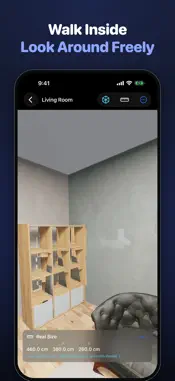
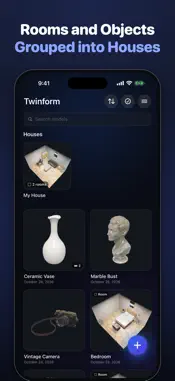
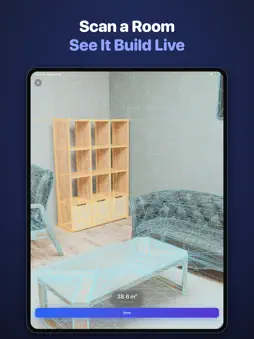
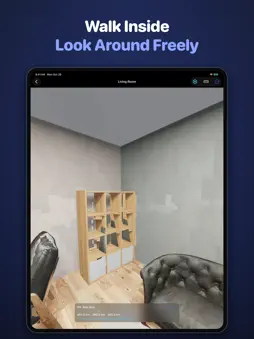
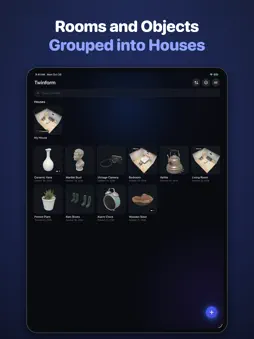
Twinform turns your iPhone into a 3D scanner for whole rooms and the objects in them. Walk a room and see it rebuilt in 3D, or capture a single object as a photo-real model you can measure. SCAN A ROOM • Walk around and watch the LiDAR mesh build up over the camera view in real time • Areas not yet photographed are highlighted, so you can see what still needs a look • When you tap Done, the room is textured from the photos taken during your walk — no waiting for a long build • View it as a dollhouse from above (the ceiling and near walls open up), or step inside and look around • Group rooms into a house to keep a home or an office together SCAN AN OBJECT • Guided capture with real-time tips for distance, lighting and motion • Apple Object Capture builds a photorealistic model on your iPhone • See the aligned point cloud and camera positions while it builds MEASURE • Distance, angle and multi-point paths, in cm, mm or inches • Measurements are saved with the model and can be exported as a report (text or JSON) • Size calibration (Pro): measure one dimension with a ruler and every size for that model is corrected by the same ratio EXPORT (Pro) • USDZ for Apple AR Quick Look • GLB for the web and cross-platform use, plus a lossless HD GLB • STL for 3D printing • OBJ for 3D editing tools • Raw photos (free; only while a scan's capture frames remain) BUILT ON APPLE'S 3D TECHNOLOGY • Rooms use LiDAR scene reconstruction; objects use Apple Object Capture photogrammetry • A live point cloud shows what has been scanned so far • STL and OBJ export straight into 3D printing and CAD workflows LIBRARY • Search, sort by date, name or size, and select several models at once • Optional iCloud Sync keeps your models across your devices, in your own private iCloud — off by default REQUIREMENTS Requires an iPhone or iPad with a LiDAR scanner (iPhone 12 Pro or later Pro models, iPad Pro 2020 or later). Object scanning also needs Apple Object Capture support on your device. PRIVACY Scans are processed on your iPhone. Twinform does not collect any data. Terms of Use (EULA): https://www.apple.com/legal/internet-services/itunes/dev/stdeula/
What's New
Version 2.2 2026-11-08
New: Floor Plan. After scanning a room, tap the ••• button and choose Floor Plan to see its outline, area, perimeter and edge lengths. Adjust the outline if nee...New: Floor Plan. After scanning a room, tap the ••• button and choose Floor Plan to see its outline, area, perimeter and edge lengths. Adjust the outline if needed, then share it as a PDF or PNG. Room scans are cleaner, with fewer stray fragments. Measurement reports now include the floor plan. The App Store page is now available in 21 languages. Technical Analysis
Package Overview Basic metadata
Bundle ID
com.wmr.shiwu3d Current Version 2.2
Minimum iOS 18.0
Package Size App Store Size
Package Metadata 0 / 0 version records
Detailed binary, privacy manifest, framework, and Info.plist results have not been indexed for this package yet. The verified App Store and archive metadata above remains available.
Developer Information
Known Version Records
0 version records with stored package metadata
Stored metadata does not guarantee a package is currently available to download.
| Details | Version / IDs | Version date | Action |
|---|