Preview




Description
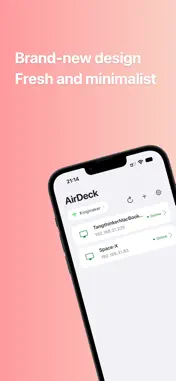
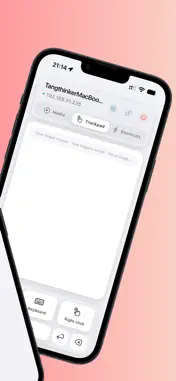
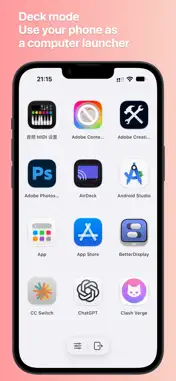
AirDeck is built for short-range control of your own computer. When your phone and PC are on the same Wi‑Fi, your phone becomes a wireless trackpad, keyboard, and media remote so you can drive your Mac or Windows machine without walking back to the desk. Whether you are presenting, watching from the couch, or need to type a quick note, AirDeck saves you the trip. 【Core features】 · Wireless trackpad: one finger moves the pointer; one-finger tap for left click; two-finger tap for right click; two-finger scroll; three-finger drag. · Keyboard: type multi-line text on your phone and send it to the PC; common modifier keys and F1–F12 shortcuts. · Media remote: volume, previous/next track, play/pause, and other system media actions. · App shortcuts: browse apps from your phone and open them on the PC; pin favorites to the top. · Auto-discovery: find PCs on the same LAN; manual IP entry when discovery is blocked. 【Typical use cases】 · Presentations: change slides, move the pointer, and control playback away from the PC. · Living-room media: adjust volume, skip tracks, and pause from the sofa. · Light work: use your phone as a temporary trackpad and keyboard to send text quickly. · Multi-device desks: fewer peripherals—basic control from the phone you already carry. 【Getting started】 1. Install and run the AirDeck desktop app on your computer. 2. Connect your phone and computer to the same Wi‑Fi. 3. Open AirDeck on your phone, pick a discovered PC, and connect. 4. If discovery fails, connect by manual IP. 【Privacy & security】 AirDeck is intended for your own devices on trusted networks. Control traffic stays mainly on your local LAN; core control does not rely on a third-party remote-control cloud. Only connect to computers you own or are authorized to control, and use trusted Wi‑Fi. See the in-app or website Privacy Policy for details. 【Notes】 · Both the mobile app and the matching desktop build are required. · Corporate networks, guest Wi‑Fi, AP isolation, or VPN may block discovery or connections. · Media control, app lists, and permission prompts may vary by OS version and grants.
What's New
Version 1.1 2026-09-24
- Added one-tap sharing to computer, so you can quickly open links shared from your phone on your computer - Brand-new 2.0 UI design, clean and simple - Fixed k...- Added one-tap sharing to computer, so you can quickly open links shared from your phone on your computer - Brand-new 2.0 UI design, clean and simple - Fixed known issues and improved stability - Added phone identity name setting and display Technical Analysis
Package Overview Basic metadata
Bundle ID
com.airdeck.airdeck Current Version 1.1
Minimum iOS 15.0
Package Size App Store Size
Package Metadata 0 / 1 version records
Detailed binary, privacy manifest, framework, and Info.plist results have not been indexed for this package yet. The verified App Store and archive metadata above remains available.
Known Version Records
0 version records with stored package metadata • 1 known version records
Stored metadata does not guarantee a package is currently available to download.
| Details | Version / IDs | Version date | Action |
|---|---|---|---|
| Not archived | App Store ID: 885167237 | Unknown | Paid / Arcade |