Preview


Description
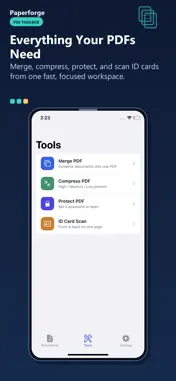
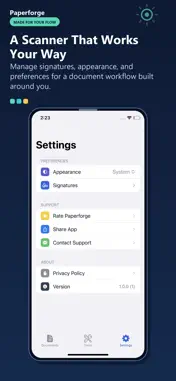
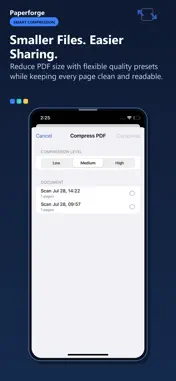
Paperforge is a document scanning and PDF processing tool that integrates scanning, merging, editing, signing, and watermarking, turning your phone into a portable scanner. Whether it's contracts, invoices, certificates, notes, or lecture handouts, Paperforge can quickly capture, automatically optimize, and organize them into clear PDF documents. Paperforge can scan single pages or multiple pages continuously, automatically detect document edges, remove unwanted backgrounds, and offers multiple color modes: original, enhanced, black and white, and grayscale. Paperforge also supports both camera capture and album import. Paperforge can merge multiple documents into a single PDF, making document organization more efficient. You can manage pages, freely adding, deleting, rotating, and dragging to sort them. You can also categorize and organize folders, quickly locate documents, and use keyword search to find target documents in seconds. Paperforge can edit and sign documents, with a built-in signature tool for one-click insertion of handwritten signatures. You can add your own text and image watermarks to indicate document ownership. You can also try the document scanning mode to generate PDF files. Paperforge also includes a lightweight image editor, allowing you to blur, vignette, adjust brightness and contrast, and use filters. Paperforge offers password-protected PDFs for encrypted storage of important documents. It also provides PDF compression for large files, reducing file size for easier sharing. You can export to a file or save to your photo album. Paperforge is suitable for students, office workers, freelancers, and anyone who needs to handle paper documents.
What's New
Version 1.0.1 2026-08-11
Optimized automatic scanning and improved text recognition speed Technical Analysis
Package Overview Basic metadata
Bundle ID
com.Image.paperforge.scan.editing Current Version 1.0.1
Minimum iOS 16.0
Package Size App Store Size
Package Metadata 0 / 0 version records
Detailed binary, privacy manifest, framework, and Info.plist results have not been indexed for this package yet. The verified App Store and archive metadata above remains available.
Developer Information
Known Version Records
0 version records with stored package metadata
Stored metadata does not guarantee a package is currently available to download.
| Details | Version / IDs | Version date | Action |
|---|