
Preview

Description
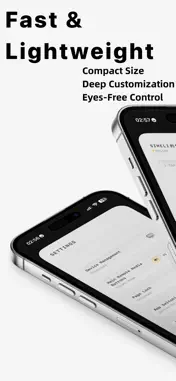
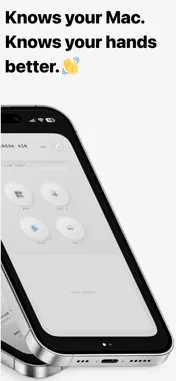
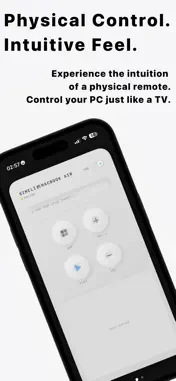
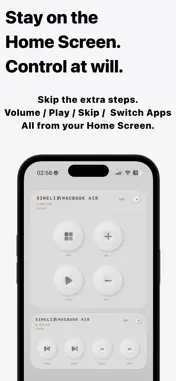
QuickTap is a minimalist iPhone remote built specifically for Mac. With a single tap, transform your phone into a wireless trackpad, portable keyboard, and shortcut control hub. Leave the physical keyboard and mouse behind. Q: Why create this app? A: The idea started simply: after moving, I connected an idle Mac mini to my TV to use as a dedicated media center. While the Mac is incredibly capable, navigating it from the sofa with a traditional mouse and keyboard was awkward and frustrating. So, I built QuickTap. I stripped away the clutter, focusing entirely on a minimalist control experience. It features four oversized buttons and a trackpad for cursor movement, clipboard-level text input, and Home Screen widgets that let you control your Mac without even opening the app. The result is a fluid, deeply integrated ecosystem. It’s designed to feel exactly like a physical TV remote—intuitive and entirely under your control. Now, when I get home from work, I can finally sink into the sofa and have my entire desktop right at my fingertips. Core Features: Fast & Seamless Connection: Prioritizes LAN for ultra-low, zero-latency response. Immersive Control: Combines a high-precision trackpad with intuitive, "eyes-free" physical button mapping. Home Screen Widgets: Instant control right from your iPhone Home Screen—no need to open the app. Lossless Clipboard Input: Type seamlessly on your phone, and the text appears instantly on your Mac. Endless Customization: Deeply personalize volume control, media playback (next/previous, fast-forward/rewind), seek durations, widget layouts, Siri Shortcuts, and gestures. Cross-Platform Support: Works flawlessly with both Mac and Windows, with no limit on the number of connected devices. First-Time Setup: This app requires a desktop receiver to function. Please visit our support website (https://ouotheblue.cn/quicktap/) to download the free, lightweight server application and start your seamless control experience. Terms of Use (EULA): https://www.apple.com/legal/internet-services/itunes/dev/stdeula/
What's New
Version 3.0.1 2026-09-20
-Fine-tuned newly added features and fixed related issues. Technical Analysis
Package Overview Basic metadata
Bundle ID
cn.ouotheblue.QuickTap Current Version 3.0.1
Minimum iOS 17.0
Package Size App Store Size
Package Metadata 0 / 4 version records
Detailed binary, privacy manifest, framework, and Info.plist results have not been indexed for this package yet. The verified App Store and archive metadata above remains available.
Developer Information
Known Version Records
0 version records with stored package metadata • 4 known version records
Stored metadata does not guarantee a package is currently available to download.
| Details | Version / IDs | Version date | Action |
|---|---|---|---|
| Not archived | App Store ID: 884738646 | Unknown | Request Version |
| Not archived | App Store ID: 884390357 | Unknown | Request Version |
| Not archived | App Store ID: 884185833 | Unknown | Request Version |
| Not archived | App Store ID: 883161467 | Unknown | Request Version |