
Preview




Description
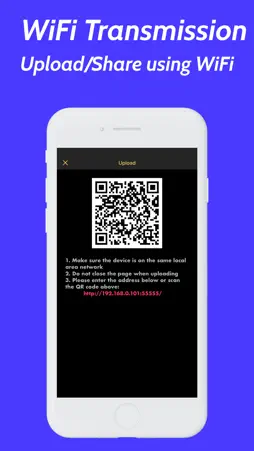
Download Scanner Bar and turn your iPhone or iPad into a full-featured and powerful scanner in a second! Easily scan your documents, receipts, photos, business cards, and more on the go, and save them as multi-page, high-quality PDF, JPEG, GIF, ZIP, or TXT files. Scanned documents can be emailed, printed, faxed, exported to camera roll. Scanner Bar built-in advanced scanning algorithm automatically detects borders of the page, corrects perspective and distortion, eliminates shadows and sets a perfect contrast for text - black on white. FEATURES: - Automatic document edge detection and perspective correction - Advanced image processing with enhancement and color correction, noise removing and more - Multipage scanning(Batch mode) and document managing - Document naming, storage inside the app, and smart search - Document sorting by date and name - Adding or reordering pages in a document - Email the scans as PDF, JPEG, GIF, ZIP, TXT or save to Camera Roll - Add signatures to scans - Add text to scans - Extract text from documents with OCR - Upload/Share with WiFi Documents are processed on the phone without an internet connection. Your scans remain fully private always and not sent to a third-party server. We are constantly improving Scanner Bar to create the best scanner app and help you digitize your documents easier and faster than ever. If you want to send us your feedback or have a problem with Scanner App, please contact us at [email protected] before submitting a comment to the App Store. Remember, we can’t reply to your reviews on the App Store. Payment will be charged to iTunes Account at confirmation of purchase. Subscription automatically renews unless auto-renew is turned off at least 24-Hours before the end of the current period. Account will be charged for renewal within 24-hours prior to the end of the current period, and identify the cost of the renewal. Subscriptions may be managed by the user and auto-renewal may be turned off by going to the user’s account settings after purchase. The following subscription plans are available (price may vary depending on location): - 3-days free trial,then renew at $39.99/year.Cancel anytime By using ScannerBar, you accept our Terms of Use and Privacy Policy. Terms of Use: https://sites.google.com/view/scannerbarpro/term Privacy Policy: https://sites.google.com/view/scannerbarpro/privacy
What's New
Version 3.2 2023-10-13
1.Optimize sharing 2.Fix some bugs Technical Analysis
Package Overview Basic metadata
Bundle ID
come.qianjiang.scanner Current Version 3.2
Minimum iOS 12.4
Package Size App Store Size
Package Metadata 0 / 25 version records
5.0 / 5.0 (1 ratings)
Detailed binary, privacy manifest, framework, and Info.plist results have not been indexed for this package yet. The verified App Store and archive metadata above remains available.
Known Version Records
0 version records with stored package metadata • 25 known version records
Stored metadata does not guarantee a package is currently available to download.
| Details | Version / IDs | Version date | Action |
|---|---|---|---|
| Not archived | App Store ID: 860642678 | Unknown | Request Version |
| Not archived | App Store ID: 860166636 | Unknown | Request Version |
| Not archived | App Store ID: 859960266 | Unknown | Request Version |
| Not archived | App Store ID: 859315539 | Unknown | Request Version |
| Not archived | App Store ID: 858962242 | Unknown | Request Version |
| Not archived | App Store ID: 858928898 | Unknown | Request Version |
| Not archived | App Store ID: 858850933 | Unknown | Request Version |
| Not archived | App Store ID: 858822479 | Unknown | Request Version |
| Not archived | App Store ID: 858747926 | Unknown | Request Version |
| Not archived | App Store ID: 858683477 | Unknown | Request Version |
| Not archived | App Store ID: 858633709 | Unknown | Request Version |
| Not archived | App Store ID: 858553524 | Unknown | Request Version |
| Not archived | App Store ID: 858404260 | Unknown | Request Version |
| Not archived | App Store ID: 857422559 | Unknown | Request Version |
| Not archived | App Store ID: 857319121 | Unknown | Request Version |
| Not archived | App Store ID: 857046646 | Unknown | Request Version |
| Not archived | App Store ID: 856853028 | Unknown | Request Version |
| Not archived | App Store ID: 856833603 | Unknown | Request Version |
| Not archived | App Store ID: 856747973 | Unknown | Request Version |
| Not archived | App Store ID: 856701612 | Unknown | Request Version |
| Not archived | App Store ID: 856494344 | Unknown | Request Version |
| Not archived | App Store ID: 856365695 | Unknown | Request Version |
| Not archived | App Store ID: 856289255 | Unknown | Request Version |
| Not archived | App Store ID: 856239920 | Unknown | Request Version |
| Not archived | App Store ID: 855580048 | Unknown | Request Version |