
Preview




Description
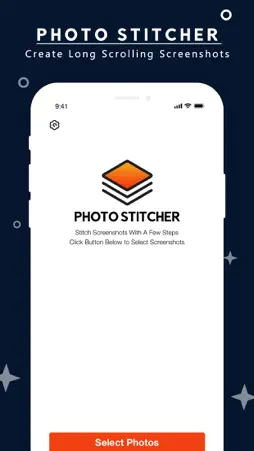
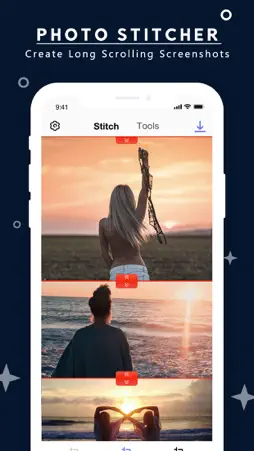
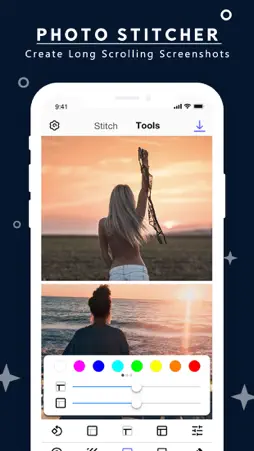
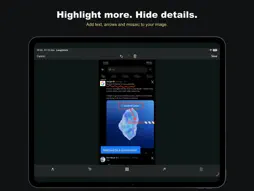
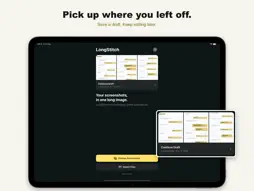
Keep the whole conversation, article or set of instructions in one image. LongStitch combines screenshots and photos into a single image you can read, annotate and share. Available for iPhone, iPad and Mac. JOIN OVERLAPPING SCREENSHOTS Choose screenshots from Photos or import image files. LongStitch checks their order and finds overlapping content to create a continuous long screenshot. Review the result and fine-tune individual joins by dragging or nudging the images. COMBINE IMAGES YOUR WAY Arrange images vertically or side by side. Reorder, remove, flip or rotate individual images before applying your changes. Combine images of different widths and stack images that have no overlapping content. DRAW, LABEL AND HIGHLIGHT Add pencil drawings, arrows and text to explain a detail or point out what matters. Use mosaic or a solid cover over areas you want to hide. Select objects directly on the image to move, resize, recolor or delete them. Undo and redo let you revise your edits. SAVE A READABLE RESULT Export as PNG for sharp text or JPEG for a smaller file. Share the finished image or save it as a file. On iPhone and iPad, you can also save directly to Photos. PICK UP WHERE YOU LEFT OFF Your latest editable draft is saved locally, so you can return to your screenshots, joins and image edits later. PROCESS IMAGES LOCALLY Stitching and image editing happen on your device. Your images do not need to be uploaded to a server for processing. HOW TO GET STARTED 1. Choose screenshots or import image files. 2. Review the automatic joins, or choose a horizontal layout. 3. Adjust, annotate and save your finished image. For automatic stitching, capture consecutive screenshots with some shared content and keep the page at the same zoom level. If a join needs attention, adjust it manually or keep the images stacked. Make chat histories easier to follow, keep reference material together, or share a visual guide as one image with LongStitch. Support: [email protected] Website: https://vertexshare.com Privacy Policy: https://vertexshare.com/privacy Terms of Use: https://vertexshare.com/terms
What's New
Version 2.0.0 2026-11-17
Meet the redesigned LongStitch 2.0. - Automatically join overlapping screenshots into one long image. - Arrange screenshots and photos vertically or horizontal...Meet the redesigned LongStitch 2.0. - Automatically join overlapping screenshots into one long image. - Arrange screenshots and photos vertically or horizontally, including images of different widths. - Fine-tune joins and outer edges, reorder images, and flip or rotate individual images. - Add drawings, arrows, text, mosaic and solid covers with editable objects and undo/redo. - Continue your latest draft and export the result as PNG or JPEG. - Use the refreshed interface in light or dark mode on iPhone, iPad and Mac. Technical Analysis
Package Overview Basic metadata
Bundle ID
com.app.stitcher Current Version 2.0.0
Minimum iOS 17.0
Package Size App Store Size
Package Metadata 1 / 4 version records
2.6 / 5.0 (5 ratings)
Detailed binary, privacy manifest, framework, and Info.plist results have not been indexed for this package yet. The verified App Store and archive metadata above remains available.
Developer Information
Known Version Records
1 version record with stored package metadata • 4 known version records
Stored metadata does not guarantee a package is currently available to download.
| Details | Version / IDs | Version date | Action |
|---|---|---|---|
| Not archived | App Store ID: 894960181 | Unknown | Request Version |
| 46.3 MB | v1.1.3 App Store ID: 835298191Build: 1.1.3 | 2020-03-29 14:53:04 | Get Version |
| Not archived | App Store ID: 834648274 | Unknown | Request Version |
| Not archived | App Store ID: 834614835 | Unknown | Request Version |