Preview



Description
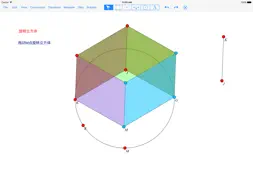
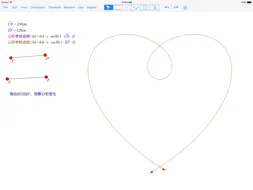
Sketchpad is a set of mathematics dynamic geometry, mathematical computation, formulas input application. Using mathematical drawing board, you can replace the Ruler mapping, but you can make advanced image and function of the image trajectory, can dynamically change their properties, measure their relative value, you can create custom variables, custom functions, using natural mathematical formula input expression, beautiful, clear, inside it is built up to 25 common mathematical functions. All visual elements are displayed in a scrollable Sketchpad infinite area, Sketchpad area content can be permanently saved as a separate file. This program includes the following features: Formula features: - Sketchpad provides fractional, radical, radical times, index, subscript, A superscripts arranged formula, C and superscripts combination formula, Σ summation formula, Π quadrature formula also provides Greece enter letters, overline formula (expressed segments), the arc formula (expressed arc) and other mathematical formula, the formula can be pre-cut, copy, paste, natural way to enter, the natural way to edit, and consistent operation iOS text edit. File feature - New:Locked - Open:Locked - Save:Locked - Setting Editing feature - Undo - Redo - Delete - Select All - Select parents - Select children View feature - Point type - Line type - Color - Hide - Show all - Unselectable - All selectable - Hide label - Show label - Label Constructure feature - Point on objec - Midpoint - points of intersection - Line segment - Half-line - Line - Parallel line - Perpendicular line - Angular bisector - Circle - Circle of center and radius - Arc on circle - Arc of three point - Locus Transform feature - Mark center - Mark mirror - Mark angle - Mark ratio - Mark vector - Mark distance - Translation - Scale - Rotation - Mirror Measure feature - Length - Distance - Circumference - Arc length - Radius - Squard - Angle - Radian angle - Ratio: the ratio of AB measure of three ABC / AC, unit 1. - Horizontal ordinate - Vertical ordinate - Distance of coordinate Data feature - New Variable: create mathematical variable object, you can enter complex mathematical formulas, execution, subtraction, multiplication, fractions, exponentiation, but you can use the built-in 25 kinds of mathematical functions (sin, cos, tan, arcsin, arccos, arctan, sinh, cosh , tanh, arcsinh, arccosh, arctanh, exp, pow, sqrt, ln, log, round, trunc, sng, abs, min, max, arrange, combine), you can use custom variables, custom functions and parameters for calculating cost per unit (currently only supports cm and angle in radians), to use the constant π, e participate in the calculation. - New Function: Create a mathematical function objects, custom functions, variables with other calculations. Graphics feature - Define coordinate system - Define origin - Define unit length - Define origin and units length - Change graduation on axis - Mark coordinate system - Draw point - Drawing function:2 limit - Draw function curve:2 limit - Independent variable interval Mapping Toolbox functions - Arrow selection tool - Scroll Tool - Point tool - Line Tool - Circle Tool - Label Tool Auto-save feature: -Each step, Sketchpad automatically saved when the program closes workspace content or crash, after the next open draw will automatically restore the previous analysis. Two finger swipe means you can scroll sketchpad content at any time.
What's New
Version 1.8.2 2017-04-23
Add ads Fix some crash bugs Technical Analysis
Package Overview Basic metadata
Bundle ID
baobaowang.SketchMathLite Current Version 1.8.2
Minimum iOS 8.0
Package Size App Store Size
Package Metadata 1 / 4 version records
2.5 / 5.0 (13 ratings)
Detailed binary, privacy manifest, framework, and Info.plist results have not been indexed for this package yet. The verified App Store and archive metadata above remains available.
Known Version Records
1 version record with stored package metadata • 4 known version records
Stored metadata does not guarantee a package is currently available to download.
| Details | Version / IDs | Version date | Action |
|---|---|---|---|
| 13.06 MB | v1.8.2 App Store ID: 841497231Build: 1.8.2 | 2017-04-23 18:07:50 | Get Version |
| Not archived | App Store ID: 821074234 | Unknown | Request Version |
| Not archived | App Store ID: 820116805 | Unknown | Request Version |
| Not archived | App Store ID: 818552891 | Unknown | Request Version |