Preview



Description
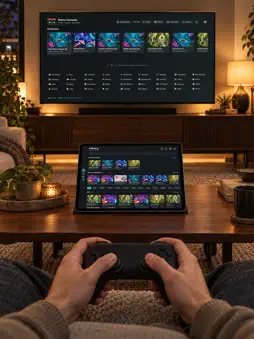
Retro Console brings your own game library to iPhone and the living room, with companion apps for Apple TV, Mac and Android TV. Browse cover art, connect a controller and keep your collection under your control. START WITH AN ORIGINAL GAME Play Controller Quest: Flight Drill before importing anything. Learn the directional pad and buttons, then try a mini flight shooter. No account or library server is needed to start. YOUR LIBRARY, YOUR RULES • Import content you have the right to use from the Files app on iPhone. • Connect to your own private library over HTTP(S) or SMB. • Host an optional Library Server on your own computer or NAS, including Docker and Synology DSM 7 installations. • Use the same library source on your other devices. Games are downloaded to private app storage for play. PLAY YOUR WAY Use the on-screen controls on iPhone or connect a compatible gamepad. Adjust directional controls and turbo buttons per game. Browse in portrait and play full screen in landscape. The Apple TV companion app offers navigation designed for TV remotes and gamepads. SAVE AND RETURN Save or load from the in-game menu in supported games. Optional cross-device save sync requires a compatible HTTP(S) library server you configure. SMB libraries do not upload saves; compatibility varies by system and game. CLASSIC SYSTEMS The public release supports NES, SNES, Nintendo 64, Sega systems, Game Boy, Game Boy Color, Game Boy Advance, Atari, PlayStation, PC Engine and arcade platforms. Compatibility varies by title. Supply any required BIOS or firmware yourself. PRIVACY BY DESIGN No ads, tracking or analytics. No developer-operated account or library cloud. The developer does not receive your library, play history or credentials. Passwords and access tokens are stored in Apple Keychain. You control your device data and any server you choose. Use only game content you have the right to use. No commercial games or BIOS files are included. Controller Quest: Flight Drill is our original work. Retro Console is not affiliated with or endorsed by console manufacturers or game publishers. Setup and help: https://getretroconsole.com/en/install.html All console names mentioned (including Nintendo 64) are trademarks of their respective owners. This app is not affiliated with or endorsed by any console maker.
What's New
Version 1.4 2026-11-06
• New: iPhone Duo support. Half-folded, the game and the touch controls each get their own screen, split along the hinge, and the library re-flows for every pos...• New: iPhone Duo support. Half-folded, the game and the touch controls each get their own screen, split along the hinge, and the library re-flows for every posture. iPad now has its own native layout. • With a controller connected, every in-game menu can be navigated with it. • New: Nintendo 64. Import your own .z64, .v64 and .n64 files (or ZIP / 7z) and play on iPhone, Apple TV and Mac. • Smarter imports: every console now uses the same identification rules as your private library server. When an Atari 2600 file doesn't say, you choose NTSC, PAL or SECAM. • With a private library connected, SNES games you import yourself share saves with the same game in the library. • Smoother sound: a deeper audio buffer with automatic pacing and higher-quality resampling remove crackles and harshness. • A simpler exit menu and smaller interface fixes. Technical Analysis
Package Overview Basic metadata
Bundle ID
com.linlu.emulator Current Version 1.4
Minimum iOS 17.0
Package Size App Store Size
Package Metadata 0 / 0 version records
Detailed binary, privacy manifest, framework, and Info.plist results have not been indexed for this package yet. The verified App Store and archive metadata above remains available.
Developer Information
Known Version Records
0 version records with stored package metadata
Stored metadata does not guarantee a package is currently available to download.
| Details | Version / IDs | Version date | Action |
|---|