Preview





Description
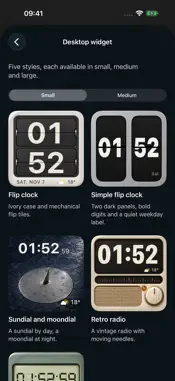
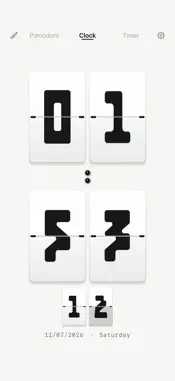
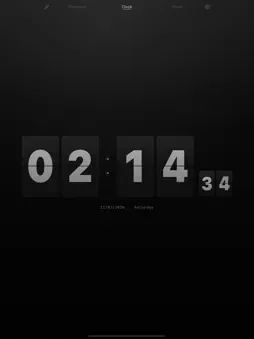
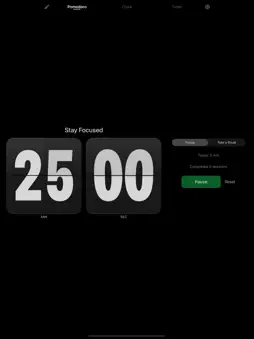
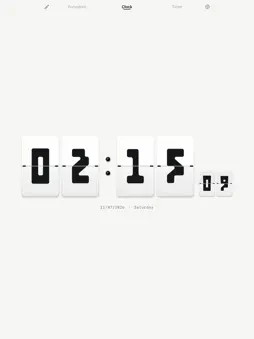
A quiet flip clock for your desk. Full-screen time, Pomodoro and timers — without ads or sign-up. Sixteen skins and four crafted Home Screen widget styles, included. CLOCK • Portrait and landscape layouts • Optional seconds, date and current weather • 24-hour time with a choice of time zone • Sixteen skins, including classic, outline, geometric and handwritten styles; swipe up or down on the clock to switch • Automatic night dimming based on your device’s local time TIMERS AND FOCUS • Count up, count down or set a target date and time • Start, pause, resume and reset • Pomodoro work and break sessions with adjustable lengths • Optional timer notifications, daily alarms and hourly chimes • Optional ambient audio WIDGETS AND LIVE ACTIVITIES • Four Home Screen widgets: ivory flip clock, sundial with a night moondial, retro cassette and retro radio, in small, medium and large sizes • Widgets show the date, current weather and a monthly calendar; the cassette reels, radio needle and flip clock gear move • Widget seconds follow your Show seconds setting • The small widget also works in StandBy • Live Activities for the clock and countdowns on supported devices No account required. No ads. Skins are included. Available in 22 languages with 28 locale variants. Weather requires internet access and optional location permission; weather data is provided by Open-Meteo. The clock and timers work offline. iOS manages widget update timing and Live Activity duration; seconds may update less often in some system display states. Notifications require permission. Requires iOS or iPadOS 17 or later.
What's New
Version 1.3 2026-11-07
• A refined four-card clock face with a mechanical colon and coordinated date typography. • A new simple flip-clock widget that follows your selected time zone....• A refined four-card clock face with a mechanical colon and coordinated date typography. • A new simple flip-clock widget that follows your selected time zone. • Save desk, bedside and focus scenes, plus named timers. • Choose system, 12-hour or 24-hour time. • Take a long break every four focus sessions, optionally start the next phase automatically, and view or delete local focus history. • Fade background audio out with a 15, 30 or 60-minute sleep timer. • Start timers, saved timers or focus and apply scenes with Shortcuts. • Set one-time, daily, weekday or weekend alarms. System alarms with snooze are available on iOS and iPadOS 26 or later. Technical Analysis
Package Overview Basic metadata
Bundle ID
com.linlu.simpleclock Current Version 1.3
Minimum iOS 17.0
Package Size App Store Size
Package Metadata 0 / 0 version records
Detailed binary, privacy manifest, framework, and Info.plist results have not been indexed for this package yet. The verified App Store and archive metadata above remains available.
Developer Information
Known Version Records
0 version records with stored package metadata
Stored metadata does not guarantee a package is currently available to download.
| Details | Version / IDs | Version date | Action |
|---|