Preview




Description
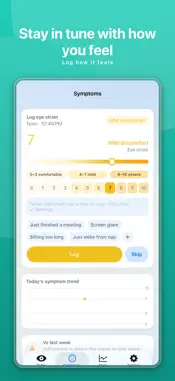
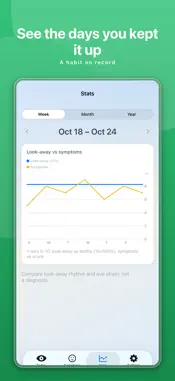
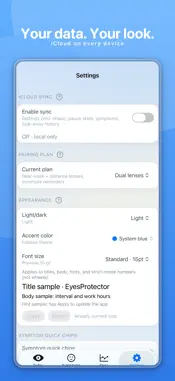
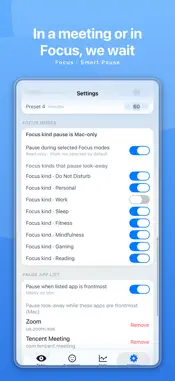
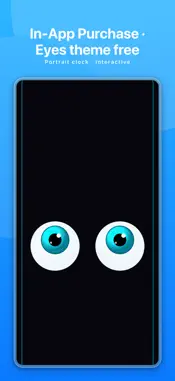
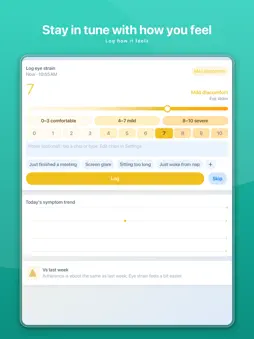
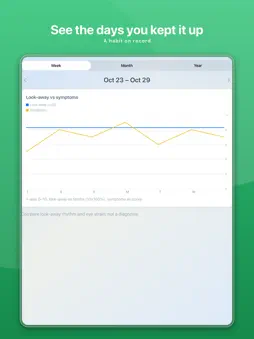
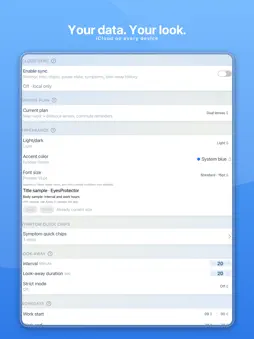
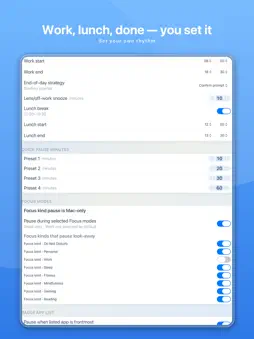
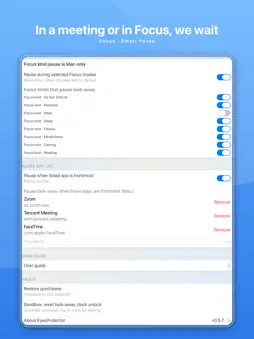
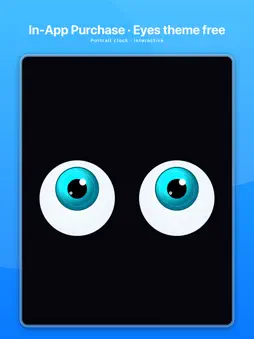
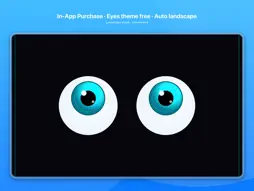
When you've been on a screen too long, look far away for a bit. EyesProtector follows the 20-20-20 rule: about every 20 minutes of near work, look about 20 feet away for 20 seconds. That rhythm is the default; you can also set your own interval and duration. It fits this into your workday and keeps a record of whether you did it. Pricing: Core features are free on Mac. On iPhone and iPad, the core loop (look-away rhythm, glasses plan, pause, comfort score, completion) requires a one-time In-App Purchase; one purchase unlocks both phone and tablet. The first look-away clock theme, Eyes, is free; additional clock themes require a separate In-App Purchase. iCloud sync is included at no extra cost. Downloading the app is free; paid items are In-App Purchases only. 1. Set start, end, and lunch. During work hours it reminds you on the 20-20-20 rhythm. Lunch stays quiet. It does not measure distance; looking far away is enough. 2. On Mac, add apps to a pause list. When those apps are in front, reminders pause so they don't interrupt you. 3. You can also pick Focus modes already on this Mac. While those Focus modes are on, reminders pause the same way. 4. If something comes up, choose how long to pause, then it continues. If you don't want it today, turn off the rest of today's reminders in one tap; tomorrow runs as usual. 5. Easy to miss? Turn on Strict mode: the screen goes black until you finish looking away. 6. Two pairs of glasses? It reminds you to swap at the start and end of work. One pair, or none, and it won't nag you to swap. 7. On Mac it lives in the menu bar, not the Dock. Close the window and you can still open it. The core features are free on the computer. 8. iPhone / iPad core features require a one-time In-App Purchase (unlike Mac, which is free). After unlock, put the phone on your desk and use the look-away clock. The first theme, Eyes, is free; additional themes require a separate In-App Purchase. 9. At the end of the day, score how your eyes feel. The calendar shows which days you kept it up. A record makes the habit easier to keep. 10. Turn on iCloud and the computer and phone stay in sync, at no extra cost. 20-20-20 is a common way to rest from near work, to leave the screen for a moment. It is not a treatment. This app is not a medical device and does not replace an eye exam.
What's New
Version 0.5.7 2026-10-30
Since the last listed version, 0.5.5: 【Strict mode on Mac】 On newer macOS, after the look-away countdown ends, the Done button on the full-screen black overlay...Since the last listed version, 0.5.5: 【Strict mode on Mac】 On newer macOS, after the look-away countdown ends, the Done button on the full-screen black overlay no longer flashes. One click closes it. 【Launch and reminder rhythm】 Fixes a cold-start issue that could keep the app from opening. Look-away times are fixed by your work hours and interval. Opening the app does not chase slots that have already started. The countdown begins from time left until the next look-away, not a full interval. An early look-away skips only the next one; doing it again in the same interval does not stack. 【Look-away clock】 The clock-face countdown and progress border follow the same remaining time as the main loop. In landscape, the clock-face shop can be scrolled to the purchase button. Technical Analysis
Package Overview Basic metadata
Bundle ID
com.superdream.eyesProtector Current Version 0.5.7
Minimum iOS 18.0
Package Size App Store Size
Package Metadata 0 / 0 version records
Detailed binary, privacy manifest, framework, and Info.plist results have not been indexed for this package yet. The verified App Store and archive metadata above remains available.
Developer Information
Known Version Records
0 version records with stored package metadata
Stored metadata does not guarantee a package is currently available to download.
| Details | Version / IDs | Version date | Action |
|---|