Preview










Description
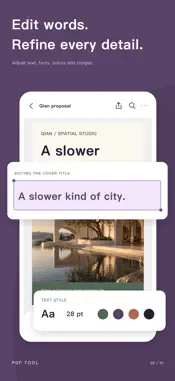
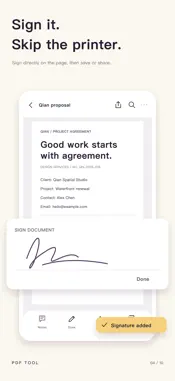
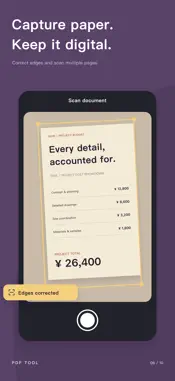
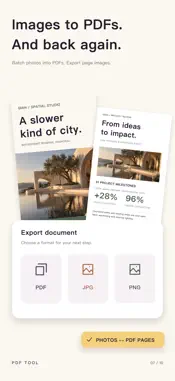
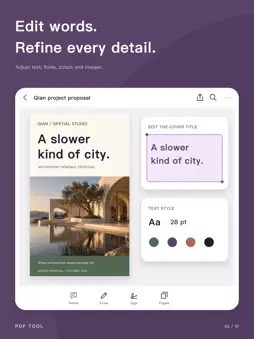
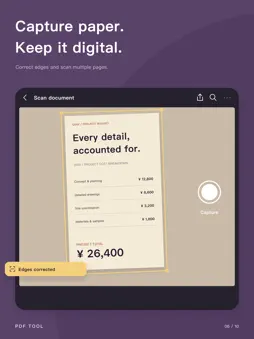
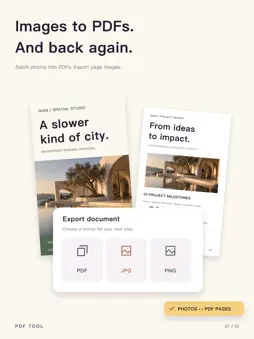
Work with PDFs, from the first read to the final share. Review a contract, mark up study notes or organize scanned paperwork. PDF Tool brings reading, editing, conversion and document organization into one place, so you can finish the task at hand. READ & ANNOTATE • Open PDFs, zoom into details and search document text. • Add comments, highlights, underlines and drawings. • Adjust your work with undo and redo. EDIT, FILL & SIGN • Change PDF text and adjust its font, size, color and style. • Add text, images and handwritten signatures. • Prepare documents for sharing and archiving. CONVERT & SCAN • Combine photos into a PDF and drag to set their order. • Export PDF pages as images or convert PDFs to Word and Excel files. • Scan paper documents with your camera and save them as PDFs. MERGE, SPLIT & ORGANIZE • Combine multiple PDFs or split and extract the pages you need. • Insert, duplicate, rotate, crop, delete and reorder pages. • Keep documents focused and organized. COMPRESS & FINISH • Reduce PDF file size for easier saving and sharing. • Add text watermarks with adjustable color, opacity, size and placement. • Preview page-number styles before creating a copy. PROTECT & MANAGE • Set a password to restrict access to a PDF. • Permanently redact sensitive content from an output copy. • Flatten interactive annotations and forms for distribution and archiving. • Browse files by category, search, rename, share and manage document metadata. START WITHOUT AN ACCOUNT PDF editing, conversion, merging and organization take place on your device. These operations do not upload your document contents. The app includes advertising and usage analytics. Some save or share actions use credits available through rewarded ads; see the prompts in the app for details. The privacy policy and regional advertising privacy options are available in Settings.
What's New
Version 1.0.1 2026-10-22
Bug fixes and improvements for a smoother experience. Technical Analysis
Package Overview Basic metadata
Bundle ID
com.damao.pdftool Current Version 1.0.1
Minimum iOS 15.0
Package Size App Store Size
Package Metadata 0 / 0 version records
Detailed binary, privacy manifest, framework, and Info.plist results have not been indexed for this package yet. The verified App Store and archive metadata above remains available.
Developer Information
Known Version Records
0 version records with stored package metadata
Stored metadata does not guarantee a package is currently available to download.
| Details | Version / IDs | Version date | Action |
|---|