
Preview




Description
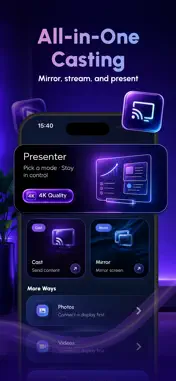
Screen Flow is a screen mirroring and presentation tool designed for meetings, presentations, training sessions, and everyday content sharing. Connect your device to compatible displays and easily share your screen, photos, videos, camera views, web content, and other materials. Screen Flow helps you present information clearly with a smoother and more organized sharing experience. Whether you are presenting in a meeting room, explaining a project, conducting training, teaching a class, or sharing personal content, Screen Flow makes it easier to connect screens and communicate effectively. FEATURES Screen Mirroring & Display Connection Connect your device with compatible displays and show your content for presentations, demonstrations, collaboration, and everyday sharing. Content Sharing Display photos, videos, camera views, web pages, and other materials on a larger screen for different communication and presentation needs. Presentation Workspace Prepare and organize important materials before presenting, then quickly access the content you need during meetings, training sessions, demonstrations, or personal sharing. Work & Everyday Sharing Designed for offices, meeting rooms, classrooms, training spaces, project discussions, and daily content sharing with family or friends. Flexible Screen Experience Go beyond basic screen output with a smoother way to connect displays, present information, and share content with better control. Screen Flow is built for users who need reliable screen mirroring and content presentation in both professional and everyday environments. From connecting a screen to sharing information, Screen Flow helps you create a smoother, clearer, and more flexible presentation experience. Subscription Subscriptions automatically renew unless canceled at least 24 hours before the end of the current period. You can manage or cancel your subscription anytime through your Apple ID account settings. Privacy Policy https://www.sunerniang202604.link/pp/6762602167/ Terms of Use https://www.sunerniang202604.link/tou/6762602167/
What's New
Version 1.3 2026-08-19
Bug fixes Technical Analysis
Package Overview Basic metadata
Bundle ID
com.sunerniang.cast Current Version 1.3
Minimum iOS 17.0
Package Size App Store Size
Package Metadata 0 / 2 version records
Detailed binary, privacy manifest, framework, and Info.plist results have not been indexed for this package yet. The verified App Store and archive metadata above remains available.
Developer Information
Known Version Records
0 version records with stored package metadata • 2 known version records
Stored metadata does not guarantee a package is currently available to download.
| Details | Version / IDs | Version date | Action |
|---|---|---|---|
| Not archived | App Store ID: 885321938 | Unknown | Request Version |
| Not archived | App Store ID: 884713015 | Unknown | Request Version |