
Remote Mouse
(18,873 App Store ratings)
🏆 Best: #77 Top Grossing (RUS)
⚙ Built with Flutter analyzed v5.324 (historical)
IPA Analysis Preview
















Description
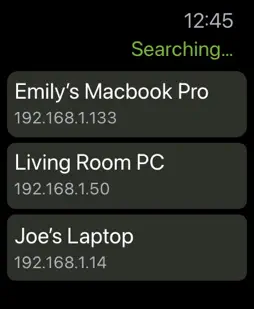
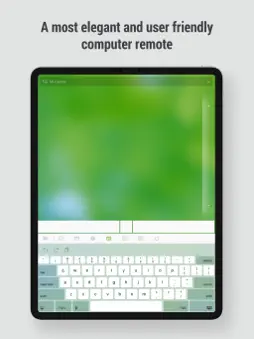
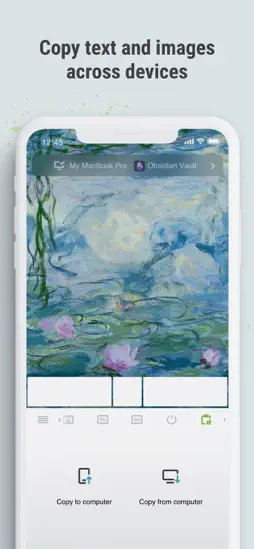
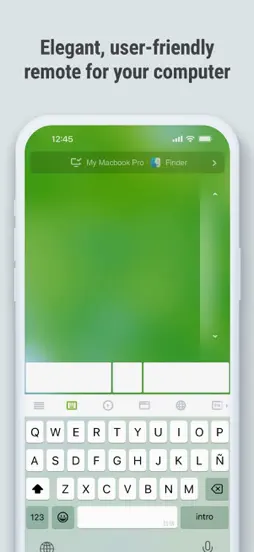
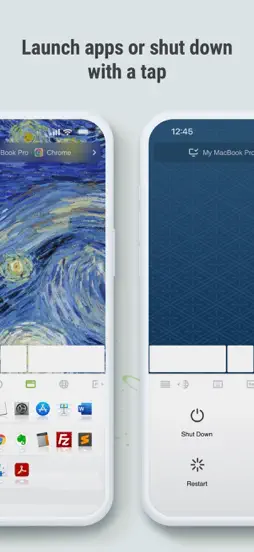
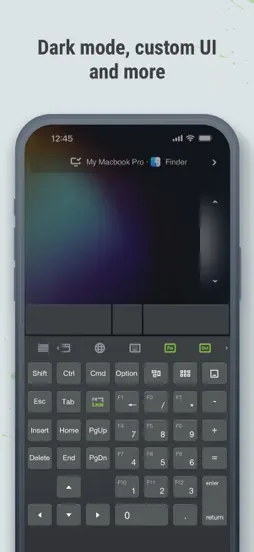
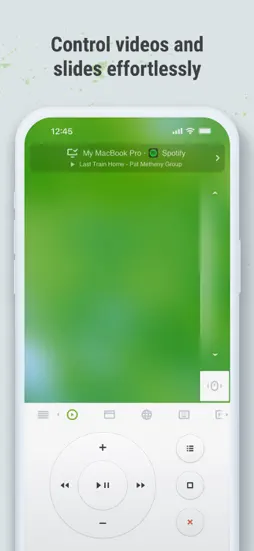
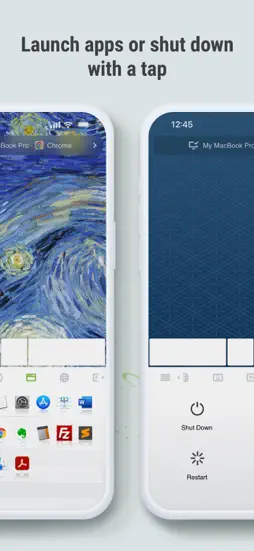
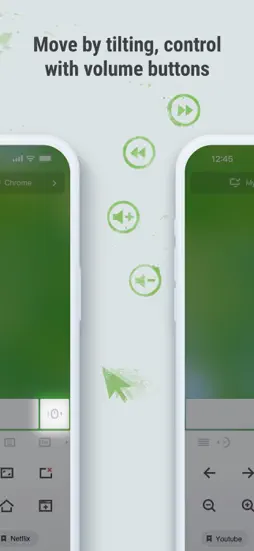
Remote Mouse™ turns your mobile device into a powerful remote control app for your PC or Mac. Use your phone or tablet as a wireless mouse, keyboard, and touchpad — complete with multi-touch gestures and media controls. Whether you're watching movies, controlling a presentation, or browsing the web from your couch, Remote Mouse™ offers an effortless way to control your computer remotely. With over 20 million users and featured by CNET, Mashable, and Product Hunt, Remote Mouse™ offers one of the most elegant solutions to computer control from mobile. What you can do: Mouse • Control the cursor like a real PC mouse • Move using your phone’s gyroscope (Gyro Mouse) • Left-handed mode support Keyboard • Type remotely in any language • Use voice input (if supported by your soft keyboard) • Send system and app shortcuts • Adaptive layouts for Mac or PC • Use your phone as a remote keyboard for your computer Touchpad • Simulates Apple Magic Trackpad • Supports multi-touch gestures • Ideal wireless touchpad app for remote navigation Specialty Panels • Media Remote: Control videos, music, and presentations across apps and sites like YouTube, Netflix, Disney+, Apple TV+, VLC, Spotify, and more. • Browser Remote: Navigate Chrome, Firefox, and Opera • App Switcher: Launch and switch between apps • Power Options: Shut down, sleep, or restart remotely • Clipboard Sync: Copy and paste text/images across devices Other features • Control volume using physical phone buttons • Secure the connection with a password • Reorder specialty panels • Customize your remote with personal wallpapers Connection & Compatibility • Connect over Wi-Fi or Bluetooth • Connect by IP address, QR code, or connection history • Supports Windows, macOS, and Linux Easy to set up: 1. Download and install Remote Mouse for desktop on your computer: [https://remotemouse.net](https://remotemouse.net) 2. Launch the desktop version (it runs in the background) 3. Connect your mobile device to your computer via Wi-Fi or Bluetooth
What's New
Version 5.334 2026-11-09
Compatible with iPhone Duo. Version 5.333 2026-11-03
- The Connection Bar now shows the active app, window title, and currently playing media. - Specialty Panels can now be shown or hidden. - Hold a mouse button f...- The Connection Bar now shows the active app, window title, and currently playing media. - Specialty Panels can now be shown or hidden. - Hold a mouse button for over a second to lock it in the pressed state, making drag-and-drop easier. Version 5.332 2026-10-05
Minor bug fixes and performance improvements. Version 5.331 2026-08-21
- Added support for 7 new languages: Danish, Finnish, Czech, Romanian, Ukrainian, Thai, and Vietnamese. - Improved RTL support and fixed display issues in the A...- Added support for 7 new languages: Danish, Finnish, Czech, Romanian, Ukrainian, Thai, and Vietnamese. - Improved RTL support and fixed display issues in the Arabic interface. Version 5.329 2026-07-20
• Added support for sending modifier keys individually, such as the Windows key. You can turn this option on or off in Settings. • Improved Apple Watch connect...• Added support for sending modifier keys individually, such as the Windows key. You can turn this option on or off in Settings. • Improved Apple Watch connections. • Updated the Help instructions. • Other minor improvements. Version 5.328 2026-07-11
Minor bug fixes Version 5.327 2026-06-22
Improved auto-reconnect to the last connected computer. Enhanced the Apple Watch app experience. Version 5.326 2026-06-14
- Added tap sounds and haptic feedback for a more tactile experience - Improved the What's New display behavior - Various UI improvements and optimizations Version 5.325 2026-06-12
- Added tap sounds and haptic feedback for a more tactile experience - Improved the What's New display behavior - Various UI improvements and optimizations Version 5.324 2026-05-21
Added new customer support Fixed some minor bugs App Store User Reviews
Killah Wheels 2020-01-11
Remote Mouse is fantastic!
Remote Mouse is great and does exactly what they claimed it would. It was a quick install and I was using it within seconds of completing the installation. When...Remote Mouse is great and does exactly what they claimed it would. It was a quick install and I was using it within seconds of completing the installation. When I go to bed, I set my MacBook Pro at the end of my bed on a small end table, in order to watch a movie of some tv before I fall asleep. I had previously had to get up and down out of bed, in order to change the movie, adjust the volume or skip ahead to a different scene. I found Remote Mouse in the App Store and thought I’d give it a try. I LOVE it and I can literally control my whole computer just from my phone. The mouse response is quick and accurate and the features are plentiful! I would highly recommend this app if you need to control your Mac from your phone. Also, using your phone as a trackpad is a nice change, from using the featureless mousepad. I give this app 5 stars!
IWannaMeetKanyeWest 2018-07-25
“Connection failed” issue
This app works great most of the time, however while I am using the app, I tend to lock my device in between using the app (as you would put down a TV remote wh...This app works great most of the time, however while I am using the app, I tend to lock my device in between using the app (as you would put down a TV remote when you’ve found a program to watch) rendering me unable to reconnect unless I delete the app on both devices and reinstall it. This usually is the only way to get it to work again. Manually reconnecting the devices just results in a connection failure message. This is why I haven’t bought the Pro version, to avoid complications of restoring purchases every time I have to reinstall the app just to connect again. When it is connected however, it works well. The connection problems are the only issue I’ve faced so far. Thanks for the app, it’s saved a lot of getting up and walking to the laptop to change anything on it. Oh and the iPad app not having the keypad accessible is also quite a restriction, but even on the iPad app I face this “connection failed” issue, so it’s not just my devices.
ja929 2018-11-17
Need version prior last update
Since the upgrade and move of the switch panel and mouse to the bottom of the screen I am having more problems to move the mouse from my phone as the bottom hal...Since the upgrade and move of the switch panel and mouse to the bottom of the screen I am having more problems to move the mouse from my phone as the bottom half of the screen now has the panel and the buttons and that requires to slide my finger on the upper screen half which is quickly tiring my whole hand and arm. Also now the option to switch off is way to the right of the switch panel which makes is hard to hold the phone, slide the panel and to push the button using my left hand only. For that reason I would like to switch to the older version with the switch panel and mouse at the top of the screen which eases up the use for me and makes the app more accessible.
Mr. Icee 2021-09-06
broke my trust
I’m unaware if it’s some sort of error but I am not unable to use it at all, used to show my computer via wifi just fine, I would pay if I was given the option,...I’m unaware if it’s some sort of error but I am not unable to use it at all, used to show my computer via wifi just fine, I would pay if I was given the option, and not forced. seems very slimy to allow me to use it and suddenly now I can’t connect via bluetooth when it won’t show up via wifi, like it always would. excuse the run on sentences but I don’t care to write this review with perfect grammar because of how lame of an action this is, I was allowed to use bluetooth to connect to my computer now I can’t, I can’t even use it so I might as well delete this app. I don’t know who’s idea it was to try and nickel and dime us but you’ve lost a formerly loyal customer. until I can at the very LEAST use remote mouse via wifi I’m not gonna consider spending 14 dollars, I was fine with this glitch when I could also use bluetooth but they moved it to be behind a paywall, I’m probably just gonna find some way of solving this without their app such as a touch screen bluetooth mouse alternative. don’t waste your 14 dollars on people who clearly don’t care. I may be wrong given this is some sort of software error, but it doesn’t seem like that, it seems very suspicious. edit: I’m not the only person having ip/wifi connectivity issues, so it isn’t something on our parts. if I can’t use the base service for free without all the extras you don’t deserve my money. I’m sure the paid version works, not cool guys.
Zaqwsxcdeef 2021-07-07
Great app
It’s a amazing app I love it honestly it’s beyond useful for me and the fact there’s keyboard and the other options I only have the free version but the feature...It’s a amazing app I love it honestly it’s beyond useful for me and the fact there’s keyboard and the other options I only have the free version but the features that come with the paid version would make this a 5 star for sure the reaction speed is nice the mouse is a a little slow but I think that’s good for precision there’s a few things I think could be better like the left click hold it’s a double tap hold it’s a little weird and sometimes doesn’t work but honestly it’s not a problem the scroll bar sometimes doesn’t work like for Netflix app and actual apps but works fine on websites but everything bad or wrong is so minor it’s not even a problem I just wish I had the paid version but I have issues with Apple payments or I’d get the paid version I highly recommitment this app it’s great
Dangggggtrsdewe 2020-04-29
Seriously awesome
This is so great. I truly love this app. It works absolutely perfect for my needs. My needs may be a little different than others, but for me I can't tell you h...This is so great. I truly love this app. It works absolutely perfect for my needs. My needs may be a little different than others, but for me I can't tell you how much of a game changer this was. I watch my computer stuff on my main tv and I usually use a wireless mouse to control things. I was tired of getting up to type or struggling to pause quick enough. So I thought about buying a whole wireless keyboard which would just be more mindless consumerism and waste. Instead, in comes this app! Now I can do everything from my phone and, for example, just easily press the space bar to pause most modern media platforms. I will probably buy Pro not because I need it, but because I so much appreciate the developers.
himmyanownoardsz 2021-05-31
Has come a LOOOONG ways from when this was originally released.
I remember trying to use this app years ago and it was basically just a lie , you couldn’t type you couldn’t use it as a mouse it was like you could press play ...I remember trying to use this app years ago and it was basically just a lie , you couldn’t type you couldn’t use it as a mouse it was like you could press play on wi does media player or something and rewind lol . It has come a very long ways since then so if you haven’t used it in a while and still have a bad taste in your mouth from it . Trust me I did too but saw some videos , decided to give it a shot and boy am I glad I did , pretty much a game changer , especially if you always are forgetting your mouse or keyboard all the time .. like me ha . A++++ SOLID app guys , good work , actually excellent work !
VideoMan363 2024-01-18
Don’t waste your time
Hasn’t worked for me in months. They put features like Bluetooth behind a paywall after they used to be free. Devs seem to be obsessed with getting money from y...Hasn’t worked for me in months. They put features like Bluetooth behind a paywall after they used to be free. Devs seem to be obsessed with getting money from you to the point that the app is annoying to use. No, I’m not going to let you track what I’m doing. Stop asking every time I connect to my PC. If you’re like me, you’ll download this app as a band-aid fix for some issue you are having. I just needed a simple way to control my computer from the couch. You’ll accept the limitations of not paying for a ridiculous subscription and you’ll use the app more and more. Over time, it will get worse and worse until all it does is make you angry when you open it, but there’s no other good option, right? I’m here to tell you that you might as well just use TeamViewer. Maybe it’s a bit slower to start up, but it’s what I’m using to avoid this utterly obnoxious app. Or just get a wireless mouse.
Johnnyg56 2019-10-27
Works perfectly, does everything you could want it to.
Download app, download desktop app, open desktop app, boom. You’re set up. I can’t feel any latency at all and the mouse feels very fluid. There are many option...Download app, download desktop app, open desktop app, boom. You’re set up. I can’t feel any latency at all and the mouse feels very fluid. There are many options to adjust things like sensitivity if you would like. The app has all kinds of functionality beyond the trackpad, too, including a keyboard, media controls, taskbar selector, function keys, etc.. I would recommend this app to anyone. It saved me from buying a wireless keyboard and mouse for use on the tv. Now, I wouldn’t recommend it for intense work or gaming, but it’s great for simple remote use. I like to use it to open games on my computer, then I use an Xbox controller to actually play them. Overall, for the functionality it promises, this app does great.
Brad1212432 2024-03-13
Connection Failed Connection Failed Connection Failed Connection Failed
Man this app is amazing…..when it connects. I spent the buck or two for pro and it was EXACTLY what I wanted. Keyboard & mouse👍 however, I gotta ask…what is the...Man this app is amazing…..when it connects. I spent the buck or two for pro and it was EXACTLY what I wanted. Keyboard & mouse👍 however, I gotta ask…what is the point of having to uninstall & reinstall the app on both devices every time I close my laptop. I mean I have Bluetooth connected on both devices, I tried directly connecting thru the IP. It’s just “ Connection Failed Connection Failed Connection Failed Connection Failed Connection Failed Connection Failed Connection Failed Connection Failed”. If ur cool with keeping ur laptop on, never turning it off. Then you are good. It sounds so petty but jeez. It’s so fricken annoying. And by the look of it I am NOT the only one dealing with this. Just for once why can’t something work…consistently. I’m on PC btw for anyone reading this
Technical Analysis
Package Overview Package analysis available
Bundle ID
com.remotemouse.remotemouse4free Current Version 5.334
Minimum iOS 15.0
Package Size App Store Size
Package Metadata 7 / 135 version records
App
io.flutter.flutter.app v1.0iOS 12.0+12.88 MB
Appirater
org.cocoapods.Appirater v2.3.1iOS 9.0+145.8 KB
AVOSCloud
org.cocoapods.AVOSCloud v12.3.3iOS 9.0+1.31 MB
Bluejay
org.cocoapods.Bluejay v0.8.9iOS 11.0+666.35 KB
BluetoothKit
org.cocoapods.BluetoothKit v0.4.0iOS 9.0+419.21 KB
CocoaAsyncSocket
org.cocoapods.CocoaAsyncSocket v7.6.5iOS 9.0+356.57 KB
Communicator
org.cocoapods.Communicator v4.1.0iOS 10.0+271.2 KB
Connectivity
org.cocoapods.Connectivity v8.0.1iOS 12.0+331.29 KB
FBLPromises
org.cocoapods.FBLPromises v2.4.0iOS 9.0+179.1 KB
FirebaseCore
org.cocoapods.FirebaseCore v11.8.1iOS 12.0+208.38 KB
FirebaseCoreExtension
org.cocoapods.FirebaseCoreExtension v11.8.0iOS 12.0+76.61 KB
FirebaseCoreInternal
org.cocoapods.FirebaseCoreInternal v11.8.0iOS 12.0+343.64 KB
FirebaseCrashlytics
org.cocoapods.FirebaseCrashlytics v11.8.0iOS 12.0+839.68 KB
FirebaseInstallations
org.cocoapods.FirebaseInstallations v11.8.0iOS 12.0+265.12 KB
FirebaseRemoteConfigInterop
org.cocoapods.FirebaseRemoteConfigInterop v11.8.0iOS 12.0+133.54 KB
FirebaseSessions
org.cocoapods.FirebaseSessions v11.8.0iOS 12.0+373.51 KB
Flutter
io.flutter.flutter v1.0iOS 12.0+10.46 MB
gallery_saver
org.cocoapods.gallery-saver v0.0.1iOS 14.0+142.06 KB
GoogleDataTransport
org.cocoapods.GoogleDataTransport v10.1.0iOS 12.0+403.36 KB
GoogleUtilities
org.cocoapods.GoogleUtilities v8.0.2iOS 12.0+292.57 KB
Harpy
org.cocoapods.Harpy v4.1.14iOS 9.0+172.07 KB
image_picker_ios
org.cocoapods.image-picker-ios v0.0.1iOS 12.0+206.48 KB
Instructions
org.cocoapods.Instructions v2.3.0iOS 9.0+622.4 KB
JKAlertManager
org.cocoapods.JKAlertManager v1.2.3iOS 9.0+111.09 KB
JPSVolumeButtonHandler
org.cocoapods.JPSVolumeButtonHandler v1.0.5iOS 9.0+85.88 KB
Just
org.cocoapods.Just v0.8.0iOS 9.0+319.77 KB
Masonry
org.cocoapods.Masonry v1.1.0iOS 9.0+165.05 KB
nanopb
org.cocoapods.nanopb v3.30910.0iOS 12.0+85.17 KB
pasteboard
org.cocoapods.pasteboard v0.0.1iOS 14.0+128.47 KB
path_provider
org.cocoapods.path-provider v0.0.1iOS 14.0+96.59 KB
Promises
org.cocoapods.Promises v2.4.0iOS 9.0+208.71 KB
Purchases
org.cocoapods.Purchases v3.14.4iOS 9.0+548.56 KB
PurchasesCoreSwift
org.cocoapods.PurchasesCoreSwift v3.14.4iOS 9.0+612.16 KB
ReactiveObjC
org.cocoapods.ReactiveObjC v3.1.1iOS 9.0+634.65 KB
RMStore
org.cocoapods.RMStore v0.7.1iOS 9.0+118.82 KB
RxCocoa
org.cocoapods.RxCocoa v5.1.3iOS 9.0+1.42 MB
RxRelay
org.cocoapods.RxRelay v5.1.3iOS 9.0+123.15 KB
RxSwift
org.cocoapods.RxSwift v5.1.3iOS 9.0+1.9 MB
shared_preferences_foundation
org.cocoapods.shared-preferences-foundation v0.0.1iOS 12.0+200.43 KB
SnapKit
org.cocoapods.SnapKit v5.0.1iOS 10.0+333.93 KB
sqflite_darwin
org.cocoapods.sqflite-darwin v0.0.4iOS 12.0+275.75 KB
STZPopupView
org.cocoapods.STZPopupView v1.4.0iOS 9.0+145.92 KB
SVProgressHUD
org.cocoapods.SVProgressHUD v2.3.1iOS 12.0+208.38 KB
SwiftyJSON
org.cocoapods.SwiftyJSON v4.2.0iOS 9.0+311.52 KB
SwiftyStoreKit
org.cocoapods.SwiftyStoreKit v0.14.2iOS 9.0+439.05 KB
SZTextView
org.cocoapods.SZTextView v1.3.0iOS 9.0+82.88 KB
Toast
org.cocoapods.Toast v4.0.0iOS 9.0+117.01 KB
Toast_Swift
org.cocoapods.Toast-Swift v5.0.1iOS 9.0+181.68 KB
url_launcher_ios
org.cocoapods.url-launcher-ios v0.0.1iOS 12.0+187.2 KB
ZBarSDK
org.cocoapods.ZBarSDK v1.3.1iOS 9.0+372.49 KB
Related Apps


More by 耀 阮


Developer Information
Known Version Records
7 version records with stored package metadata • 135 known version records
Stored metadata does not guarantee a package is currently available to download.
| Details | Version / IDs | Version date | Action |
|---|---|---|---|
 Not archived | App Store ID: 13835629 | Unknown | Request Version |
| Not archived | App Store ID: 12565635 | Unknown | Request Version |
| Not archived | App Store ID: 12147637 | Unknown | Request Version |
| Not archived | App Store ID: 11821864 | Unknown | Request Version |
| Not archived | App Store ID: 10154345 | Unknown | Request Version |
| Not archived | App Store ID: 8230578 | Unknown | Request Version |
| Not archived | App Store ID: 8137301 | Unknown | Request Version |
| Not archived | App Store ID: 7775992 | Unknown | Request Version |
| Not archived | App Store ID: 5963967 | Unknown | Request Version |
| Not archived | App Store ID: 3553904 | Unknown | Request Version |
| Not archived | App Store ID: 3339655 | Unknown | Request Version |
| Not archived | App Store ID: 3241742 | Unknown | Request Version |
| Not archived | App Store ID: 3162696 | Unknown | Request Version |
| Not archived | App Store ID: 3087342 | Unknown | Request Version |
 593.37 KB | v5.300 App Store ID: 2873302Build: 1.01 | 2010-08-12 22:22:16 | Get Version |