
Preview





Description
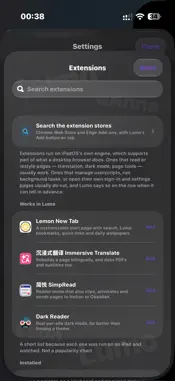
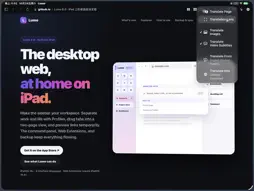
Lumo is a sidebar browser: your tabs, pinned sites, folders and Spaces sit in one sidebar on the left, a swipe from one Space to the next. It is made for phones, tablets and foldables: full desktop sites on a tablet, mobile pages with the controls under your thumb on a phone. Beside the page is an assistant that has already read it: ask it something, or have it do the work. AT HOME ON EVERY SCREEN · Tablet and unfolded foldable: sidebar, top toolbar, side panels, two pages side by side · Phone and folded foldable: address bar and buttons at the bottom, a sidebar from the left edge, panels from below · Desktop or mobile version, chosen per site · Game Keyboard: play web games, even ones made for phones, with a hardware keyboard A START PAGE THAT RESPONDS · Pure white or pure black, with your search field and favorite sites · An optional character-art background in seven scenes — fish, spaceships, two people who meet, a clock, a constellation, flow and weather — drawn on your device with no network access · Characters move aside under a pointer, finger or pen, and ripple when you use the search field or favorite sites · My Photo: your own picture, redrawn in characters across the page A REMOTE ON YOUR WRIST · With Lumo on your watch: scroll with the crown; a double tap turns the page or the short video · Auto-scroll and a teleprompter style for recipes, lyrics and scripts · Video, tabs and dictated search, directly over your Wi-Fi with no server AN ASSISTANT BESIDE THE PAGE · Ask in your own language about a page in another, and the lines it found light up · Ask it to act: a PDF or long screenshot, an image, a saved table, tidied tabs, a note — answered in charts, tables and cards too · Bring your own key, or sign in with a subscription you already have. Lumo has no server; questions do not pass through us. · Part of Lumo Pro THE SIDEBAR AND SPACES · Each Space owns its tabs and pinned sites, color-coded and a swipe apart · Everyday sites in a grid, the rest in nested folders, arranged by dragging and renamed freely WEB EXTENSIONS · Compatible Web Extensions from stores or your own files; pin three to the toolbar. Browsing is free; installing needs Lumo Pro. AD AND TRACKER BLOCKING, FREE FOR EVERYONE · Engine-level rules stop requests before they download — faster, lighter pages · By default only third-party requests, so sign-ins keep working; one switch, or allow a single site · An optional enhanced engine puts far more rules to work; Strict mode also stops a site's own ads, cookie notices and pop-ups BOOKMARKS AND LOCAL PAGES · A Bookmark Library to search and pin from; import bookmarks and a reading list · Open a local HTML file or a whole folder, with styles, images and links intact NOTES, TRANSLATION, PASSWORDS · A notes panel beside the page, synced to your other devices · Passwords in the system's secure storage, filled after you unlock; backups encrypted with a passphrase only you know ALSO · PDFs, downloads, link previews, history by date, your own background, app icons with dark versions, and System, Light or Dark appearance LUMO PRO (lifetime purchase or auto-renewable subscription — buy once, use it on all your devices) · Web extensions, the translation lens (whole-page translation is free) and the assistant · Page markup with a pen or finger · Media grid for every picture and video in one or several tabs · Video speed and picture in picture for any site, with ambient light · Professional Web Toolkit: extract images, links, tables and videos; inspect resources and storage; export PDFs and long screenshots; custom CSS per site · User scripts, sessions, page monitors, avatar ornaments, daylight and a daily line Browsing history stays on your device. It is never uploaded. Privacy Policy: https://greatgithubfish.github.io/Lumo-Browser-Support/privacy.html Terms of Use (EULA): https://www.apple.com/legal/internet-services/itunes/dev/stdeula/
What's New
Version 6.2 2026-11-03
Lumo 6.2 turns Apple Watch into a remote for Lumo, and lets your own photo become the start page. It also brings everything from 6.1: Game Keyboard, a start pag... Technical Analysis
Package Overview Basic metadata
Bundle ID
com.leon.Lumo Current Version 6.2
Minimum iOS 18.0
Package Size App Store Size
Package Metadata 0 / 0 version records
Detailed binary, privacy manifest, framework, and Info.plist results have not been indexed for this package yet. The verified App Store and archive metadata above remains available.
Developer Information
Known Version Records
0 version records with stored package metadata
Stored metadata does not guarantee a package is currently available to download.
| Details | Version / IDs | Version date | Action |
|---|