
Preview


Description
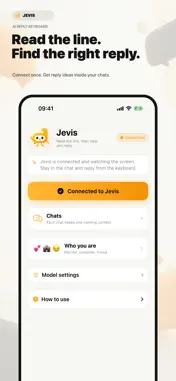
Stuck on what to text back? Unsure what they really mean? Jevis is your intelligent AI copilot built directly into your keyboard. No more switching back and forth between chat apps and AI tools. Simply pull up the Jevis keyboard while texting, understand their real intent, and tap to reply with natural, witty, and contextual messages in seconds. KEY FEATURES: • Real-Time Screen Reading: Works seamlessly with WeChat, WhatsApp, iMessage, and any messaging app. Jevis understands the latest chat context right from your screen. • Intent & Risk Detection: Decode subtext before hitting send. Jevis analyzes the other person's true intent and highlights emotional risk levels so you never say the wrong thing. • 3 Concise, Ready-to-Send Replies: No long, robotic essays. Get 3 punchy responses (under 30 characters each)—one concise, one concrete, and one handing back the choice. • Relationship Modes: - Partner: Warm, thoughtful, and attentive to subtle emotional cues. - Coworker: Professional, clear, and focused on getting work done. - Friend: Playful banter and quick wit without crossing the line. PRIVACY & SAFETY: • You Are Always in Control: Jevis never sends messages for you. You pick the reply, and send it yourself. • Privacy First: Visual analysis only runs when the keyboard is active to assist your live response. Your chat logs are never stored, sold, or shared. EASY 3-STEP SETUP: 1. Enable Jevis and turn on "Allow Full Access" in Settings > General > Keyboard. 2. Open the Jevis app and connect screen sharing. 3. Switch to Jevis Keyboard in any chat app and reply with confidence!
Technical Analysis
Package Overview Basic metadata
Bundle ID
com.kuke.jevchat Current Version 1.0
Minimum iOS 17.0
Package Size App Store Size
Package Metadata 0 / 0 version records
Detailed binary, privacy manifest, framework, and Info.plist results have not been indexed for this package yet. The verified App Store and archive metadata above remains available.
Known Version Records
0 version records with stored package metadata
Stored metadata does not guarantee a package is currently available to download.
| Details | Version / IDs | Version date | Action |
|---|