
Preview







Description
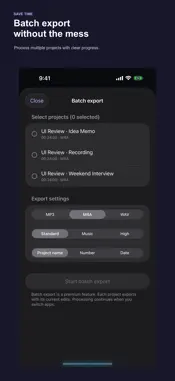
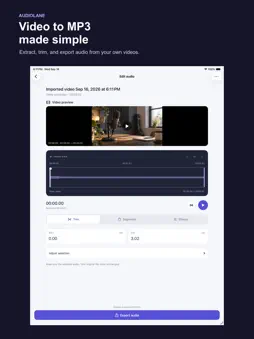
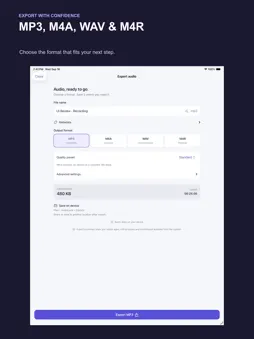
Turn videos you own or are authorized to use, Voice Memos, recordings and audio files into ready-to-use audio—privately on your iPhone and iPad. AudioLane gives every file a clear path: import, inspect, trim, edit, convert and export. Your media stays on your device. No account, no media upload and no ads. CONVERT AND EXTRACT • Extract audio from videos selected from Photos or Files, then export it as MP3. • Convert compatible local media to MP3, M4A, WAV or M4R. • Record audio directly in the app, with pause and resume. • Convert a selected audio or video file to MP3 with Shortcuts. EDIT BEFORE EXPORT • Trim precisely with an interactive waveform and time controls. • Keep multiple segments, reorder them and export them as one file. • Adjust volume, fades, speed, pitch, three-band EQ and reverb. • Apply practical voice tools including noise gating, auto gain, voice enhancement and stereo vocal reduction. • Merge multiple audio files sequentially or as an overlapping mix. CONTROL THE OUTPUT • Choose Voice, Standard, Music or High quality presets. • Set bitrate, sample rate and mono or stereo output where supported. • Add title, artist, album, genre, year and notes to supported output formats. • Batch export recent projects with clear progress and retry failed items. • Create an M4R ringtone from a clip up to 30 seconds. FILES YOU CAN FIND Finished files are saved in AudioLane’s Exports folder in the Files app. You can also choose another Files location or share the result with any compatible app. PRIVATE BY DEFAULT Conversion and editing happen on your device. AudioLane does not require an account, upload your media, download from streaming services or bypass DRM protection. Start with 5 free exports—use them anytime. Once used up, get 1 free export per day starting the next day. AudioLane Core Pro unlocks unlimited exports, batch features and advanced output controls. Available products and prices are shown by the App Store before purchase.
Technical Analysis
Package Overview Basic metadata
Bundle ID
com.upjoyap.audiolane Current Version 1.0.0(6)
Minimum iOS 17.0
Package Size App Store Size
Package Metadata 0 / 0 version records
Detailed binary, privacy manifest, framework, and Info.plist results have not been indexed for this package yet. The verified App Store and archive metadata above remains available.
Known Version Records
0 version records with stored package metadata
Stored metadata does not guarantee a package is currently available to download.
| Details | Version / IDs | Version date | Action |
|---|