Preview




Description
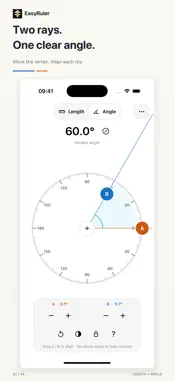
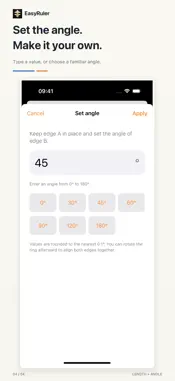
EasyRuler puts a screen ruler and an adjustable protractor on your iPhone or iPad. Check a small object's length, compare an angle, and lock your alignment while you read it. Lengths and angles, in one place The app opens in Length mode. Switch to Angle when you need it, and keep each tool's current measurement while moving between them during the same session. A ruler across the screen Read metric and imperial markings side by side. Use the clean static ruler, or align two movable markers and read the distance between them. Adjust either marker in 0.1 mm steps. Portrait and landscape layouts let you use the screen's available span. Calibrate against a real ruler Align the zero marks of a real ruler and the screen ruler, then adjust the full visible scale. Check the far end and the marks in between. Save when ready, or cancel without replacing your previous calibration. A standard bank card reference is also available. A protractor that moves with your task Drag edges A and B independently to match an angle. Move the vertex to reposition both edges, or drag the circular scale to rotate them together without changing their angle. Fine-tune either edge in 0.1° steps, enter a value, or choose a common angle preset. Read the smaller angle from 0° to 180°, or switch to the other side from 180° to 360°. Keep your alignment Lock the measurement to reduce accidental movement. Tap blank space to hide the controls while keeping the aligned positions; tap again to bring them back. Angle mode keeps the chosen angle when you turn the device. More provides measuring help and a Language entry that opens the app's system settings. One purchase, all features No ads, subscriptions, in-app purchases or accounts. Measuring and calibration work offline. Calibration and ruler display preferences are stored on your device, and measurements are not uploaded to us. The interface follows your device's light or dark appearance. Using the screen The available length depends on your screen size. Actual results depend on the device, calibration reference, alignment and viewing angle. The 0.1 mm and 0.1° steps are adjustment intervals, not guarantees of physical accuracy. Check length markings against a reliable real ruler before use. Angle mode does not require length calibration. The screen is opaque: it cannot show a drawing placed underneath like a clear plastic protractor. EasyRuler is for everyday size checks and on-screen angle reference. For iPhone and iPad with iOS or iPadOS 16 or later.
What's New
Version 1.1.0 2026-10-12
EasyRuler now measures angles as well as lengths. - Align edges A and B independently, move the vertex, or rotate both edges together without changing their an... Technical Analysis
Package Overview Basic metadata
Bundle ID
ericjrchen.easyruler Current Version 1.1.0
Minimum iOS 16.0
Package Size App Store Size
Package Metadata 0 / 0 version records
Detailed binary, privacy manifest, framework, and Info.plist results have not been indexed for this package yet. The verified App Store and archive metadata above remains available.
Developer Information
Known Version Records
0 version records with stored package metadata
Stored metadata does not guarantee a package is currently available to download.
| Details | Version / IDs | Version date | Action |
|---|