
Preview



Description
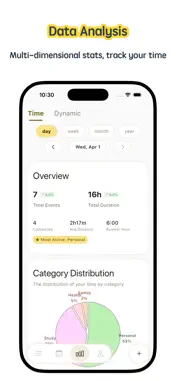
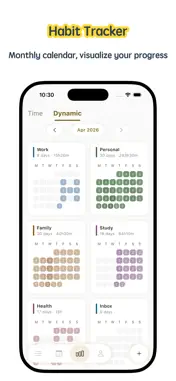
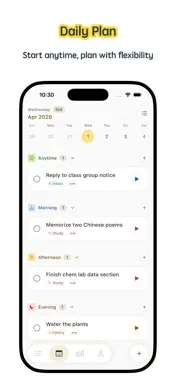
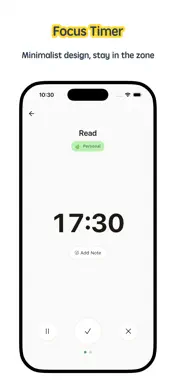
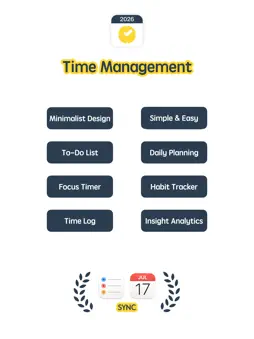
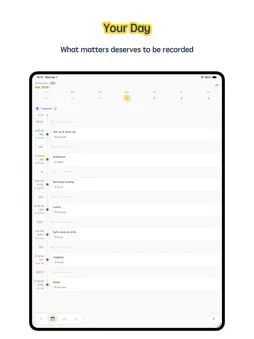
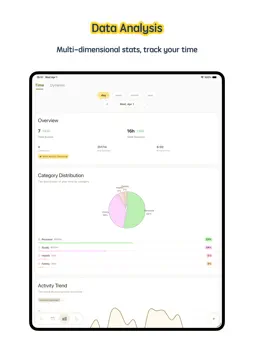
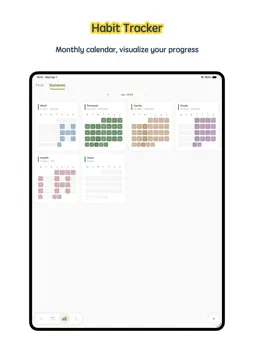
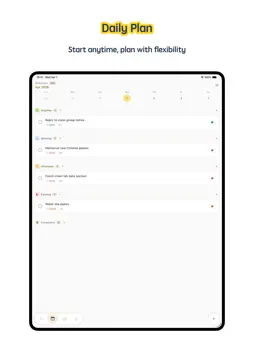
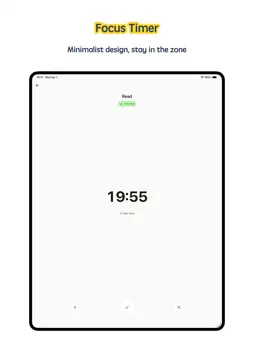
TimeCal combines task planning, time tracking, and habit building in one focused workspace. Fewer switches, less noise, and a clearer rhythm for your day. How you can use TimeCal • Clear your mental load, then prioritize what matters Capture everything on your mind and quickly rank tasks by priority, so you can act on what truly matters first. • Run your day with clarity From morning to night, see what to move forward and what you already finished—stay busy without feeling scattered. • Adjust plans as your day changes When priorities shift, schedules move, or tasks need to be rescheduled, you can adapt smoothly without losing momentum. • Let data reveal where your time goes Use multi-dimensional stats and trend views to find your peak hours, spot time drains, and review your routines with evidence. • Build habits with visible progress Track consistency on a monthly calendar and turn “sometimes” into “consistently” with small, measurable wins. • Enter focus mode in one tap Start a timer and get into the zone quickly with a clean interface that minimizes distractions. Why TimeCal works for the long run • Clean design and intuitive interactions • A complete loop for tasks, planning, focus, habits, and insights • Cross-device collaboration and better schedule continuity • More than logging—continuous optimization of how you spend time Whether you are a student, a professional, or a freelancer, TimeCal is built to be a reliable long-term companion for your time. Auto-Renewable Subscription Payment will be charged to your Apple ID account at confirmation of purchase. Subscriptions renew automatically unless auto-renew is turned off at least 24 hours before the end of the current period. Your account will be charged for renewal within 24 hours prior to the end of the current period. You can manage or turn off auto-renew in your Apple ID account settings after purchase. If you experience a payment issue, please email your Apple ID and proof of purchase to [email protected]. Privacy Policy: https://uxsyr9xrl46.feishu.cn/wiki/RTthwgG6niQKmxkgVIacpl2snrZ Terms of Service: https://uxsyr9xrl46.feishu.cn/wiki/QHRjwJMMOiepgTk47JEcU5MJnPh Contact us: [email protected]
What's New
Version 1.0.4 2026-05-15
What's New: - Added support for setting a startup tab. - Fixed some known issues. Recent Updates: - TimeCal is a simple and easy-to-use time management tool. Technical Analysis
Package Overview Basic metadata
Bundle ID
com.bapaws.timecal Current Version 1.0.4
Minimum iOS 14.0
Package Size App Store Size
Package Metadata 0 / 5 version records
Detailed binary, privacy manifest, framework, and Info.plist results have not been indexed for this package yet. The verified App Store and archive metadata above remains available.
Known Version Records
0 version records with stored package metadata • 5 known version records
Stored metadata does not guarantee a package is currently available to download.
| Details | Version / IDs | Version date | Action |
|---|---|---|---|
| Not archived | App Store ID: 885306673 | Unknown | Request Version |
| Not archived | App Store ID: 884754367 | Unknown | Request Version |
| Not archived | App Store ID: 884688559 | Unknown | Request Version |
| Not archived | App Store ID: 884482978 | Unknown | Request Version |
| Not archived | App Store ID: 883371468 | Unknown | Request Version |