Preview




Description
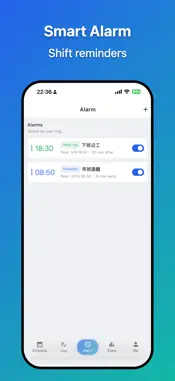
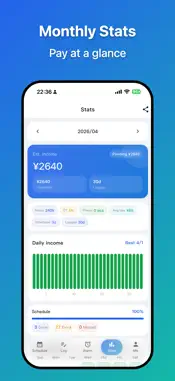
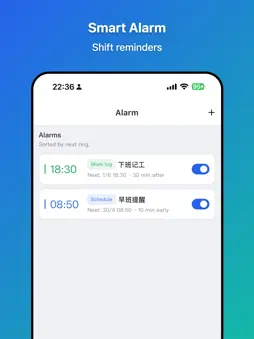
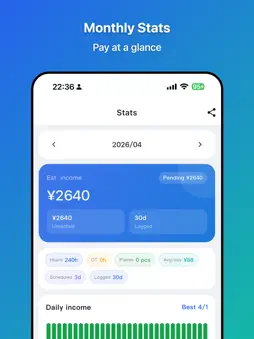
Keep your shifts, work hours and pay records together with Worker Tools. See your rota, log a working day and review the income you have recorded each month. PLAN YOUR SHIFT CALENDAR Create custom shifts with times, colours and notes. Build a repeating rotation for day shifts, night shifts and rest days. Use your roster to see upcoming work at a glance. KEEP A TIMESHEET AND WORK LOG Record regular hours, overtime, piecework quantities and pay. Manage hourly, daily and piece-rate jobs, including more than one job. Keep each worklog entry linked to a date, so you can review the records behind your totals. TRACK RECORDED PAY Review monthly earnings, hours and workdays with calendar views and charts. Mark records as settled or unsettled to help check your own wage records. Totals depend on the rates and entries you provide; they are estimates for personal record-keeping, rather than payroll or statutory pay calculations. SET SHIFT REMINDERS Create an alarm for a fixed time, connect a reminder to your schedule, or prompt yourself to log work after a shift. Choose daily, weekday, weekend or custom repeat rules. KEEP RECORDS LOCALLY Core records are stored on your device without an account. Export and import a local backup, or use cloud backup and restore. Cloud backup is a backup-and-restore feature, rather than continuous live synchronisation. The included public holiday, make-up workday, lunar calendar and solar term data applies to mainland China and the years bundled with the app. It is not a UK, US or worldwide public holiday calendar. A lifetime membership is available as an in-app purchase. Rotation scheduling, batch logging and settlement, backup and other advanced features require membership. See the app for current benefits.
What's New
Version 1.4.1 2026-11-06
Improved layouts for iPhone Duo, iPad and wide screens, with calendars and day details side by side. Made shift editing easier to scroll, keeping actions access... Technical Analysis
Package Overview Basic metadata
Bundle ID
com.i7play.worker Current Version 1.4.1
Minimum iOS 26.0
Package Size App Store Size
Package Metadata 0 / 3 version records
Detailed binary, privacy manifest, framework, and Info.plist results have not been indexed for this package yet. The verified App Store and archive metadata above remains available.
Developer Information
Known Version Records
0 version records with stored package metadata • 3 known version records
Stored metadata does not guarantee a package is currently available to download.
| Details | Version / IDs | Version date | Action |
|---|---|---|---|
| Not archived | App Store ID: 885889071 | Unknown | Request Version |
| Not archived | App Store ID: 885431348 | Unknown | Request Version |
| Not archived | App Store ID: 885061169 | Unknown | Request Version |