
Preview


Description
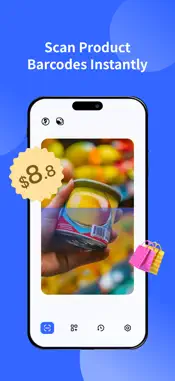
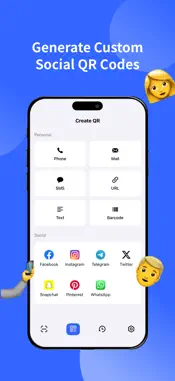
QR Scanner - The Ultimate Tool for Scanning and Creating QR Codes QR Scanner is a free and user-friendly app designed for iPhone users to scan and create QR codes and barcodes with ease. Whether you’re a beginner or a pro, this app is your perfect companion for all your QR code needs! SUBSCRIPTION OPTIONS Enjoy unlimited gallery cleaning with one of the following plans: * Weekly Subscription * Monthly Subscription 3 DAY FREE TRIAL Get unlimited access to all features during your free trial. Payment: Payment will be charged to the iTunes account within 24-hours prior to the end of the free trial period. Renewal: Subscription gets automatically renewed unless the auto-renew option is turned off at least 24-hours before the end of the current period. Renewal will be charged within 24-hours prior to the end of the current period. Privacy Policy: https://kdocs.cn/l/cf0sFAGYodqJ End User Licence Agreement (EULA): https://www.apple.com/legal/internet-services/itunes/dev/stdeula/ Key Features • Instant Start: The camera launches immediately when you open the app—no waiting required. • Photo Scanning: Scan QR codes directly from your photo albums. • Scan History: Access your past scans quickly and easily. • Flashlight Support: Use the built-in light button for scanning in low-light conditions. • Beginner-Friendly: Intuitive design and easy operation make it perfect for all users. Notes Make sure to allow the app access to your camera upon first launch. If the screen appears dark when you open the app, go to [Settings] > [Privacy & Security] > [Camera] and enable the [QR Scaner] option. Download QR Scanner now and enjoy fast, accurate QR Scaner scanning and creation!
What's New
Version 1.5.1 2026-10-30
Bug fixes and performance improvements. Technical Analysis
Package Overview Basic metadata
Bundle ID
lsn.com.Scaner Current Version 1.5.1
Minimum iOS 15.0
Package Size App Store Size
Package Metadata 0 / 10 version records
Detailed binary, privacy manifest, framework, and Info.plist results have not been indexed for this package yet. The verified App Store and archive metadata above remains available.
Known Version Records
0 version records with stored package metadata • 10 known version records
Stored metadata does not guarantee a package is currently available to download.
| Details | Version / IDs | Version date | Action |
|---|---|---|---|
| Not archived | App Store ID: 887732879 | Unknown | Request Version |
| Not archived | App Store ID: 879473777 | Unknown | Request Version |
| Not archived | App Store ID: 875200815 | Unknown | Request Version |
| Not archived | App Store ID: 873272979 | Unknown | Request Version |
| Not archived | App Store ID: 873237224 | Unknown | Request Version |
| Not archived | App Store ID: 873133224 | Unknown | Request Version |
| Not archived | App Store ID: 873087380 | Unknown | Request Version |
| Not archived | App Store ID: 872765291 | Unknown | Request Version |
| Not archived | App Store ID: 872358901 | Unknown | Request Version |
| Not archived | App Store ID: 871834855 | Unknown | Request Version |