
Preview



Description
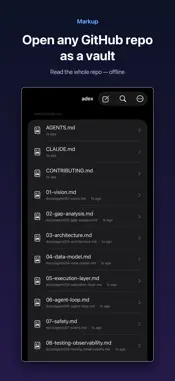
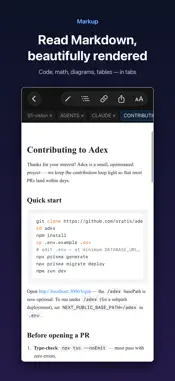
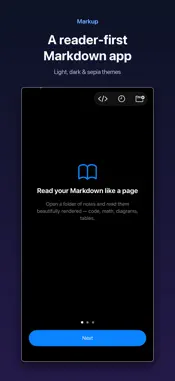
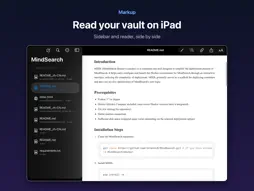
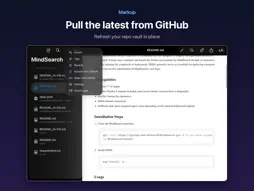
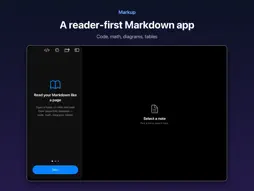
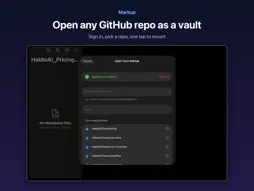
Markup reads and edits your Markdown beautifully — and it works with the folder of notes you already have, on your iPhone and iPad. POINT IT AT YOUR FOLDER — OR A GITHUB REPO • Open any folder of .md files from iCloud Drive or Files — the same vault you use on your Mac. Nothing to import, no lock-in. • Open a GitHub repo as a vault and read the whole thing offline. • Open several vaults and switch between them. READ LIKE A PAGE • High-fidelity rendering: syntax-highlighted code, LaTeX math, Mermaid diagrams, tables, task lists, and GitHub-style callouts. • Light / Dark / Sepia themes, adjustable text size and width, Dynamic Type. • Wikilinks, backlinks with context, a per-document outline, and tags. FIND ANYTHING • Full-text search with tag: and path: filters; fuzzy Quick Open. EDIT WITH EASE • A focused Markdown editor with smart lists, auto-closing brackets, table formatting, and inline [[wikilink]] and #tag autocomplete. • Insert images straight into your vault. Export or share as PDF, HTML, or Markdown. iPAD • Open documents in tabs; edit with a live rendered preview beside the source. • Hardware-keyboard shortcuts. HTML, TOO • Open and read .html and web bundles, with scripts off by default for safety. PRIVATE BY DEFAULT • No account required, no telemetry, no tracking. Your notes stay on your device and your iCloud. Signing in to GitHub is optional and only used to fetch the files you ask for. English and 简体中文, switchable in-app.
Technical Analysis
Package Overview Basic metadata
Bundle ID
com.appkon.markup.ios Current Version 1.0
Minimum iOS 17.0
Package Size App Store Size
Package Metadata 0 / 0 version records
Detailed binary, privacy manifest, framework, and Info.plist results have not been indexed for this package yet. The verified App Store and archive metadata above remains available.
Developer Information
Known Version Records
0 version records with stored package metadata
Stored metadata does not guarantee a package is currently available to download.
| Details | Version / IDs | Version date | Action |
|---|