Preview



Description
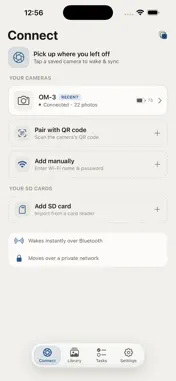
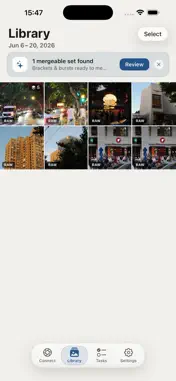
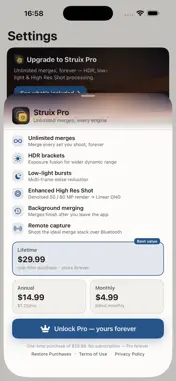
Your camera has the sensor. Your iPhone has the processor. Struix brings computational photography — the multi-frame merging phones do automatically — to the RAW files from your real camera, entirely on device. Import a shoot over Wi-Fi, from an SD card, or your Photos library. Struix automatically finds the bracket and burst sets in it and merges each one the right way, in a single tap — no lining up frames by hand, no desktop. WHY IT'S DIFFERENT • Automatic. It detects your exposure brackets and bursts and picks the right merge for each — you don't sort, pair, or select anything. • More than HDR. Bursts merge into a cleaner, lower-noise frame; exposure brackets merge into wider dynamic range. One tool for both, not just tone-mapped HDR. • A real computational pipeline. A raw-domain, multi-frame merge — the class of technique behind modern phone cameras — not a filter or a simple blend. • Standard DNG out. Every result is a tiled DNG that opens in Lightroom, Pixelmator, and other RAW editors, ready to finish. TUNED FOR YOUR CAMERA Deeply tuned for OM SYSTEM and Olympus — detection, color, and rendering are calibrated to the bodies enthusiasts actually shoot. It also imports and merges RAW from many other cameras via your Photos library or an SD card. MADE FOR THE MOMENT Everything runs on your iPhone — no cloud, no account, no cables, no computer. Merge on the train right after the shoot. FREE • Import, browse, and convert RAW to DNG — unlimited • Your first 10 computational merges — free, no time limit STRUIX PRO — unlimited merges • Lifetime: a one-time $29.99, yours forever • Or subscribe: $14.99/year or $4.99/month, each with a 7-day free trial Subscriptions are charged to your Apple Account and auto-renew unless cancelled at least 24 hours before the period ends; manage or cancel anytime in Settings. The lifetime option is a one-time purchase with no renewal. Terms of Use (EULA): https://www.apple.com/legal/internet-services/itunes/dev/stdeula/ Privacy Policy: https://teamstruix.github.io/privacy.html PRIVACY Struix processes every photo on device. No accounts, no tracking, no data collection. Your images never leave your iPhone unless you export them. OM SYSTEM and Olympus are trademarks of their respective owners. Struix is an independent app and is not affiliated with, endorsed by, or sponsored by those companies.
What's New
Version 1.1.0 2026-08-05
Remote Capture — shoot with your camera from your phone (Pro) • Manual — press and hold the on-screen shutter to fire your camera over Bluetooth, using whateve... Technical Analysis
Package Overview Basic metadata
Bundle ID
com.struix.app Current Version 1.1.0
Minimum iOS 18.0
Package Size App Store Size
Package Metadata 0 / 2 version records
Detailed binary, privacy manifest, framework, and Info.plist results have not been indexed for this package yet. The verified App Store and archive metadata above remains available.
Developer Information
Known Version Records
0 version records with stored package metadata • 2 known version records
Stored metadata does not guarantee a package is currently available to download.
| Details | Version / IDs | Version date | Action |
|---|---|---|---|
| Not archived | App Store ID: 888896778 | Unknown | Request Version |
| Not archived | App Store ID: 887797761 | Unknown | Request Version |