
Preview





Description
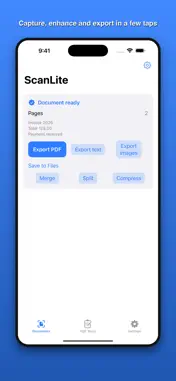
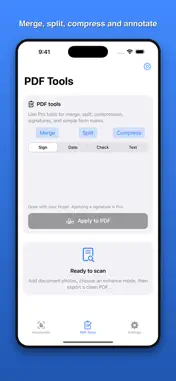
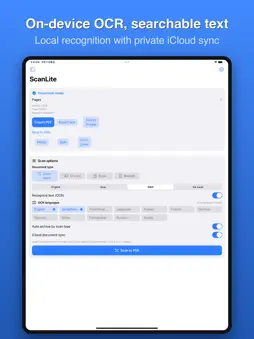
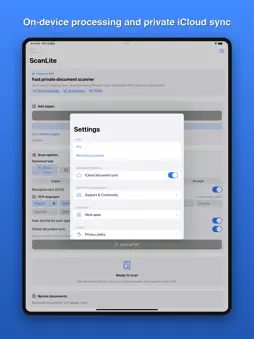
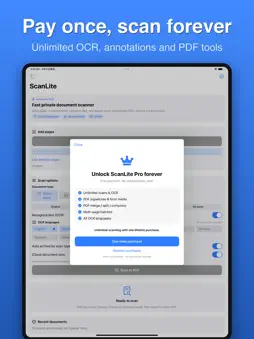
Turn paper documents, receipts, IDs and book pages into clean PDFs. Recognize text on device, organize scans and export without a watermark. FEATURES - Multi-page capture with Apple’s document camera or image import - Grayscale, black-and-white and ink-saver enhancement - On-device OCR in 12 languages, including Chinese, English, Japanese, Korean and major European languages - Searchable PDF, text and image export - Titles, folders, tags, sorting and OCR text search - PDF merge, split, compression and annotations with Pro FREE - All capture modes and OCR languages - Up to 3 scans and 3 OCR runs per day - Watermark-free PDF, text and image export PRO — ONE-TIME UNLOCK - Unlimited scanning and OCR - PDF merge, split and compression - Signature, text, date and checkmark annotations PRIVACY OCR and document processing run on device. ScanLite does not send documents to third-party servers or require an account. Saved documents may sync through your Apple account’s private iCloud container. Privacy Policy and Terms are available in Settings.
What's New
Version 1.6 2026-09-17
This app is independently developed and maintained by an indie developer. Feedback and bug reports are always welcome. For collaboration inquiries, please conta... Technical Analysis
Package Overview Basic metadata
Bundle ID
com.zhongaiyemaozi.scanlite Current Version 1.6
Minimum iOS 16.0
Package Size App Store Size
Package Metadata 0 / 0 version records
Detailed binary, privacy manifest, framework, and Info.plist results have not been indexed for this package yet. The verified App Store and archive metadata above remains available.
Developer Information
Known Version Records
0 version records with stored package metadata
Stored metadata does not guarantee a package is currently available to download.
| Details | Version / IDs | Version date | Action |
|---|