
Preview




Description
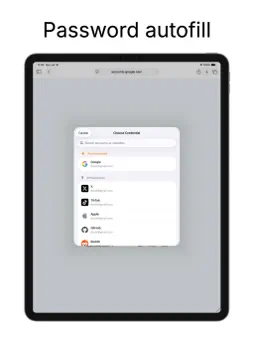
Chromium Vault is a data vault built around privacy, security, and user control. The app collects no user data and requires no account. Your passwords, passkeys, verification codes, payment cards, notes, and attachments are stored in a local encrypted database. Use it entirely offline, or enable iCloud, WebDAV, OneDrive, Google Drive, Box, or Dropbox as needed to sync encrypted data to your own cloud account. The developer operates no servers and cannot read, analyze, or access the contents of your vault. Chromium Vault helps you manage important credentials in one place and create separate vaults for personal, work, or other contexts. System AutoFill, multi-cloud sync, encrypted backups, password health checks, and flexible templates make it easier to store, use, and maintain important information. Secure Vault Store passwords, passkeys, payment cards, notes, and attachments in a local encrypted database, keeping sensitive information under your control. No User Data Collection The app does not collect, upload, analyze, or sell any vault content. By default, your data remains only on your device. Works Offline No registration or connection to developer-operated servers is required. All core vault features remain available without cloud sync. Multiple Vaults Create separate vaults to keep personal, work, and other data organized independently. Fast AutoFill Use iOS system AutoFill to match credentials to websites and sign in more efficiently. Passkey Support Save and manage passkey credentials for a modern, passwordless sign-in experience. TOTP Verification Codes Manage time-based one-time passwords, with support for scanning a QR code, recognizing one from your photo library, or importing a TOTP configuration. Multi-Cloud Sync Supports iCloud, WebDAV, OneDrive, Google Drive, Box, and Dropbox. Encrypted sync data is stored in your own cloud account and cannot be accessed by the developer. Attachment Management Save important files as encrypted record attachments, monitor their sync status, retry failed transfers, and clear completed transfer records. Password Health Identify weak and reused passwords so you can address potential risks promptly. Flexible Record Management Organize different types of important information with templates, tags, groups, and custom fields. Change History Review changes to your data and look back at important edits, reducing the risk of losing information through accidental modifications. Backup and Restore Create encrypted backup packages and restore your data after changing devices, reinstalling the app, or making an accidental change. Import from Other Password Managers Import credentials from Apple Passwords, 1Password, and Bitwarden to reduce manual entry. Password Generator Generate strong passwords by length and character rules, or create memorable passphrases. Chromium Vault has a clear design principle: your data belongs to you. The app provides local encryption, management, sync, and recovery without sending your vault content to developer-operated servers.
What's New
Version 1.2.1 2026-11-17
New - Added support for importing passwords exported from Google Chrome on Mac. Improved - Swipe left to delete fields when editing entries on iOS, keeping the ...New - Added support for importing passwords exported from Google Chrome on Mac. Improved - Swipe left to delete fields when editing entries on iOS, keeping the interface cleaner and reducing accidental deletions. - Added more top-level domain suffixes to choose from when editing entries on iOS. - Improved the unlock mechanism on Mac to better protect your vault data. Fixed - Fixed an issue where website icons could not be retrieved for some entries. - Fixed an issue where attachments were not synced to a newly added secondary sync service. Technical Analysis
Package Overview Basic metadata
Bundle ID
com.thessalyhume.ChromiumVault Current Version 1.2.1
Minimum iOS 18.6
Package Size App Store Size
Package Metadata 0 / 12 version records
Detailed binary, privacy manifest, framework, and Info.plist results have not been indexed for this package yet. The verified App Store and archive metadata above remains available.
Known Version Records
0 version records with stored package metadata • 12 known version records
Stored metadata does not guarantee a package is currently available to download.
| Details | Version / IDs | Version date | Action |
|---|---|---|---|
| Not archived | App Store ID: 888615263 | Unknown | Request Version |
| Not archived | App Store ID: 888503349 | Unknown | Request Version |
| Not archived | App Store ID: 888115738 | Unknown | Request Version |
| Not archived | App Store ID: 887822736 | Unknown | Request Version |
| Not archived | App Store ID: 887800049 | Unknown | Request Version |
| Not archived | App Store ID: 887715264 | Unknown | Request Version |
| Not archived | App Store ID: 887600542 | Unknown | Request Version |
| Not archived | App Store ID: 887511146 | Unknown | Request Version |
| Not archived | App Store ID: 887383385 | Unknown | Request Version |
| Not archived | App Store ID: 886840890 | Unknown | Request Version |
| Not archived | App Store ID: 886551495 | Unknown | Request Version |
| Not archived | App Store ID: 881950941 | Unknown | Request Version |