
Preview





Description
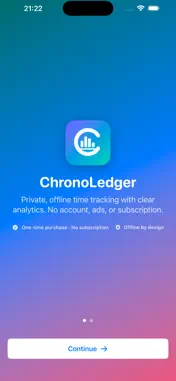
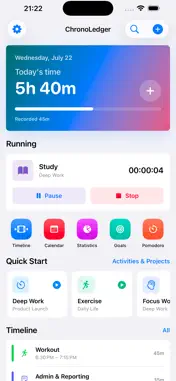
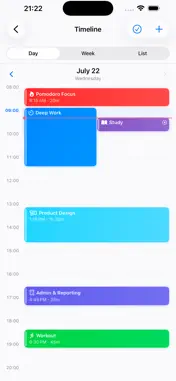
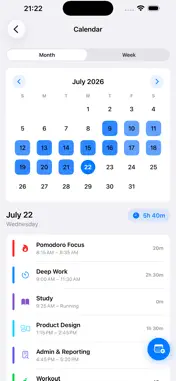
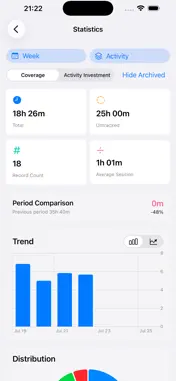
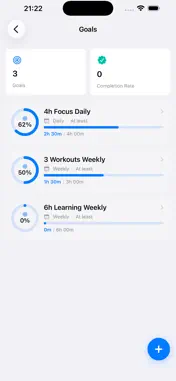
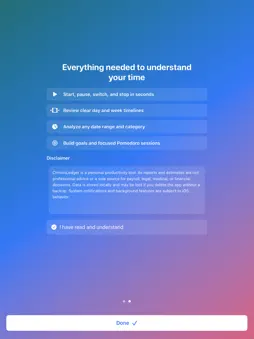
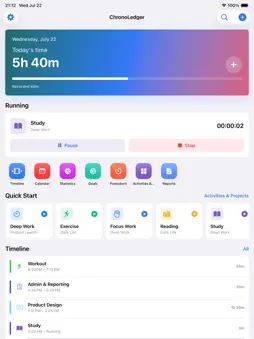
OWN YOUR TIME. KEEP YOUR DATA. ChronoLedger is a private, offline time tracker that helps you understand where your day really goes. Start a timer in one tap, review a clear daily timeline, set meaningful goals, and turn your records into useful insights. No account. No ads. No subscription. Pay once and use every feature. FAST, RELIABLE TIME TRACKING • Start, pause, resume, switch, and stop timers in seconds • Add or correct past entries whenever you need • Track multiple activities at the same time when enabled • Use count-up timers, countdowns, and Pomodoro focus sessions • Add projects, activities, tags, notes, colors, and icons • Recover an active timer after the app closes or the device restarts SEE YOUR DAY ON A TIMELINE • Review daily and weekly timelines • Find gaps and untracked time • Edit, split, merge, duplicate, and organize entries • Search and filter by project, activity, tag, date, note, or duration • View records in timeline, calendar, or list form ANALYTICS THAT EXPLAIN YOUR TIME • Choose any custom date range • Explore pie, bar, line, trend, and heatmap charts • Compare days, weeks, months, years, or matching custom periods • Analyze projects, activities, tags, billable time, and untracked time • See totals, averages, percentages, frequency, and goal progress • Open any chart result to review the original entries behind it GOALS, HABITS, AND FOCUS • Set daily, weekly, or monthly time goals • Define minimum investment goals or maximum time limits • Follow streaks, progress, and completion trends • Run configurable Pomodoro sessions with short and long breaks • Record interruptions and review focus history BUILT FOR APPLE DEVICES • iPhone and iPad layouts • Apple Watch controls and complications • Home Screen and Lock Screen widgets • Live Activities and Dynamic Island timer status • Siri Shortcuts and App Intents • Optional Apple Calendar integration • Light, Dark, and System themes • English and Simplified Chinese, switchable inside the app YOUR RECORDS BELONG TO YOU ChronoLedger works without an account or developer-operated server. Core records stay on your device. Protect the app with Face ID or Touch ID, hide sensitive widget content, and delete your data whenever you choose. Create complete local backups and restore them on a new installation. Export detailed CSV data, portable JSON backups, and readable PDF reports. Import supported CSV data from aTimeLogger and ATracker. FOR WORK AND LIFE Use ChronoLedger for client work, study, exercise, reading, creative projects, routines, family time, hobbies, or any activity you want to understand. Optional hourly rates and billable reports also help freelancers review their work. ChronoLedger is a personal productivity tool. Time totals, estimated amounts, reminders, and reports should not be used as the sole source for payroll, legal evidence, medical decisions, or other professionally verified purposes.
Technical Analysis
Package Overview Basic metadata
Bundle ID
com.hqcancode.TimeTrackerChronoLedger Current Version 1.0
Minimum iOS 17.6
Package Size App Store Size
Package Metadata 1 / 1 version records
Detailed binary, privacy manifest, framework, and Info.plist results have not been indexed for this package yet. The verified App Store and archive metadata above remains available.
Known Version Records
1 version record with stored package metadata
Stored metadata does not guarantee a package is currently available to download.
| Details | Version / IDs | Version date | Action |
|---|---|---|---|
| 18.89 MB | v1.0 App Store ID: 888688052Build: 1.0 | 2026-07-23 11:56:34 | Paid / Arcade |