
Preview










Description
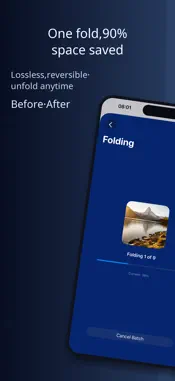
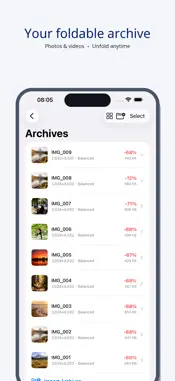
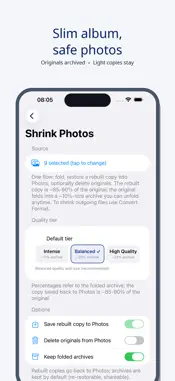
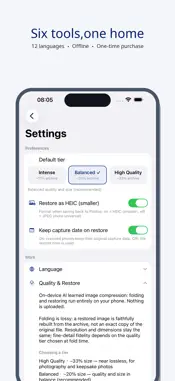
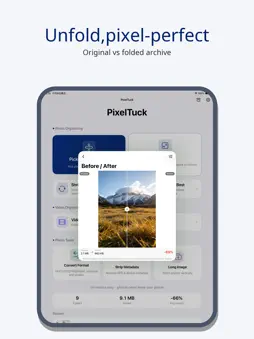
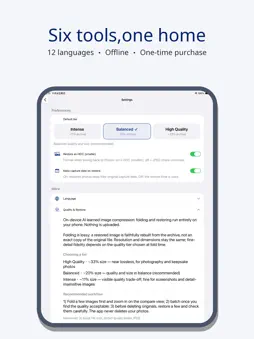
PixelTuck compresses the photos and videos on your phone into tiny Tuck files — and restores the originals whenever you want. Reversible storage: free up real space, lose nothing. WHY IT EXISTS Your photo library keeps growing, but most pictures are viewed only once. PixelTuck tucks each photo or video into a compact archive (typically 10-35% of the original size), safely deletes the original if you choose, and leaves a Tuck file you can unfold into a near-identical copy at any time to free up storage. HOW IT WORKS • Tuck: pick photos or videos, choose a compression level, done • Unfold: one tap restores the photo or video to your library • Every Tuck file lives on your device, self-contained and portable A COMPLETE TOOLKIT • Photo Tuck — compress photos into tiny archives, restore anytime • Video Tuck — compress large videos (even 4K) with original audio passthrough; interruption-safe, resumes if paused • Photo Slimmer — swap album photos for smaller copies; originals tucked away, not deleted • Duplicate Finder — spot exact and similar photos, keep the best of each group in one tap • Format Converter — convert between HEIC, JPEG, PNG, and WebP formats • Privacy Scrub — strip location, device, and other metadata before sharing • Photo Stitch — merge multiple screenshots into one long image HONEST ABOUT QUALITY Tucking uses high-quality lossy compression, not magic: unfolded photos are very close to the original (typically 90%+ smaller files with visually near-identical results). Videos keep their original audio track untouched. PRIVATE BY DESIGN Everything happens on your device. No account, no cloud upload, no tracking, no ads. Photos never leave your phone. ONE-TIME PURCHASE Pay once, own it forever. No subscription, no locked features, no watermarks. Also inside: 12 languages, Tuck file sharing (send Tuck files to friends — they can unfold them with PixelTuck), and an open URL API for automation.
Technical Analysis
Package Overview Basic metadata
Bundle ID
com.xinhejia.pixeltuck Current Version 1.0.22
Minimum iOS 17.0
Package Size App Store Size
Package Metadata 0 / 0 version records
Detailed binary, privacy manifest, framework, and Info.plist results have not been indexed for this package yet. The verified App Store and archive metadata above remains available.
Known Version Records
0 version records with stored package metadata
Stored metadata does not guarantee a package is currently available to download.
| Details | Version / IDs | Version date | Action |
|---|