
Preview

Description
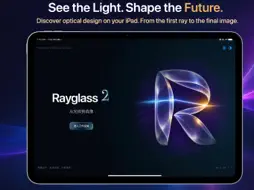
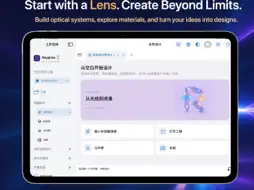
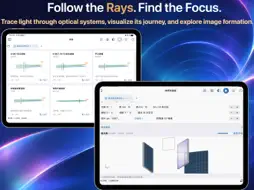
Explore optical systems with Rayglass Mobile. Rayglass Mobile brings optical modeling, ray tracing, and analysis to a touch-first workspace. Start with a lens example, tap a surface, adjust its parameters, and explore the resulting ray paths and image quality. Designed for learning, classroom demonstrations, and preliminary design exploration. TAP A SURFACE. EXPLORE YOUR DESIGN. Adaptive surface cards show radius, spacing, aperture, and material. Tap a card to edit surface shape, decenter, tilt, and system parameters in a dedicated sheet. Model spheres, conics, and A4/A6 even aspheres. Pinch to zoom the ray layout and work in portrait or landscape. SEE WHERE RAYS LAND Compare spot diagrams, RMS spot size, and aberration curves across fields and wavelengths. Under supported paraxial, on-axis conditions, explore wavefront, PSF, and MTF results. COMPARE PARAMETERS Use auto focus, bounded local optimization, and parameter scans to explore changes. Run Monte Carlo tolerance analysis with a fixed random seed to examine parameter variations. Calculations run locally on your device. MATERIALS AND EXAMPLES, CLOSE AT HAND Search 156 SCHOTT glasses from a historical catalog snapshot. Expand a material to view its refractive-index curve and source range, then apply it to a selected surface. Editable examples and optical element templates provide starting points for your work. EXPLORE MORE OPTICAL SCENES Basic non-sequential analysis supports planar objects, glass boxes, and ball lenses, with 3D paths, detector irradiance, and power balance. A separate coating module supports oblique s/p analysis of lossless dielectric multilayers, including wavelength and angle scans. KEEP YOUR WORK IN FILES Open and export .rayglass projects using the system file picker. Exchange surface CSV files and export ray-layout PNG images, analysis reports, and supported analysis data. Undo, redo, and local recovery copies help you manage edits. No account is required. ENGLISH AND SIMPLIFIED CHINESE The interface follows the app language selected in your system settings. USAGE AND MODEL SCOPE Complex analysis pages scroll horizontally in narrow windows. Each module has defined model and sampling limits. Diffraction uses a restricted paraxial, on-axis scalar model; local optimization does not guarantee a global optimum. Basic non-sequential analysis does not include general CAD, scattering, or nested media. Coatings are not coupled to surface tracing. Independently validate results before manufacturing or other consequential engineering decisions. ZMX/ZOS project files are not supported.
What's New
Version 2.26.2 2026-11-10
• Introduced a brand-new app icon and refreshed visuals. • Refined the interface for a smoother experience. • Improved performance and stability. • Fixed minor ...• Introduced a brand-new app icon and refreshed visuals. • Refined the interface for a smoother experience. • Improved performance and stability. • Fixed minor bugs and enhanced overall usability. Technical Analysis
Package Overview Basic metadata
Bundle ID
com.greenjersey.Rayglass.iPad Current Version 2.26.2
Minimum iOS 17.0
Package Size App Store Size
Package Metadata 0 / 0 version records
Detailed binary, privacy manifest, framework, and Info.plist results have not been indexed for this package yet. The verified App Store and archive metadata above remains available.
Known Version Records
0 version records with stored package metadata
Stored metadata does not guarantee a package is currently available to download.
| Details | Version / IDs | Version date | Action |
|---|