
Preview




Description
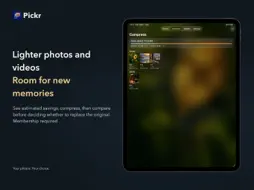
The days you capture deserve to be cherished. Start with a month. Sort through your photos, shrink larger files, and find a home for the places you've been and the moments you'd like to share. Pickr helps you organize photos and videos—and make room for whatever comes next. • Catch up with your camera roll Look back through photos and videos by month. Choose what to keep and mark what you're ready to delete. Take it a month at a time, stop whenever you like, and continue later. Photos marked for deletion wait for your confirmation. Review them before making changes; a swipe never deletes a photo on its own. • Make room for new memories See how much space compression could save, choose a setting, then compare the original and compressed versions before deciding whether to replace the original. The compressed version is saved first. The original is deleted only when you confirm replacement. Compression can reduce image quality and remove some photo information; the effects are explained before you proceed. • A few photos can bring a whole city back Browse photo highlights by where and when they were taken. Rediscover a favorite view from a trip, or an everyday moment worth keeping. Save your selection as an album in Photos. Place-based highlights don't include every photo from those days; anything not selected stays where it is. • Choose what to share as you go While sorting, tap Add to collect photos in My Albums—whether they're for a social post, a keepsake, or someone you'd like to share them with. No need to search through everything again. Save your selection as an album, ready to share later. • Take a break. Pick up where you left off. Prepare your offline content before you go. Without a connection, you can still sort the photos and videos you've prepared. With a Pickr membership, iCloud can sync your review progress and which items have already been compressed, so you can continue organizing on your other devices. Access and privacy • Browsing, reviewing photos, and preparing offline content are free. You can save pending changes in 7 successful batches for free, with no item limit per batch. Failed or canceled attempts don't count. • Compression, saving albums to Photos, refining place-based selections, and iCloud sync require a Pickr membership. Place-based highlights require iOS 18 or later. • Pickr doesn't upload your photos. Whether photo files sync is determined by your system's iCloud Photos settings. • Pending changes, My Albums collections, and offline content stay on this device only. Terms of Use (EULA): https://www.apple.com/legal/internet-services/itunes/dev/stdeula/
What's New
Version 1.2.0 2026-10-31
• Added a lossless compression option for JPEG photos: use JPEG XL on compatible devices while preserving the data needed to restore the original JPEG. • Refres... Technical Analysis
Package Overview Basic metadata
Bundle ID
cn.chenhk.pickr Current Version 1.2.0
Minimum iOS 17.0
Package Size App Store Size
Package Metadata 0 / 0 version records
Detailed binary, privacy manifest, framework, and Info.plist results have not been indexed for this package yet. The verified App Store and archive metadata above remains available.
Developer Information
Known Version Records
0 version records with stored package metadata
Stored metadata does not guarantee a package is currently available to download.
| Details | Version / IDs | Version date | Action |
|---|