Preview



Description
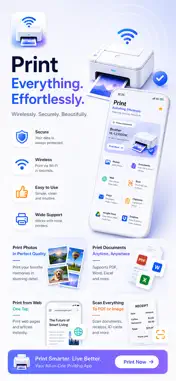
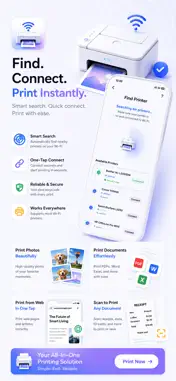
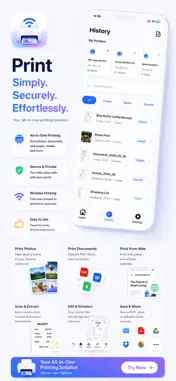
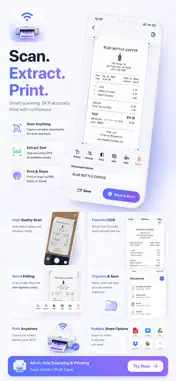
Print PDFs, documents, photos, labels, receipts, and web pages directly from your iPhone or iPad over Wi‑Fi. Printer App is built for fast everyday printing: open a file, connect to a nearby printer on the same Wi‑Fi network, preview the result, and print in a few taps. What you can print • PDF documents • Photos in high quality • Word, Excel, and PowerPoint files • Web pages • Notes and text • Files from the Files app Why people use Printer App • Fast wireless setup • Simple print preview before sending • Easy access to recent files • Clean interface for quick printing • Reliable performance for common home, school, and office tasks Print settings • Paper size selection • Page range selection • Multiple copies • Portrait or landscape • Color or black and white • Auto-fit pages Printer App Premium Upgrade to Printer App Premium for unlimited access to premium printing features. Premium includes: • Unlimited printing • Access to all printing features • Priority access to new features • Ongoing performance improvements • Ad-free experience where applicable Payment is charged to your Apple ID at purchase confirmation. Subscriptions renew automatically unless auto-renew is turned off at least 24 hours before the end of the current billing period. You can manage or cancel a subscription anytime in your App Store account settings. Compatibility Printer App works with Wi‑Fi printers connected to the same network. Supported features can vary by printer model and manufacturer. Privacy Policy https://trynova-ai.com/printer_privacy.html Terms of Use https://trynova-ai.com/printer_terms.html
What's New
Version 1.0.2 2026-09-11
Improved first-print guidance and refreshed the product page to better match how people search for PDF, labels, and document printing. Technical Analysis
Package Overview Basic metadata
Bundle ID
com.printkit.ai Current Version 1.0.2
Minimum iOS 16.0
Package Size App Store Size
Package Metadata 0 / 2 version records
Detailed binary, privacy manifest, framework, and Info.plist results have not been indexed for this package yet. The verified App Store and archive metadata above remains available.
Developer Information
Known Version Records
0 version records with stored package metadata • 2 known version records
Stored metadata does not guarantee a package is currently available to download.
| Details | Version / IDs | Version date | Action |
|---|---|---|---|
| Not archived | App Store ID: 888606737 | Unknown | Request Version |
| Not archived | App Store ID: 887724219 | Unknown | Request Version |