
Preview





Description
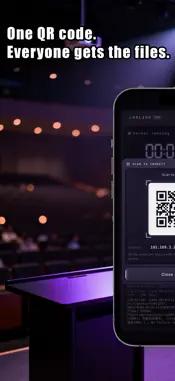
**LanLink Pro turns your phone into a local file-sharing hub. Under the same Wi-Fi or hotspot, PCs, tablets, and other devices can access your phone's files and photos via browser—no cables, no apps, and no cloud uploads required.** The Pro version shares the core transmission engine with Standard, specifically optimized to easily find and transfer massive photo libraries. [Key Features] - One-Tap Start: Launch the service and access instantly via browser by scanning a QR code or entering the URL. - Browse & Download: Access shared directories, albums, and docs via List, Thumbnail, or Timeline views. Supports photo previews and original file downloads (saved with correct extensions). - Large File Uploads: Supports chunked uploads and resuming for large files. Multi-file simultaneous upload with real-time speed tracking. - File Management: View (via default apps), copy, delete, and move files directly within the app. - Password Protection: Optional username and password configuration for secure access in shared networks. - Multi-Language: Supports Simplified/Traditional Chinese, English, Japanese, Korean, German, French, Italian, and Spanish (syncs with system/in-app settings). [Pro Exclusives] - Timeline View: Aggregates photos across folders by capture date and groups them by month for quick jumping. - Recent Uploads: A dedicated entry that sorts files by upload time in reverse order, preventing older uploaded photos from getting lost in past years. - Category Filter: One-tap switching between All, Images, Videos, and Documents with exact item counts. - EXIF Info: Displays camera model, aperture, shutter, focal length, and capture time. Supports Live Photo playback. - Online Video Streaming: Play videos directly in the browser with a draggable progress bar without downloading. - Advanced Upload Center: Drag and drop folders. Displays progress, speed, and ETA. Supports file renaming/overwriting and retrying failed items. - Interrupted Transfer Reminders: Prompts remaining items upon reopening and resumes exactly from break points. - Album Sharing Toggle: Turn off album access independently while keeping regular file sharing active. - Status Dashboard: Retro LCD-style panel showing runtime, connected devices, real-time speeds, total traffic, and system logs. - Network Diagnostics: View IP, network cards, port status, and Wi-Fi names to easily troubleshoot connections. [Use Cases] - Fast Transfer: Send photos/docs to PC instantly without emailing them to yourself. - On-the-Go Sharing: Share files with colleagues via mobile hotspot during meetings or trips. - Cross-Device Sync: Seamless file transfers within home or office local networks. - Photo Clean-up: Manage years of photos by timeline, filters, and original quality exports. [Privacy & Security] - 100% Local: Data transfers strictly within the local network. No third-party servers, no accounts. - Full Control: Stop services anytime and view connection logs. Photo sharing can be toggled off separately. - Network Security: Uses HTTP cleartext without end-to-end encryption. Anyone on the network with the URL can access it. Use only on trusted networks (home Wi-Fi/hotspot) and set a password. Avoid public Wi-Fi. - iOS Backgrounding: iOS suspends apps when locked or switched, pausing transfers. It resumes automatically in the foreground. For large files, keep the app in foreground and enable "Keep Screen On".
Technical Analysis
Package Overview Basic metadata
Bundle ID
com.fh888.lanlinkPro Current Version 1.0
Minimum iOS 15.6
Package Size App Store Size
Package Metadata 0 / 0 version records
Detailed binary, privacy manifest, framework, and Info.plist results have not been indexed for this package yet. The verified App Store and archive metadata above remains available.
Known Version Records
0 version records with stored package metadata
Stored metadata does not guarantee a package is currently available to download.
| Details | Version / IDs | Version date | Action |
|---|