
Preview





Description
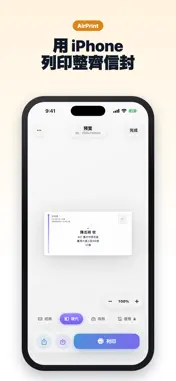
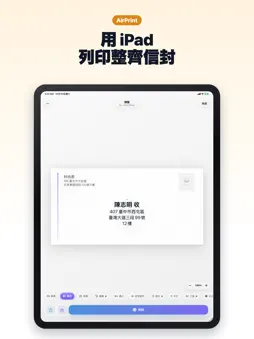
在 iPhone 或 iPad 上排好寄件人與收件人地址,直接透過 AirPrint 列印信封。 地址只要儲存一次,之後點一下就能重新列印信封。 選擇信封尺寸和範本,填寫寄件人與收件人,列印前先預覽。可透過 AirPrint 傳送至印表機,也可儲存為 PDF。 功能一覽 - 支援 46 種信封尺寸:17 種國際 ISO 規格、17 種美國與加拿大規格(含 #10)、8 種中國規格,以及 4 種日本 JIS 規格(長形3號、長形4號、角形2號、洋形4號) - 24 款範本,適用於商務郵件、書信、婚禮喜帖與節慶卡片 - 6 種字體可選 - 直書列印日式信封,郵遞區號填入郵遞區號框,寄件人資訊列印在背面 - 收件人地址可靠左對齊或置中 - 從 iPhone 聯絡人匯入寄件人與收件人地址 - 貼上複製的地址,自動填入各項資訊 - 寄件地址儲存一次,之後每封信都能重複使用 - 列印前預覽排版,避免浪費信封 - 透過 AirPrint 列印或匯出 PDF - 在列印歷史記錄中點一下,即可重新列印過去的信封 - 透過 iCloud 在 iPhone 與 iPad 之間同步已儲存的地址和歷史記錄 適用情境 - 婚禮喜帖、回函信封與感謝卡 - 節慶卡片與聖誕卡 - 商務信函、客戶通知與辦公室郵件 - 不想手寫地址,或不想為列印一封信而開啟電腦 免費版 - 每天可列印 2 次 - 首次列印無浮水印;之後的免費列印會有浮水印 - 6 款範本:經典、現代、商務、最小、航空郵件、中文 - 歷史記錄保留最近 5 個信封 - 全部 46 種尺寸與 6 種字體 - AirPrint、PDF 匯出、聯絡人匯入與 iCloud 同步 Premium - 無限次列印 - 無浮水印 - 全部 24 款範本 - 完整列印歷史記錄,隨時重新列印建立過的信封 Premium 提供每週訂閱、含 3 天免費試用的年度訂閱,以及一次性買斷。確認購買後,費用會從您的 Apple ID 帳號扣款。訂閱會自動續訂,除非您在目前訂閱期間結束前至少 24 小時取消。您可以在 Apple ID 帳號設定中管理或取消訂閱。 隱私權政策: https://envelopeprinter.andyrgb.com/privacy/ 使用條款: https://envelopeprinter.andyrgb.com/terms/
What's New
Version 1.3 2026-11-13
支援日式信封直書,並可選擇地址靠左對齊。 - 長形3號、長形4號與角形2號信封支援直書列印,也可選擇洋形4號。郵遞區號填入預印的郵遞區號框,姓名以較大字體置中顯示,並附上「様」「御中」或「殿」,寄件人資訊列印在背面。 - 橫式信封的收件人地址可選擇靠左對齊或置中。美國與加拿大規格現在預設靠左對齊。 - 本次更新前建立...支援日式信封直書,並可選擇地址靠左對齊。 - 長形3號、長形4號與角形2號信封支援直書列印,也可選擇洋形4號。郵遞區號填入預印的郵遞區號框,姓名以較大字體置中顯示,並附上「様」「御中」或「殿」,寄件人資訊列印在背面。 - 橫式信封的收件人地址可選擇靠左對齊或置中。美國與加拿大規格現在預設靠左對齊。 - 本次更新前建立的信封會保留原有排版。 Technical Analysis
Package Overview Basic metadata
Bundle ID
com.appstudio.envelope Current Version 1.3
Minimum iOS 17.0
Package Size App Store Size
Package Metadata 0 / 2 version records
Detailed binary, privacy manifest, framework, and Info.plist results have not been indexed for this package yet. The verified App Store and archive metadata above remains available.
Developer Information
Known Version Records
0 version records with stored package metadata • 2 known version records
Stored metadata does not guarantee a package is currently available to download.
| Details | Version / IDs | Version date | Action |
|---|---|---|---|
| Not archived | App Store ID: 887080726 | Unknown | Request Version |
| Not archived | App Store ID: 885017435 | Unknown | Request Version |