
Preview




Description
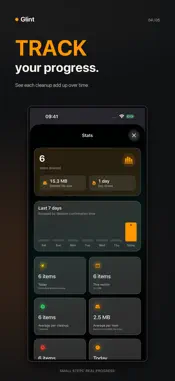
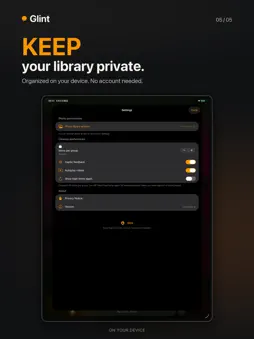
Keep the moments you care about. Glint turns a crowded photo library into a simple series of decisions: swipe right to keep an item, or swipe left to add it to your deletion queue. Review the queue before you confirm anything. TAKE IT A FEW PHOTOS AT A TIME Work through groups of 5–50 photos and videos. Choose a comfortable pace and continue whenever you want, with no daily deletion limit. START WITH THE RIGHT CATEGORY Browse photos, screenshots, Live Photos, videos, large videos, or recent photos. You make the decisions about what to keep. REVIEW BEFORE DELETING A left swipe only adds an item to the queue. Preview the queued items, remove anything you want to keep, and confirm when you are ready. You can also undo your last swipe while reviewing a group. LOOK A LITTLE CLOSER Check the date, dimensions, file size, and camera details when available. See location coordinates included in a photo and choose whether to open them in Apple Maps. Use the system share sheet when you want to share an item. SEE YOUR PROGRESS View cleanup history, item counts, recent activity, category breakdowns, and estimated file sizes. All statistics are included. FREE TO USE All features are free. No ads, subscriptions, in-app purchases, or account required. Choose your group size, video autoplay, haptic feedback, and whether kept items can appear in future groups. YOUR LIBRARY, YOUR CHOICES Glint works with the photo-library access you allow. Library decisions, cleanup records, and preferences stay on your device; Glint does not upload your library to a developer server. iCloud Photos may use Apple's services to download media on demand. Opening Apple Maps or sharing an item uses the relevant service only when you choose that action. ABOUT DELETION AND STORAGE Confirmed deletions use the system Photos library. Items normally remain in Recently Deleted for 30 days and can be recovered there during that period. With iCloud Photos enabled, deletions also sync to your other devices. Size figures are estimates based on locally readable files; some cloud items and Live Photos may have unknown sizes. They do not measure an immediate increase in available device storage. Made for iPhone and iPad. Requires iOS 18 or iPadOS 18 or later. Available in English and Simplified Chinese.
Technical Analysis
Package Overview Basic metadata
Bundle ID
com.codewithwk.CleanRoll Current Version 1.0.0
Minimum iOS 18.0
Package Size App Store Size
Package Metadata 0 / 0 version records
Detailed binary, privacy manifest, framework, and Info.plist results have not been indexed for this package yet. The verified App Store and archive metadata above remains available.
Developer Information
Known Version Records
0 version records with stored package metadata
Stored metadata does not guarantee a package is currently available to download.
| Details | Version / IDs | Version date | Action |
|---|