
Preview








Description
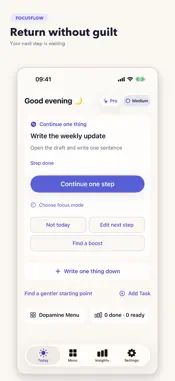
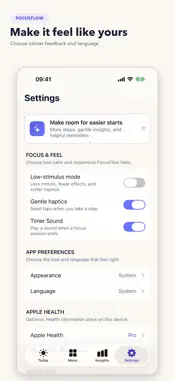
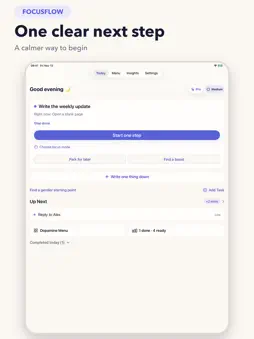
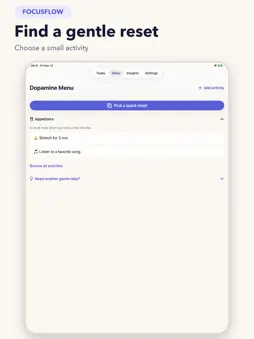
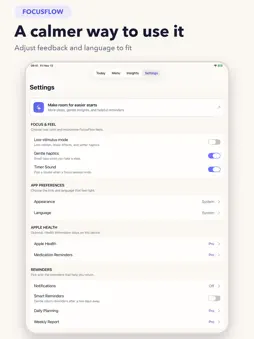
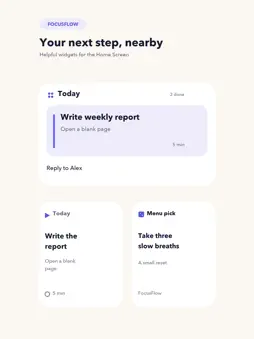
Starting can be the hardest part. FocusFlow brings one task and one clear next step into view, so you can begin without sorting through your whole day. When you are interrupted, park the task with a short return note. Come back to that next step when you are ready. A five-minute focus session helps you get moving without treating a timer as a verdict on your day. WHAT YOU CAN DO • Start one step: Keep the current task and its next action together on Today. • Pause and return: Save a small cue, then pick up where you left off. • Focus gently: Use a short timer and choose what to do when it ends. • Find a reset: Pick a small activity from the Dopamine Menu. • Notice progress: Review factual weekly activity without scores or broken streaks. • Keep it nearby: Use a Home Screen widget to return to your task. The free version includes the core start, pause, and return flow, the Dopamine Menu, and a current-task widget. Pro adds unlimited daily task creation and step suggestions, additional widgets, weekly reports, medication reminders, and optional Apple Health insights. Available plans, prices, and any eligible trial are shown in the app before purchase. Apple Health access is optional. With your permission, Pro can show sleep, steps, and active energy beside completed-task counts. FocusFlow does not use those readings to diagnose ADHD or explain why a particular day went well or poorly. The core task flow works without Health access. Find one small step and begin from there. Terms of Service: https://sites.google.com/view/adhdflow-termsofservice Privacy Policy: https://sites.google.com/view/adhdflow-privacypolicy
What's New
Version 1.1.0 2026-11-14
Starting and returning feel simpler in this update. Today puts one task and its next step first. You can park a task with a return cue, start a short focus sess...Starting and returning feel simpler in this update. Today puts one task and its next step first. You can park a task with a return cue, start a short focus session, and choose a gentle reset from the refreshed Dopamine Menu. Weekly Insights and widgets have clearer layouts, with optional Apple Health readings in Pro. We also refined the light and dark themes and layouts for iPhone, iPad, and iPhone Duo. Technical Analysis
Package Overview Basic metadata
Bundle ID
com.adhdflow.app Current Version 1.1.0
Minimum iOS 17.0
Package Size App Store Size
Package Metadata 0 / 5 version records
Detailed binary, privacy manifest, framework, and Info.plist results have not been indexed for this package yet. The verified App Store and archive metadata above remains available.
Developer Information
Known Version Records
0 version records with stored package metadata • 5 known version records
Stored metadata does not guarantee a package is currently available to download.
| Details | Version / IDs | Version date | Action |
|---|---|---|---|
| Not archived | App Store ID: 889050453 | Unknown | Request Version |
| Not archived | App Store ID: 887933895 | Unknown | Request Version |
| Not archived | App Store ID: 887578978 | Unknown | Request Version |
| Not archived | App Store ID: 887322257 | Unknown | Request Version |
| Not archived | App Store ID: 887038271 | Unknown | Request Version |