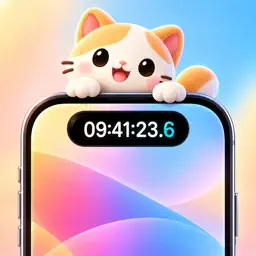
Preview
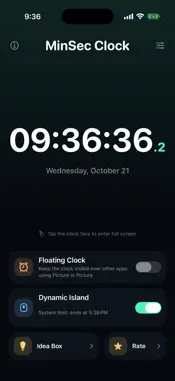


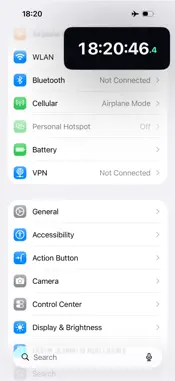
Description
See hours, minutes, and seconds clearly in the app, on the Lock Screen, and in the Dynamic Island. On supported devices, use Picture in Picture to keep the clock visible over other apps. MinSec combines a precise seconds display, a full-screen desk clock, and customizable clock faces in one clean iPhone app. WHY MINSEC - Dynamic Island and Lock Screen time: show your selected hours, minutes, seconds, and optional fractional seconds with a Live Activity - Picture in Picture clock: keep the clock visible over other apps on supported devices - Lock Screen clock: check the current time without unlocking - Full-screen desk clock: turn your iPhone sideways for a clear landscape display - Analog and digital clock faces: switch styles to suit the moment - Custom time display: choose which hours, minutes, and seconds to show, plus fractional seconds - Detailed time: choose 12- or 24-hour time and display fractional seconds - Personalize the look: use a smooth second hand and a choice of accent colors - Shortcuts support: quickly start or stop the Live Activity - Private by design: no ads, accounts, analytics, or tracking MinSec uses your iPhone's system time and does not require a network connection. Seconds on the Lock Screen and in the Dynamic Island use Live Activities. iOS allows each Live Activity to run for up to 8 hours. On some older iOS versions, it may stop at midnight; restart it to keep displaying the time.
What's New
Version 2.5 2026-10-21
Set up each clock the way you need it, with independent settings for different places. • Dynamic Island, in-app digital, analog, and floating clocks now have s... Technical Analysis
Package Overview Basic metadata
Bundle ID
com.artfoxe6.idclock Current Version 2.5
Minimum iOS 16.2
Package Size App Store Size
Package Metadata 0 / 0 version records
Detailed binary, privacy manifest, framework, and Info.plist results have not been indexed for this package yet. The verified App Store and archive metadata above remains available.
Developer Information
Known Version Records
0 version records with stored package metadata
Stored metadata does not guarantee a package is currently available to download.
| Details | Version / IDs | Version date | Action |
|---|