
Preview



Description
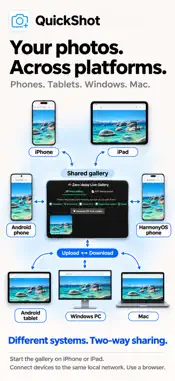
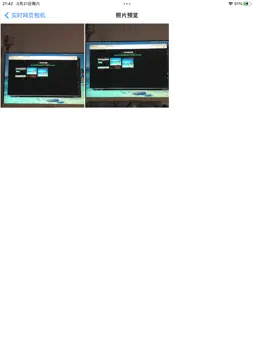
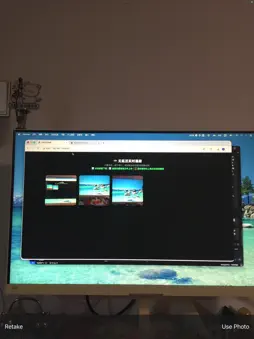
Move photos, screenshots and image assets between phones, tablets and computers, even when they use different operating systems. QuickShot brings them together through a shared gallery on your local network, for everyday sharing, class notes, work and app development or testing. Start the web gallery in the app on an iPhone or iPad. Open its displayed address in a browser on another device to upload, view and download images. Other iPhones and iPads, Android phones and tablets, HarmonyOS phones, and Windows or Mac computers can take part. Browser devices can exchange images through this same gallery, with no dedicated client or cable needed on those devices. What you can do - Share both ways: Select one or more images in a phone, tablet or computer browser to upload to the app's gallery, or view and download gallery images. Computers also support drag-and-drop uploads. - Capture or import: Take and confirm a photo in the app, or import multiple pictures from your photo library. The web gallery refreshes automatically. - Work in batches: Download or delete shared photos individually or in batches to keep screenshots and image assets organized. - Create PDFs: Combine selected photos into a PDF on the web page, then preview, download and manage the generated files. - Extract text and crop: Recognize and copy image text in the browser, or crop an image and save it back to the app. OCR supports Simplified Chinese, Traditional Chinese and English; results depend on image quality. - Preview in the app: Browse shared photos and generated PDFs. Open a photo and tap Save to add it to your system photo library. Made for everyday image transfers - Personal devices: Move photos, screenshots and reference images between different systems. - App development and testing: Use the shared gallery to exchange test images, interface screenshots, bug screenshots and image assets between your computer and test devices running different systems. - Learning: Capture whiteboards, slides or study materials and view, download and organize them on another device. - Work and creative projects: Bring meeting notes, paper documents, design assets and reference images to the device you are using. Get started 1. Connect the iPhone or iPad running the app and your other devices to the same local network, such as the same Wi-Fi. Devices must be able to reach one another. 2. Turn on the web gallery in the app and open the displayed address in a browser on another device. 3. Keep the app open. Take photos, import pictures or select images to upload in the browser; on a computer, you can also drag and drop. Images travel over your local network without a cloud relay. No registration is required for image sharing. Browser previews do not automatically save images to the receiving device: use Download or Save, depending on your browser and system. Browser uploads are stored in the app first. Deleting shared photos does not remove the originals from your system photo library.
What's New
Version 1.1.5 2026-11-07
1. Share images across devices: start the shared gallery on iPhone or iPad, then upload, view and download images in browsers on phones, tablets and computers o...1. Share images across devices: start the shared gallery on iPhone or iPad, then upload, view and download images in browsers on phones, tablets and computers on the same local network. 2. Select images to upload from the web page on mobile devices and computers. Drag-and-drop uploads remain available on computers. 3. Improved multilingual upload tips and saving guidance for everyday photos, class materials, development and testing screenshots, and image assets. Technical Analysis
Package Overview Basic metadata
Bundle ID
com.syl.Finder Current Version 1.1.5
Minimum iOS 15.6
Package Size App Store Size
Package Metadata 0 / 7 version records
Detailed binary, privacy manifest, framework, and Info.plist results have not been indexed for this package yet. The verified App Store and archive metadata above remains available.
Known Version Records
0 version records with stored package metadata • 7 known version records
Stored metadata does not guarantee a package is currently available to download.
| Details | Version / IDs | Version date | Action |
|---|---|---|---|
| Not archived | App Store ID: 887421939 | Unknown | Request Version |
| Not archived | App Store ID: 886002495 | Unknown | Request Version |
| Not archived | App Store ID: 885775655 | Unknown | Request Version |
| Not archived | App Store ID: 883886362 | Unknown | Request Version |
| Not archived | App Store ID: 883792166 | Unknown | Request Version |
| Not archived | App Store ID: 883740813 | Unknown | Request Version |
| Not archived | App Store ID: 883613565 | Unknown | Request Version |