
Preview

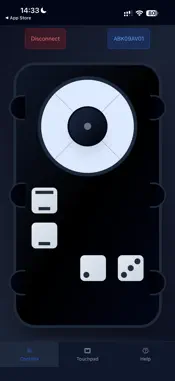

Description
Step 1: Open the app and ensure Bluetooth is enabled.If Bluetooth is not enabled, an instruction will appear to turn it on. Step 2: Search for nearby Bluetooth devices.Available devices will be displayed for connection. Step 3: Click to open the control page. Page 1: Control functions using on-screen buttons. Page 2: Use the touchscreen to simulate a mouse. Page 3: View instructions on how to use the app.
What's New
Version 1.0.6 2026-08-14
1.Adjust the transmission issue of some buttons 2.Adjust the interface framework to adapt to different mobile devices 3.Adjust the sending issue of the Touchpa... Technical Analysis
Package Overview Basic metadata
Bundle ID
com.qq.TouchNav Current Version 1.0.6
Minimum iOS 13.0
Package Size App Store Size
Package Metadata 0 / 6 version records
Detailed binary, privacy manifest, framework, and Info.plist results have not been indexed for this package yet. The verified App Store and archive metadata above remains available.
Known Version Records
0 version records with stored package metadata • 6 known version records
Stored metadata does not guarantee a package is currently available to download.
| Details | Version / IDs | Version date | Action |
|---|---|---|---|
| Not archived | App Store ID: 887029284 | Unknown | Request Version |
| Not archived | App Store ID: 886225331 | Unknown | Request Version |
| Not archived | App Store ID: 885414392 | Unknown | Request Version |
| Not archived | App Store ID: 885062771 | Unknown | Request Version |
| Not archived | App Store ID: 884136415 | Unknown | Request Version |
| Not archived | App Store ID: 882102058 | Unknown | Request Version |