
Preview







Description
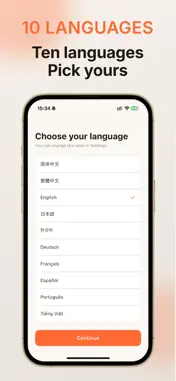
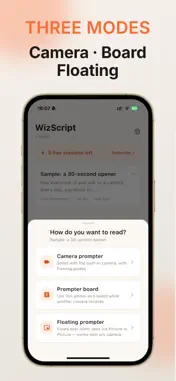
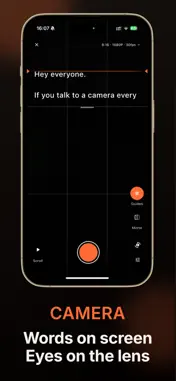
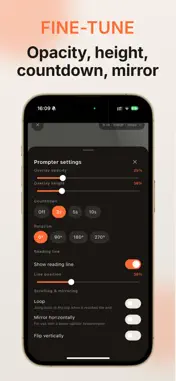
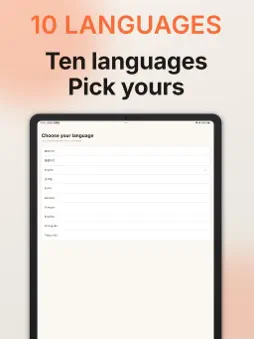
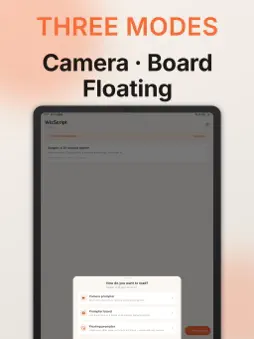
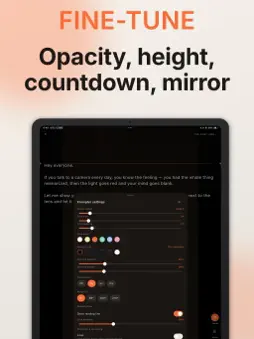
WizScript is a teleprompter that runs entirely on your device. Built for short-form voiceover, livestreams, and course recording, it offers three prompting modes to cover every setup you actually shoot with.It also does shadowing: import a video as a reference, read along with it, and record the take on the spot. CAMERA PROMPTER Shoot with your phone's built-in camera while the script scrolls over the live preview. Includes rule-of-thirds and center-line framing guides plus mirrored preview. One tap saves the finished take to your photo library. VIDEO QUALITY Tune capture to your setup: aspect ratio (full frame, 9:16, 3:4, 1:1), resolution (720P, 1080P, 4K), frame rate (24, 30, 60), stabilization on or off, and whether the recording itself is mirrored. Available options depend on what your device supports. PROMPTER BOARD Turn this phone into a dedicated prompter board while a DSLR, mirrorless, or second phone does the recording. Supports portrait and landscape, window-ratio cropping, and the horizontal flip that beam-splitter rigs need. Controls fade away once scrolling starts, leaving nothing but your script. FLOATING PROMPTER Uses the system Picture in Picture layer to float your script above other apps, so it works with any camera app you prefer. The script keeps scrolling in the background and never covers the frame you are recording. SHADOWING Import a video as your reference, lay it out on the canvas, and stack the camera, text, stickers and a background on top — then read along while you watch. Recording captures the whole canvas together with the camera feed, the microphone picks up your voice only, and the take is cropped to 9:16 and saved to your photo library. Shadowing sessions have their own free quota, separate from prompting. FULLY ADJUSTABLE Scroll speed, font size, line height, text and background colors, background opacity, mirror flip, looping, a pre-roll countdown, and reading-line position and visibility — tune every one of them to your pace and your camera position. SCRIPT LIBRARY Create, edit, and delete scripts, all stored offline on this device. Editing scripts and changing settings are always free and never counted. PRIVACY No server, no account, no sign-in. Your scripts, camera settings, and recorded video stay on this device and are never uploaded. Contains no advertising, analytics, or behavior-tracking SDKs. LANGUAGES English, 简体中文, 繁體中文, 日本語, 한국어, Deutsch, Français, Español, Português, Tiếng Việt. ABOUT THE SUBSCRIPTION Prompting includes a limited number of free uses. After that, a subscription unlocks unlimited prompting. A lifetime option unlocks everything with a single payment and never renews. Monthly and yearly subscriptions are billed through the App Store and can be canceled any time in your system settings. Script editing and app settings remain free forever. VIP membership · Lifetime $9.99 (recommended — one-time purchase, never renews) · Monthly $1.99 · Yearly $14.99 Auto-renewing subscription terms (Monthly and Yearly only): · The subscription renews automatically within 24 hours before the current period ends · The renewal charge matches the price of the plan you chose · To cancel, turn off auto-renewal at least 24 hours before the period ends under Settings → Apple Account → Subscriptions · Cancelling takes effect at the end of the current period; partial refunds within a period are not available Questions or suggestions? Reach us from Settings / Feedback in the app, or email [email protected]. We read every message. Terms of Use: https://yunzhiqiao.cpolar.top/ios/wizscript/terms.html#en-US Privacy Policy: https://yunzhiqiao.cpolar.top/ios/wizscript/privacy.html#en-US
What's New
Version 1.0.2 2026-09-24
Shadowing is here: import a video as your reference, set up the camera and text on the canvas, read along, and the take is cropped to 9:16 and saved to your pho... Technical Analysis
Package Overview Basic metadata
Bundle ID
com.yunzhiqiao.voiceOver Current Version 1.0.2
Minimum iOS 15.0
Package Size App Store Size
Package Metadata 0 / 0 version records
Detailed binary, privacy manifest, framework, and Info.plist results have not been indexed for this package yet. The verified App Store and archive metadata above remains available.
Developer Information
Known Version Records
0 version records with stored package metadata
Stored metadata does not guarantee a package is currently available to download.
| Details | Version / IDs | Version date | Action |
|---|