Preview


Description
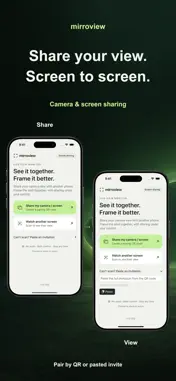
Use a second iPhone or iPad as a viewing screen to help frame a photo, guide a pose, or see the same view together. mirroview shares the screen you authorize with one paired device. After starting screen sharing, switch to the Camera app or another app to show its screen to the viewer. PAIR AND CONFIRM The sender displays a QR code for the viewer to scan, or shares an invitation for the viewer to paste. Both people confirm the session, then the sender approves screen capture through the iOS / iPadOS system interface. STAY IN CONTROL Either device can end the session. This version does not transmit audio, create user accounts, or save session photos or videos inside the app. LOCAL CONNECTION For your first connection, connect both devices to the same reachable Wi-Fi network. Guest networks or device isolation may prevent pairing. Two compatible iPhones or iPads are required, running iOS / iPadOS 17 or later. System-protected content may not be shareable. PRIVACY AND SUPPORT Connection diagnostics stay on your device and are not uploaded automatically. Diagnostic files leave the device only when you explicitly export and share them with a recipient you choose. Privacy: https://mirroview.liljackson.org/privacy.html Support: https://mirroview.liljackson.org/support.html
Technical Analysis
Package Overview Basic metadata
Bundle ID
com.linkinlxm.mirroview Current Version 1.0
Minimum iOS 17.0
Package Size App Store Size
Package Metadata 0 / 0 version records
Detailed binary, privacy manifest, framework, and Info.plist results have not been indexed for this package yet. The verified App Store and archive metadata above remains available.
Developer Information
Known Version Records
0 version records with stored package metadata
Stored metadata does not guarantee a package is currently available to download.
| Details | Version / IDs | Version date | Action |
|---|