
Preview



Description
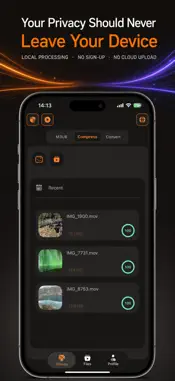
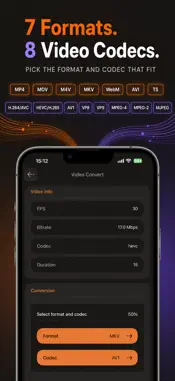
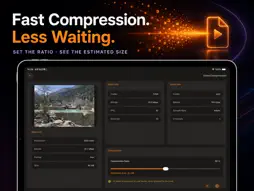
MagicFmt is a private video toolbox for the jobs you need to finish quickly: make a video smaller, convert it to a useful format, or save an M3U8 stream you are authorized to use as an MP4. No account. No sign-up. No automatic scan of your photo library or files. LOCAL VIDEO PROCESSING Choose a video from Photos or Files, then compress or convert it directly on your device. Your selected local video is not uploaded to a cloud service for compression or conversion. You stay in control of the original and the output. COMPRESS WITH A CLEAR TARGET Reduce file size before sharing, storing, or moving a video. Review the video details, choose a compression level, see an estimated output size, and follow progress from the task page or File Center. CONVERT FORMATS AND CODECS Turn a video into the format that fits your next step. Select the output container and supported video codec, then keep the finished file ready for preview, export, sharing, or saving to Photos when supported. SAVE YOUR M3U8 AS MP4 Paste an M3U8 link you are permitted to process, review its stream information, give the output a name, and save it as a local MP4. The task view shows download and merge progress, while File Center keeps completed files and task history organized. YOUR FILES, YOUR CHOICE Open a finished video, save compatible files to Photos, share through the iOS share sheet, or remove files whenever you want. Outputs remain in the app’s Files area until you choose to export or delete them. BUILT FOR PRIVACY-MINDED WORKFLOWS MagicFmt asks only for the access needed for the action you choose. It does not require you to create an account just to compress, convert, manage, or export your videos. Please process only media you own or are authorized to use.
What's New
Version 2.1 2026-10-14
Version 2.1 Update Notes: 1. Player optimization: Fixed an issue where playback speed would automatically reset after a period of time. 2. UI optimization ... Technical Analysis
Package Overview Basic metadata
Bundle ID
top.r9ronaldo.m3u8 Current Version 2.1
Minimum iOS 17.0
Package Size App Store Size
Package Metadata 2 / 2 version records
Detailed binary, privacy manifest, framework, and Info.plist results have not been indexed for this package yet. The verified App Store and archive metadata above remains available.
Known Version Records
2 version records with stored package metadata
Stored metadata does not guarantee a package is currently available to download.
| Details | Version / IDs | Version date | Action |
|---|---|---|---|
| 26.63 MB | v2.0 App Store ID: 889841826Build: 2.0 | 2026-09-17 13:04:56 | Get Version |
| 23.96 MB | v1.0 App Store ID: 875885781Build: 1.0 | 2026-01-01 01:57:13 | Get Version |