
Preview






Description
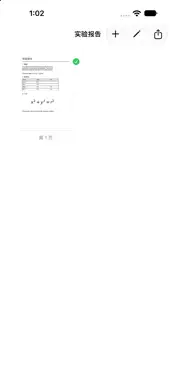
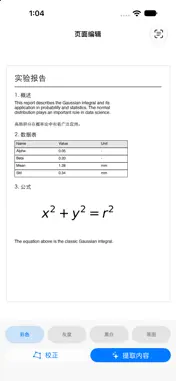
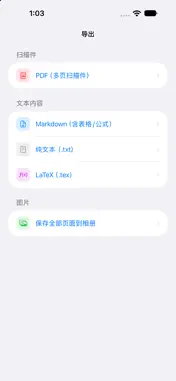
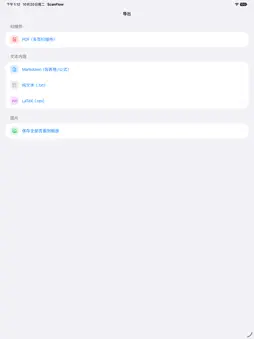
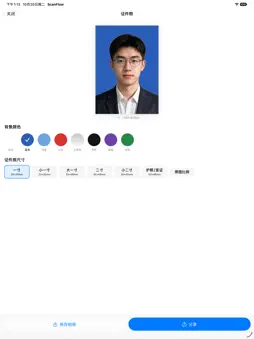
ScanFlow is a fully offline document scanner, OCR reader and formula recognizer for iPhone and iPad. No account, no sign-in, no network connection required. FREE FOR 3 DAYS Open the app and every feature is unlocked for 3 days. After the trial, scanning, filters, page management, PDF export and saving pages to Photos stay completely free. A single one-time purchase of US$2.99 permanently unlocks text & table extraction, Markdown / TXT / LaTeX export, formula recognition and smart ID photos. No subscription, no auto-renewal, ever. Purchases can be restored at any time. SCAN • Automatic edge detection with VisionKit, multi-page capture, and perspective correction for tilted shots. • Built-in filters (colour, grayscale, black & white) applied in real time. • Organise documents into pages: reorder, rotate, or delete a single page without touching the rest of the document. EXTRACT • On-device OCR pulls text, tables and inline images out of your scans. • Formula recognition turns handwritten or printed equations into editable LaTeX. • Results can be exported as PDF, Markdown, plain text or LaTeX; PDFs and pages can also be saved straight to Photos. ID PHOTO • Smart ID photo mode detects the subject and replaces the background with a clean colour of your choice. PRIVACY BY DESIGN • Scanning, OCR and formula recognition run entirely on your device using Apple frameworks and a local model. • No analytics, no tracking, no data collected — the App Store privacy label reads “Data Not Collected”. ScanFlow keeps your documents on your device and your attention on the page.
What's New
Version 1.1.1 2026-11-07
Fixed the black screen and crash that happened when open Technical Analysis
Package Overview Basic metadata
Bundle ID
com.xingranxu.ScanFlow Current Version 1.1.1
Minimum iOS 27.0
Package Size App Store Size
Package Metadata 0 / 0 version records
Detailed binary, privacy manifest, framework, and Info.plist results have not been indexed for this package yet. The verified App Store and archive metadata above remains available.
Developer Information
Known Version Records
0 version records with stored package metadata
Stored metadata does not guarantee a package is currently available to download.
| Details | Version / IDs | Version date | Action |
|---|