Preview







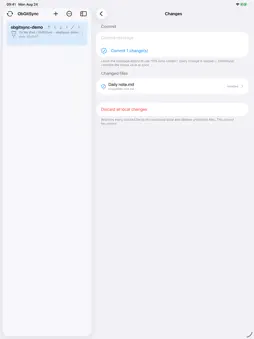
Description
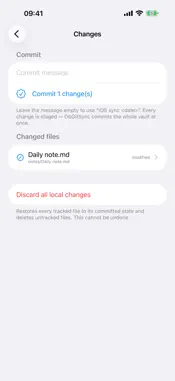
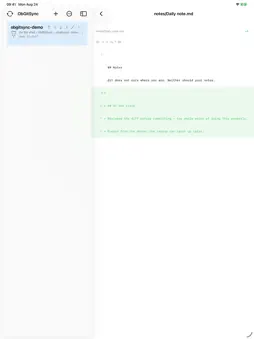
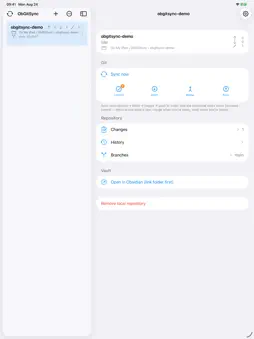
ObGitSync keeps a folder of Markdown notes in step with a Git repository, straight from your iPhone — no desktop, no subscription, no server in the middle. It is built for people who already keep their notes in git and want the same control on mobile: not one opaque "sync" button, but real git, one step at a time. SIGN IN AND GO • Sign in with GitHub — no password typed into the app, and the token stays in the iOS Keychain • Browse your repositories and clone one with a tap • Or point it at any Git host over HTTPS with an access token REAL GIT, NOT AN IMITATION • Commit, Fetch, Merge and Push as separate actions — run one, or run all four in order • Read the diff before you commit, and the diff of any past commit • Browse the commit history, with unpushed commits clearly marked • Write your own commit message • Switch and create branches • Choose merge or rebase per vault • Resolve conflicts in the app: keep yours, keep theirs, or keep both • Discard a single file, or every local change, back to its committed state • Built on libgit2 — the same engine desktop git tooling uses BIG FILES WELCOME • Full Git LFS support: large files are committed as pointers and their content streamed separately, so a vault with files far past GitHub's 100 MB limit still syncs on a phone • Transfers never load an object into memory WORKS THE WAY YOUR NOTES APP DOES • Point ObGitSync at the folder your notes app already uses, and it writes straight into it • A conflict never blocks a sync unless you ask it to • Several vaults at once, each with its own repository, folder and token AUTOMATIC WHEN YOU WANT IT • Sync when the app opens, and on a schedule from every 15 minutes to once a day • Choose what unattended runs do: fetch only, fetch and merge, or a full two-way sync • Shortcuts and Siri actions for every step, plus a URL scheme, so you can build your own routine YOURS ALONE • Your notes, your token and your vault never leave the device except to talk to your own Git repository over HTTPS • No account with us, no analytics, no servers, nothing collected English and 简体中文. Light, dark, or follow the system. ObGitSync is an independent app. It is not affiliated with, endorsed by, or sponsored by Obsidian (Dynalist Inc.) or GitHub, Inc.
What's New
Version 1.0.1 2026-08-28
Maintenance update. This release changes how the banner ad is delivered behind the scenes. Nothing about syncing, committing or your notes has changed — everyt... Technical Analysis
Package Overview Basic metadata
Bundle ID
com.wangxing.obgitsync Current Version 1.0.1
Minimum iOS 26.0
Package Size App Store Size
Package Metadata 0 / 0 version records
Detailed binary, privacy manifest, framework, and Info.plist results have not been indexed for this package yet. The verified App Store and archive metadata above remains available.
Developer Information
Known Version Records
0 version records with stored package metadata
Stored metadata does not guarantee a package is currently available to download.
| Details | Version / IDs | Version date | Action |
|---|